



SECANDA Suite

One Identity. One Platform.
Total Control.

A true identity infrastructure that goes far beyond the card.

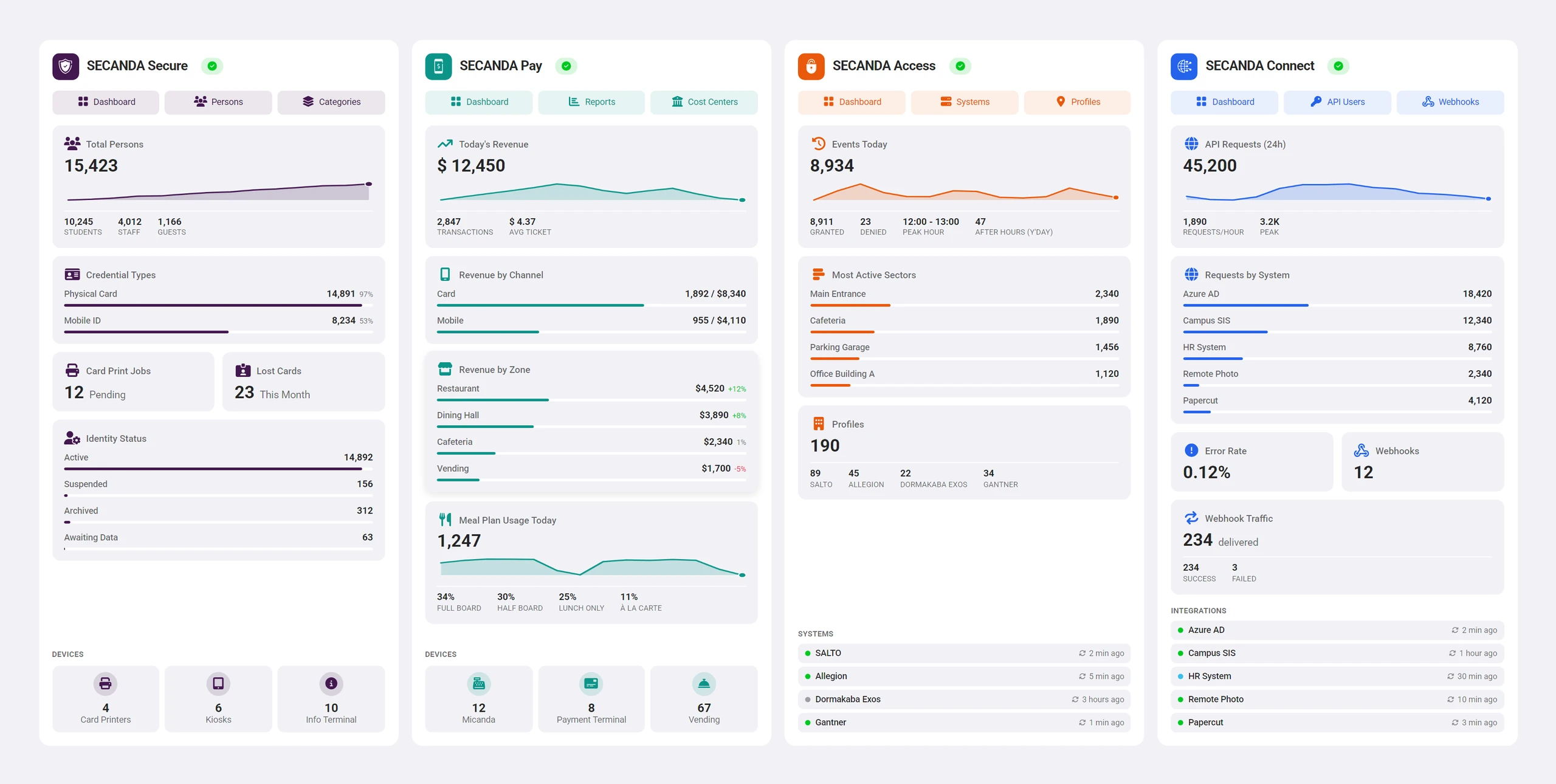
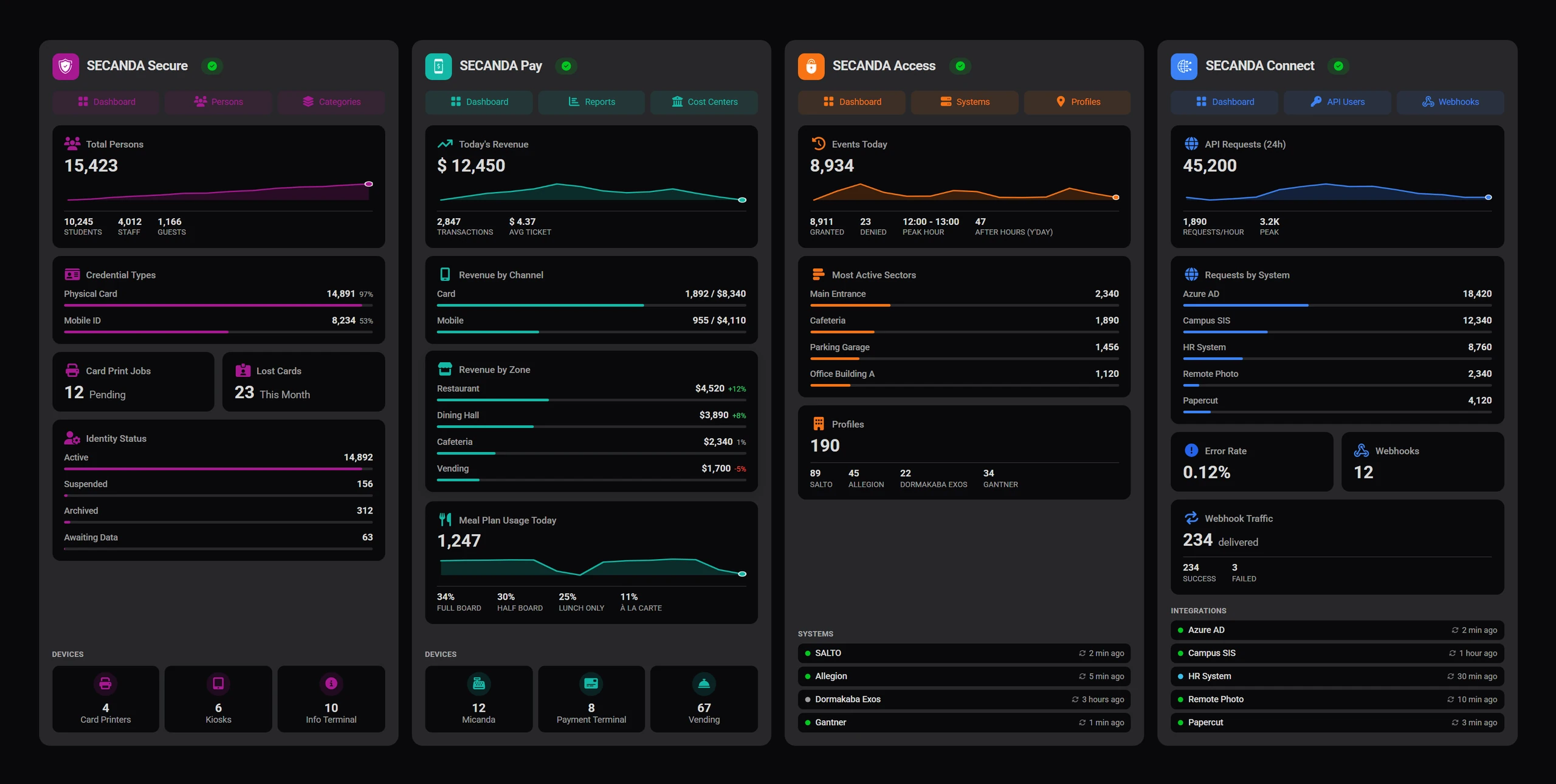
The SECANDA Command Center The SECANDA Command Center

The SECANDA Command Center

See everything. Manage everything. One unified control center.

The key figures of every module at a glance.

SECANDA Secure

Learn more

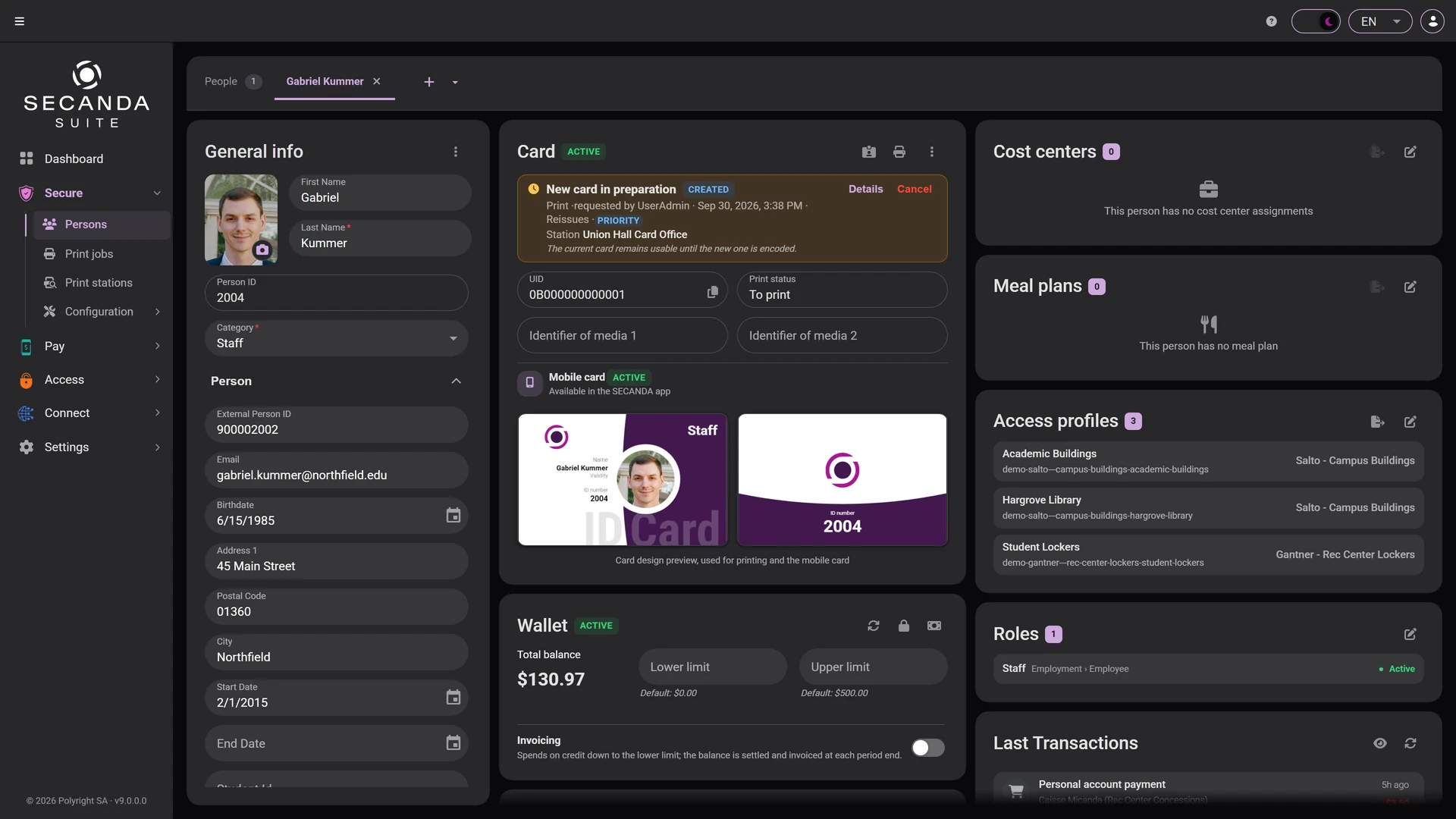
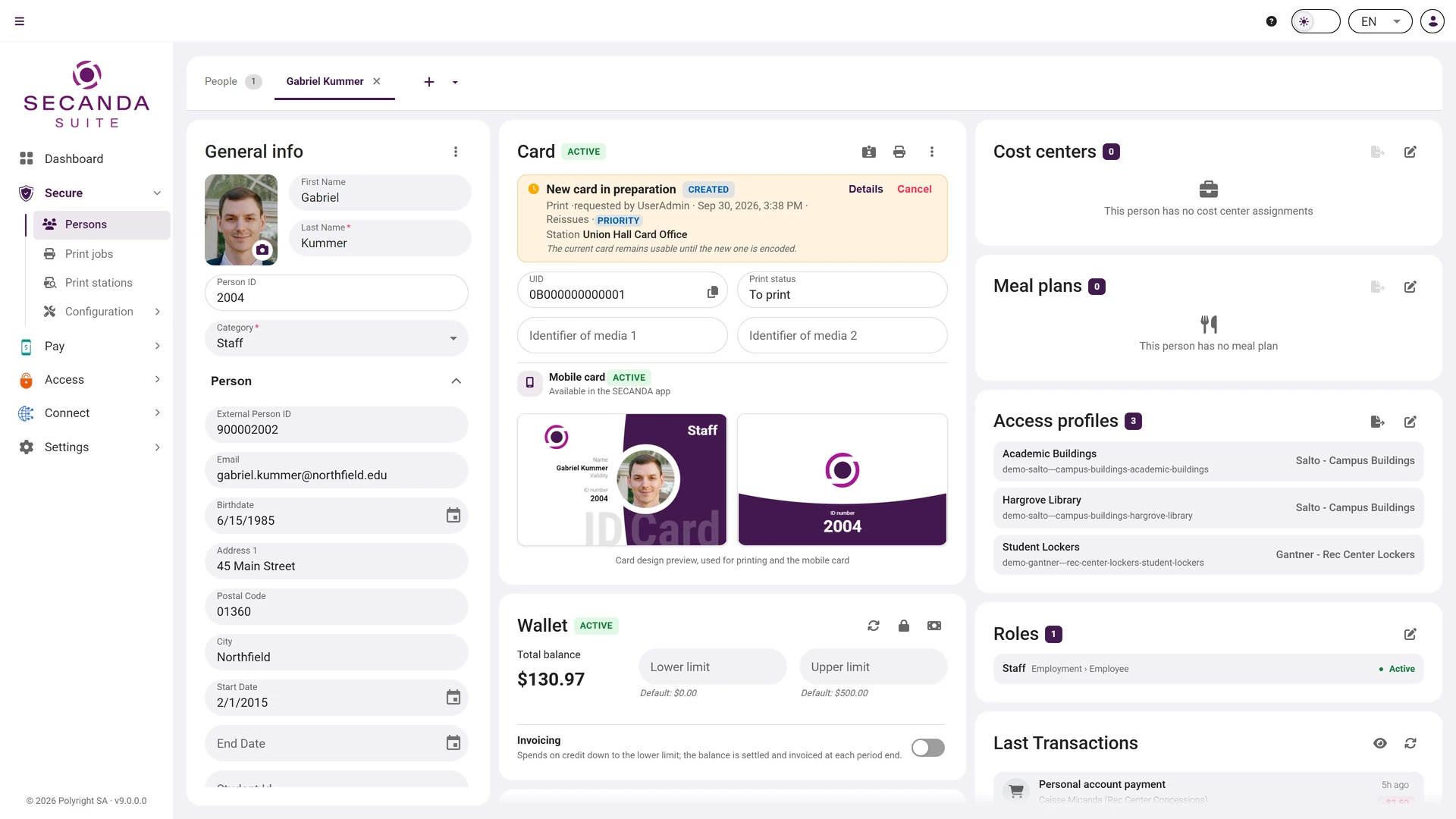
Person record

Everything the organisation knows about a person on one screen: their fields, their card, their wallet, their access profiles, their roles, their cost centers and their history.

  • The physical card and the mobile card, with UID and print status
  • The wallet: balance, credit limits and latest transactions
  • Access profiles, roles, cost centers and recent activity
Person record Person record

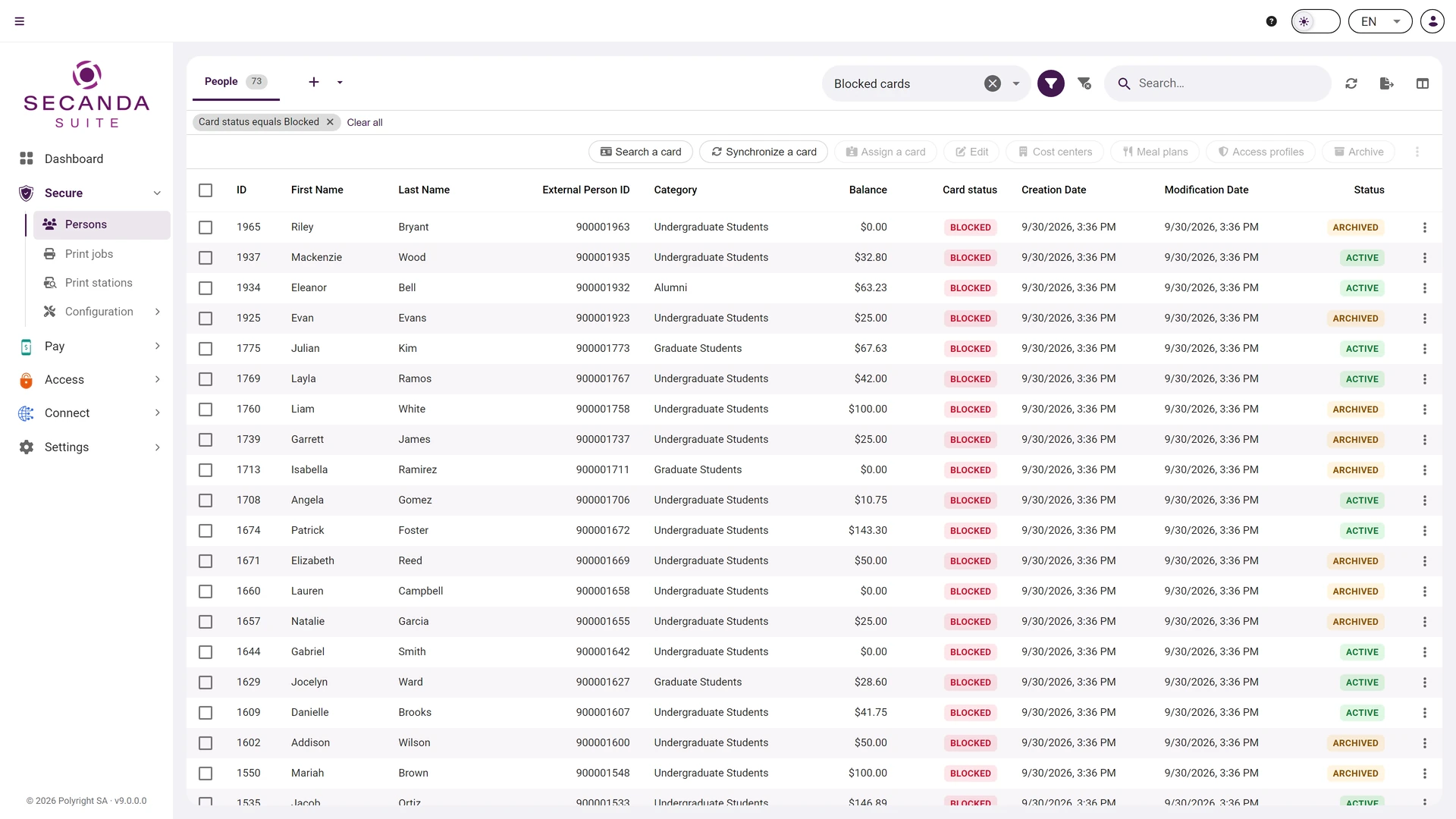
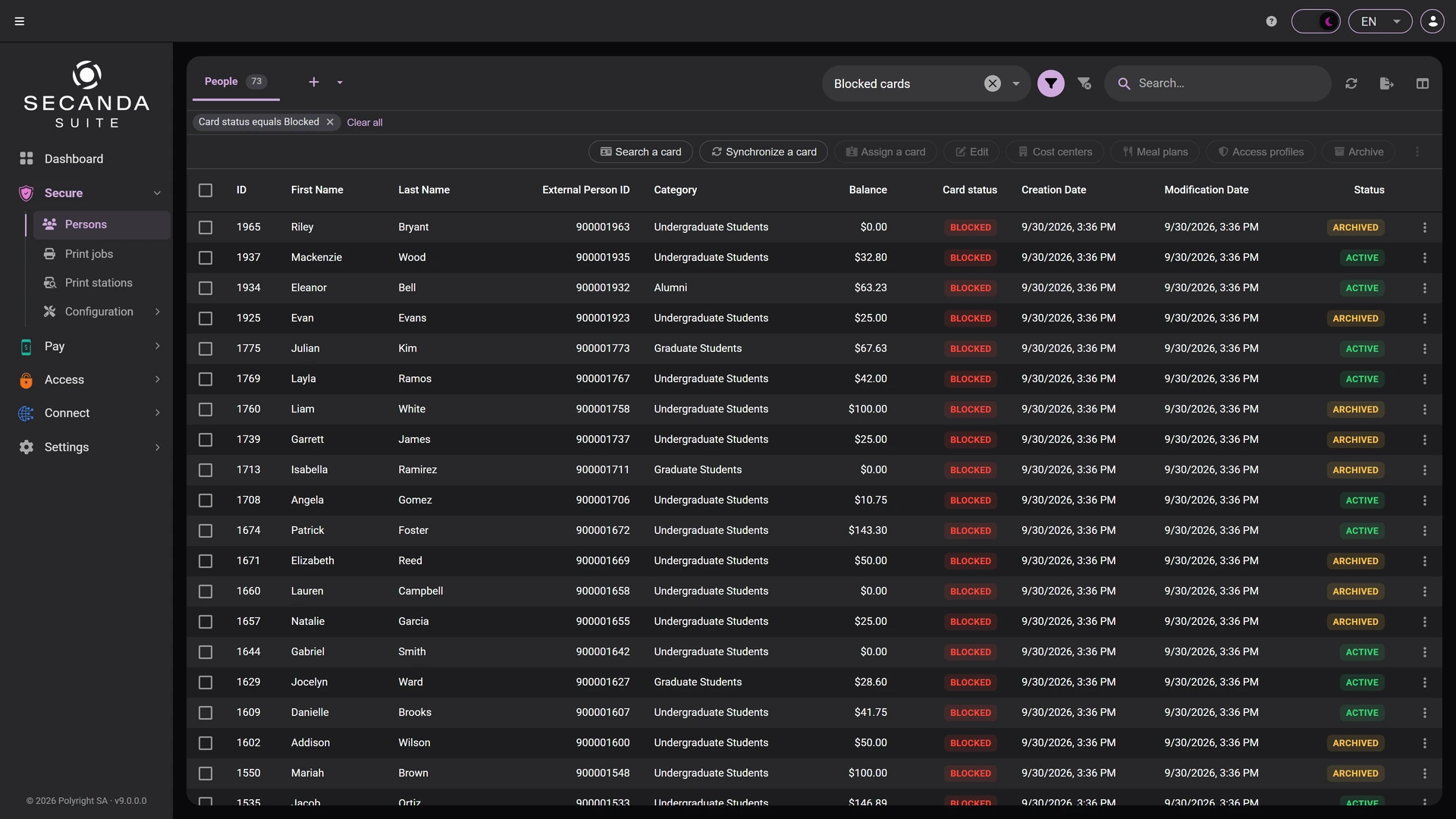
List and search

Search, filter, then act on hundreds of people at once: fields, rights, cards, archiving.

  • Columns each user picks for themselves
  • Saved filters, shared and reused in one click
  • Bulk operations across the whole selection
List and search List and search

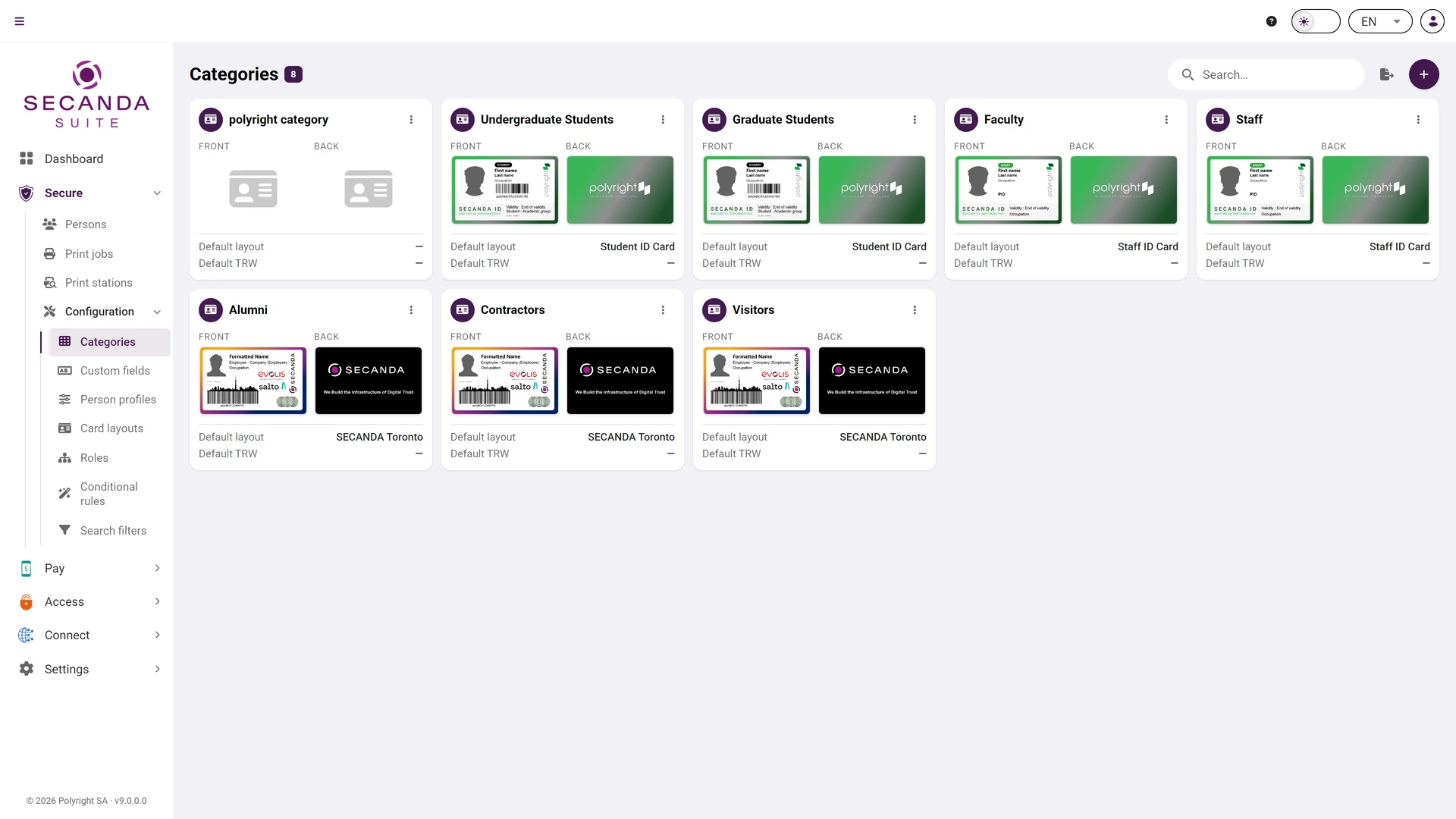
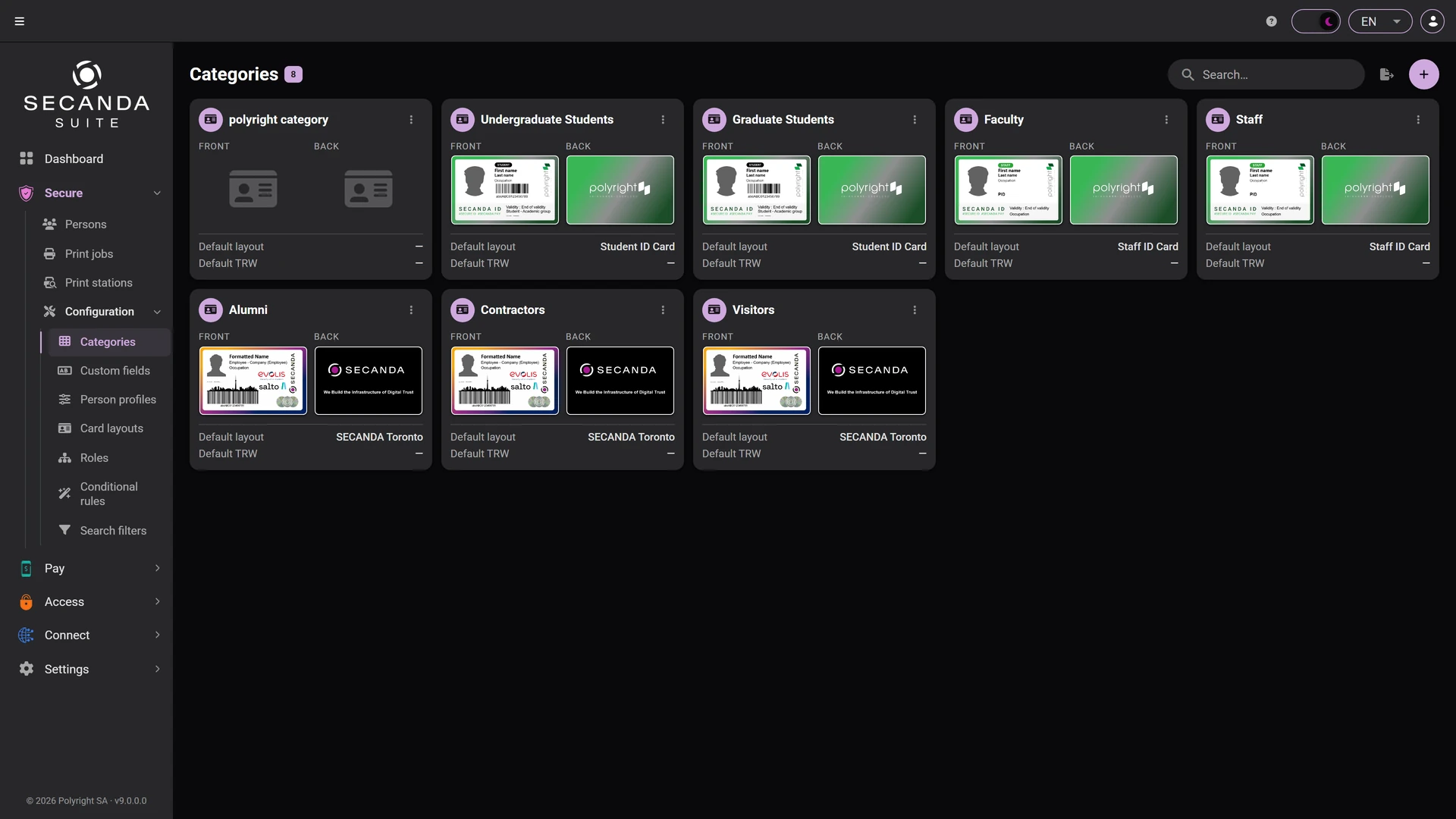
Categories

Model your populations (employees, visitors, students…) and enrich each category with custom fields: text, dates, lists, files.

  • One card layout per category, front and back
  • Custom fields specific to each population
  • A card preview before the first print
Categories Categories

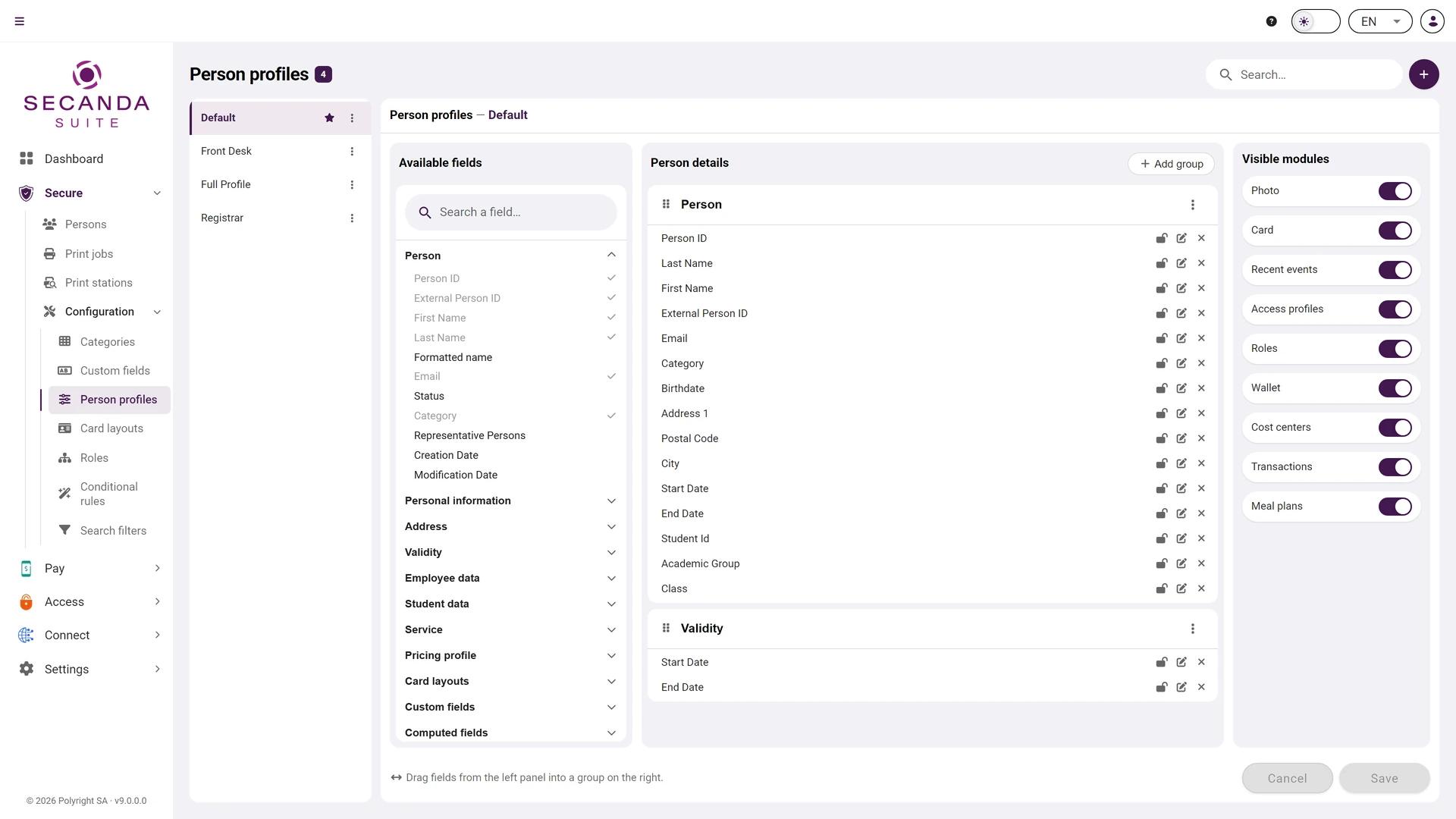
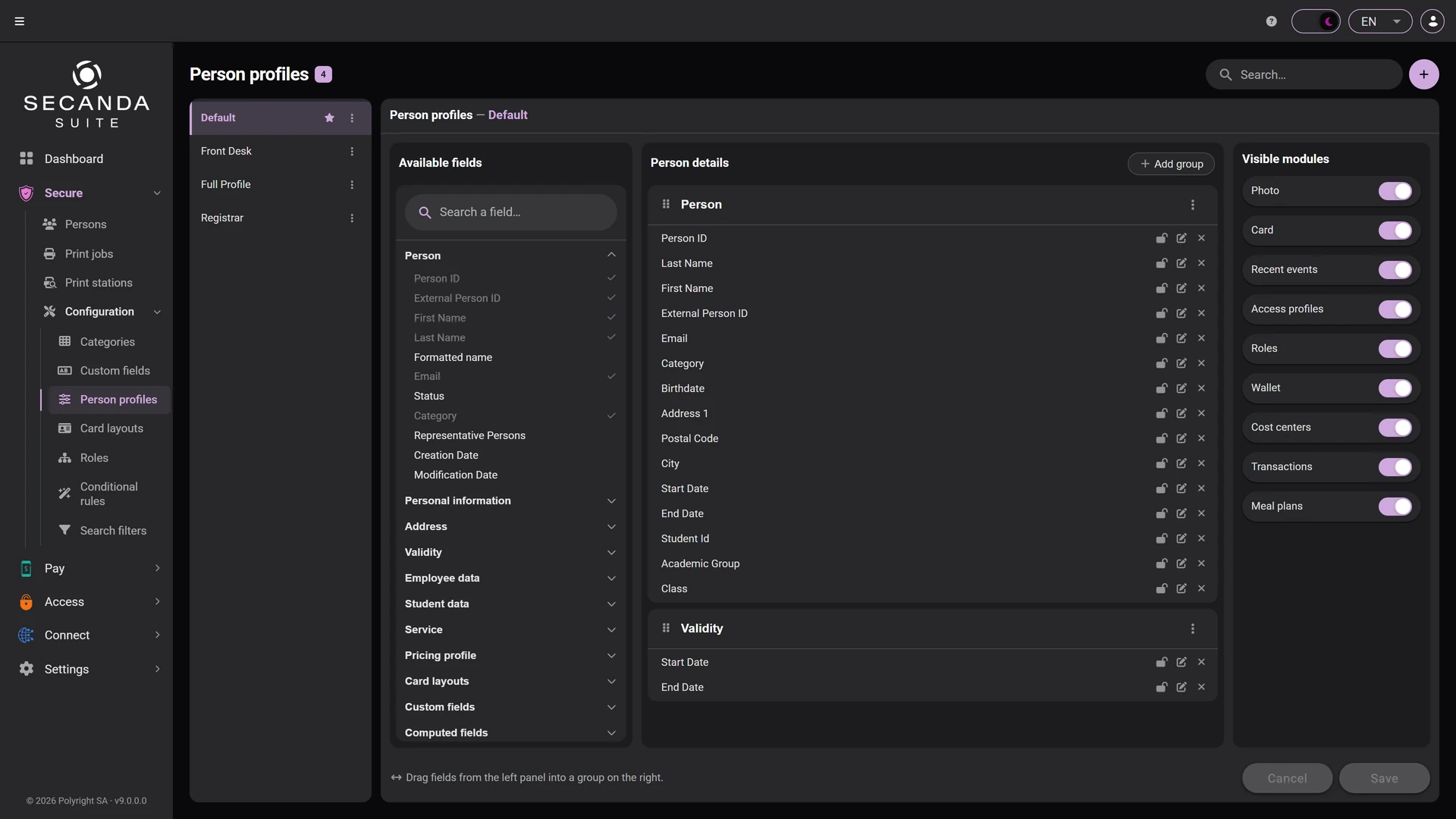
Field profiles

Compose the person record itself: which fields show, in what order, in which groups, and which modules appear. One profile per job.

  • Fields dragged from the catalogue into the record's groups
  • A field locked, editable or hidden, case by case
  • The record's modules switched on profile by profile
Field profiles Field profiles

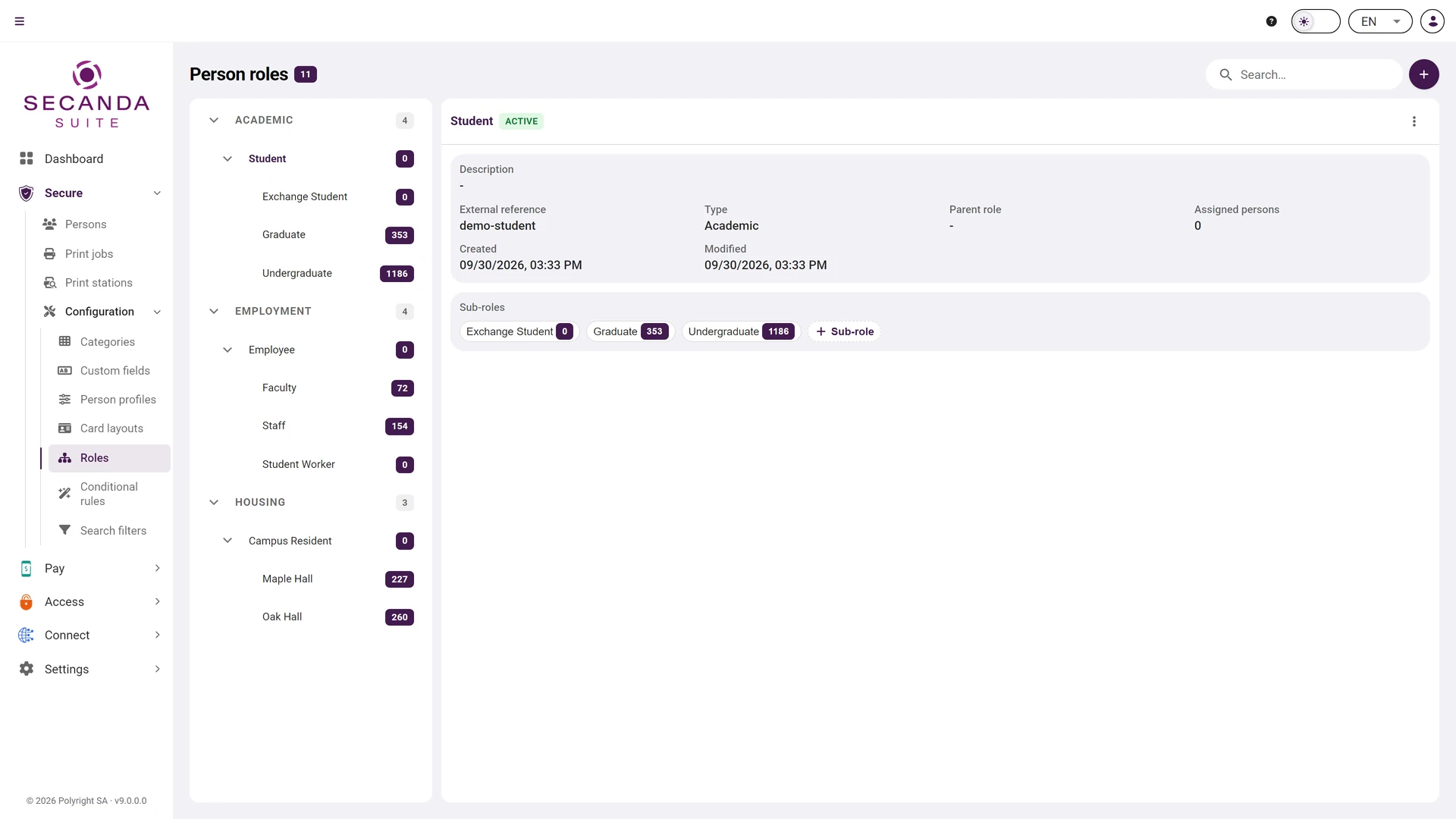
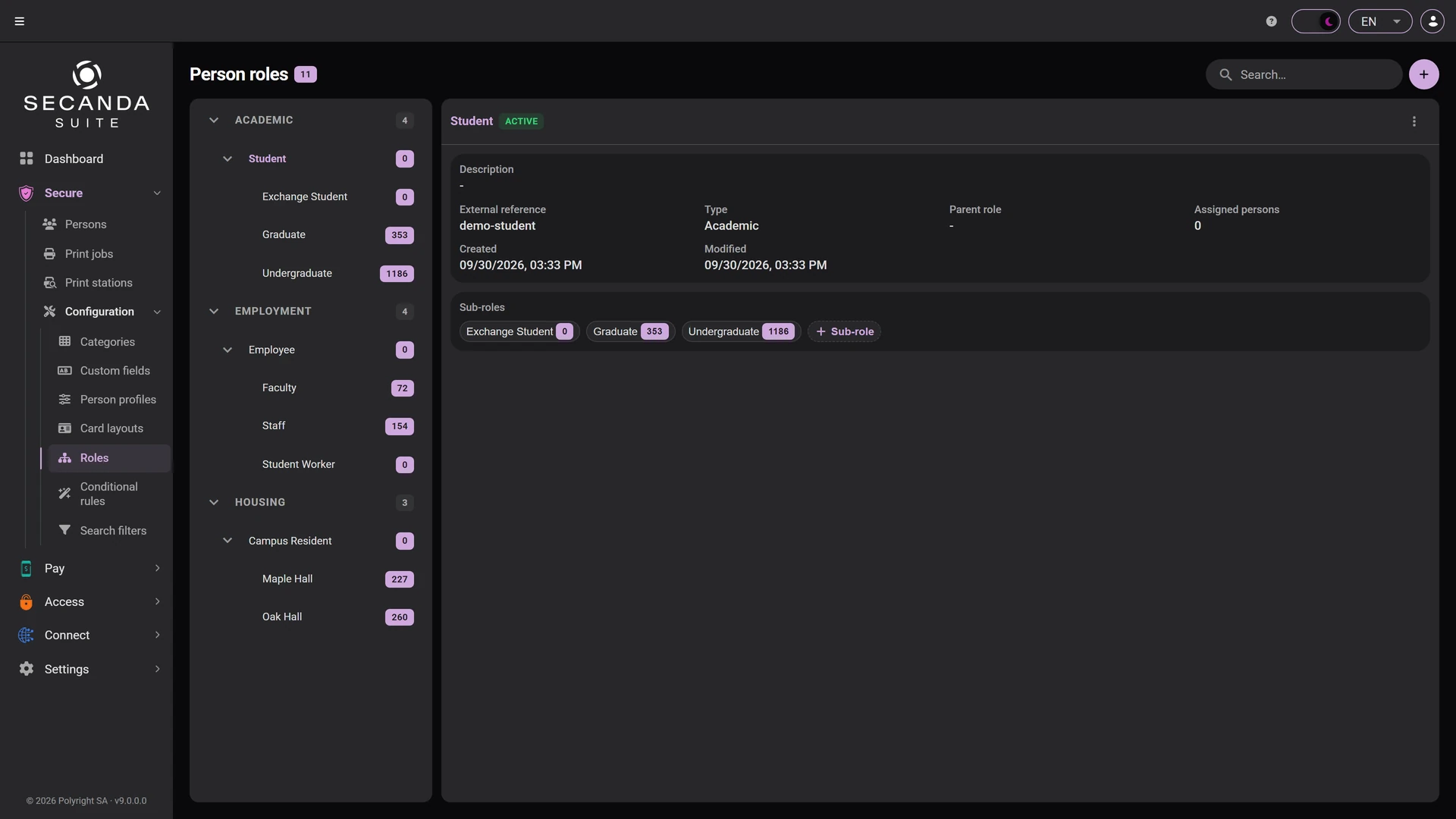
Roles

Job, organisation, safety, site: a role hierarchy that mirrors your org chart, and that conditional rules keep filled on their own.

  • Sub-roles across three levels
  • A parent role whose properties are inherited
  • The number of people attached, visible on every role
Roles Roles

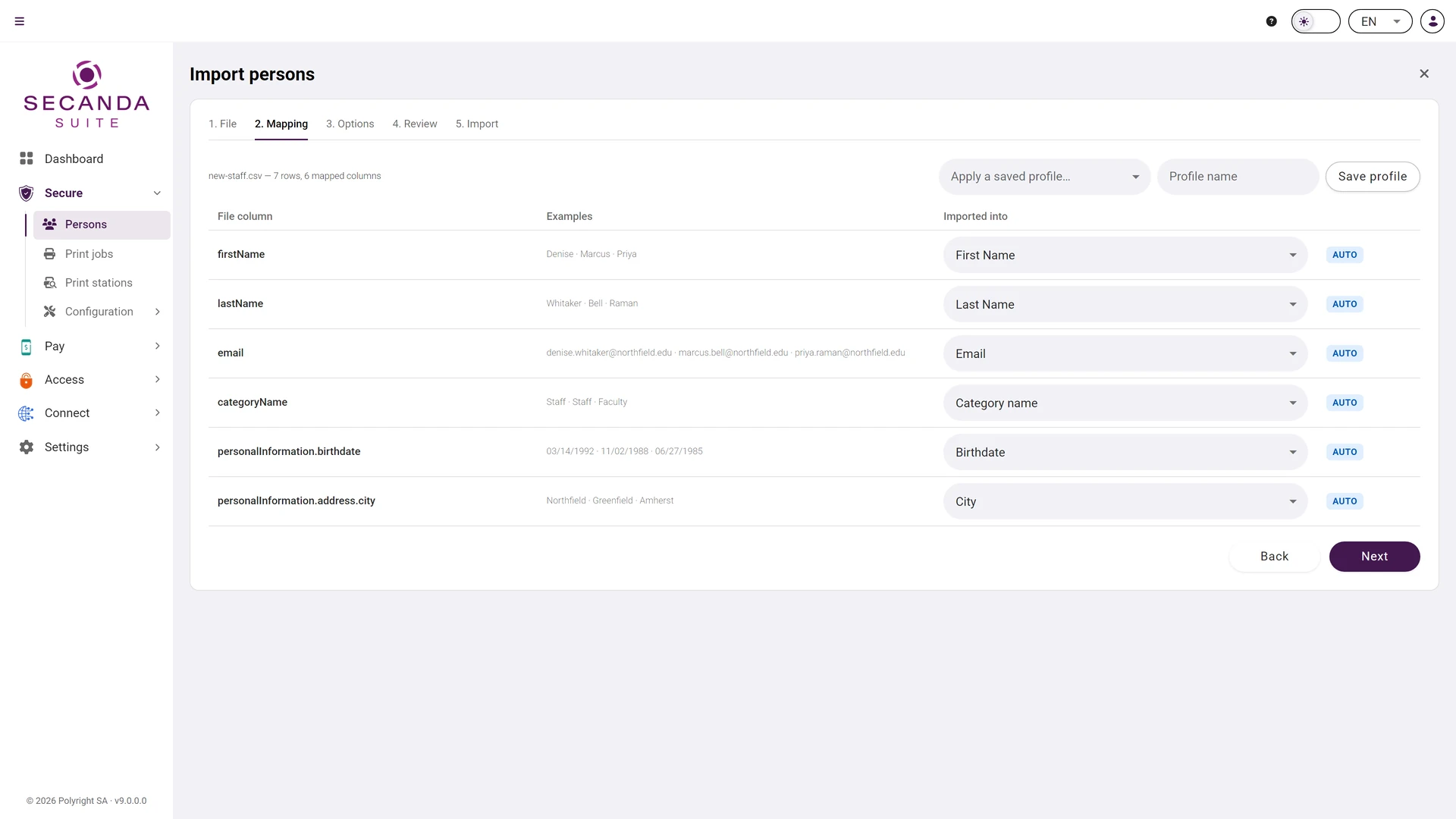
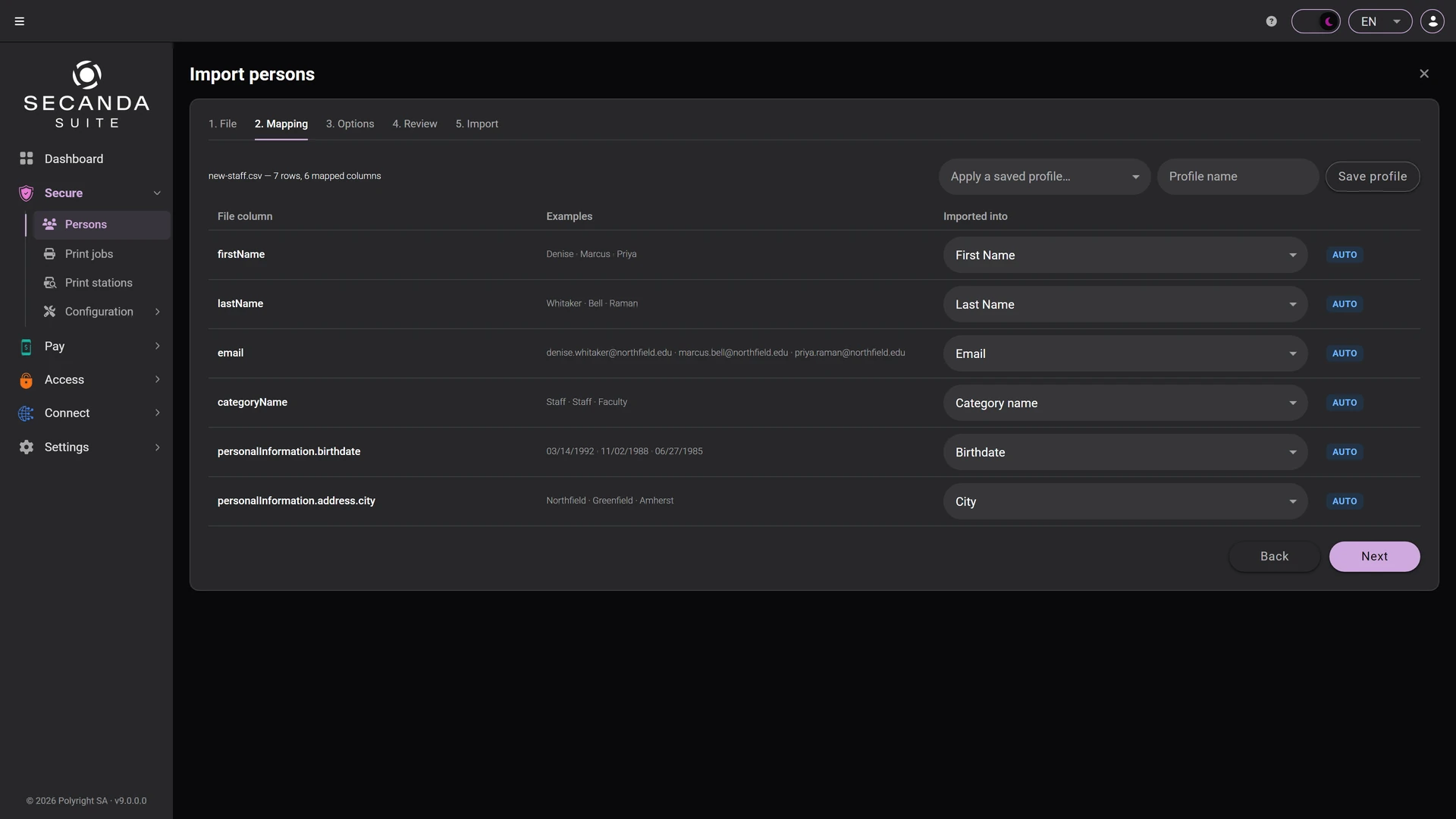
Import

Import hundreds of people and their photos from a CSV or XLSX file: automatic column mapping and a detailed import report.

  • Five steps, from the file to the import report
  • Columns matched automatically, with a sample value
  • A saved mapping profile, reused on the next file
Import Import

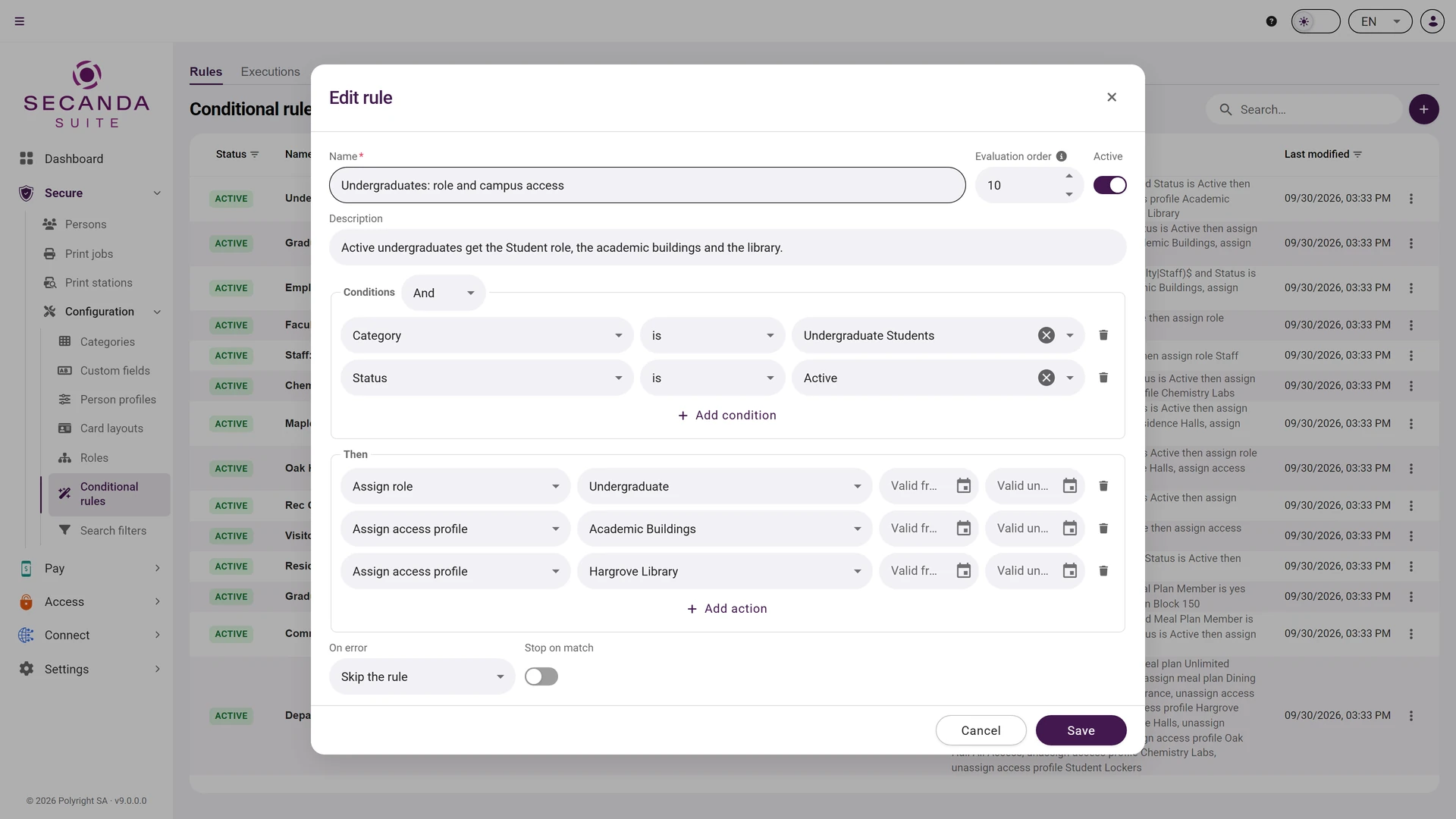
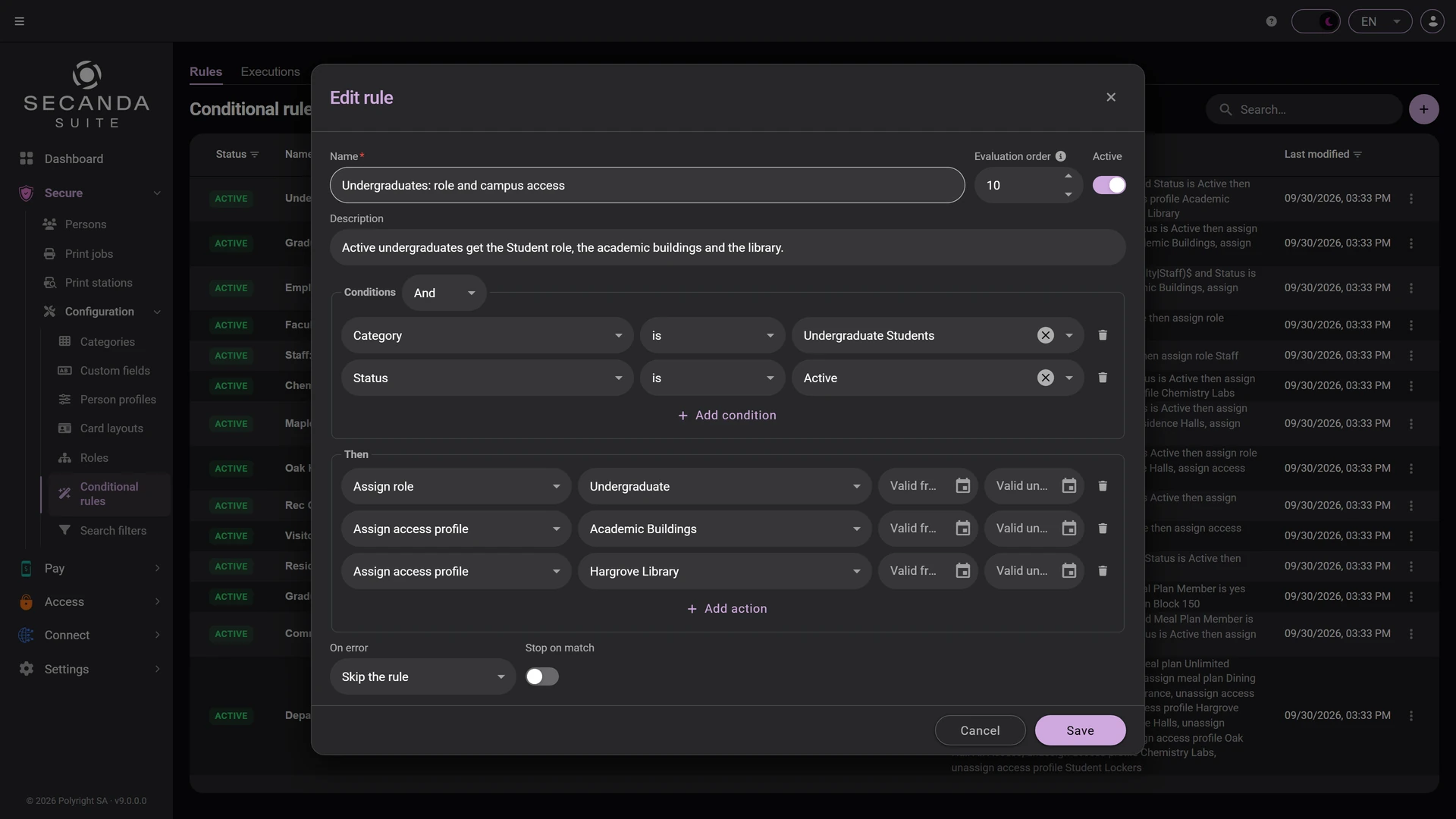
Conditional rules

Whenever a person is created or updated, your rules automatically assign access profiles, roles, or cost centers, complete with validity dates.
  • Conditions combined with AND or OR, regular expressions included
  • Dated actions: access profile, role, cost center
  • A priority per rule, and a switch to suspend it
Conditional rules Conditional rules

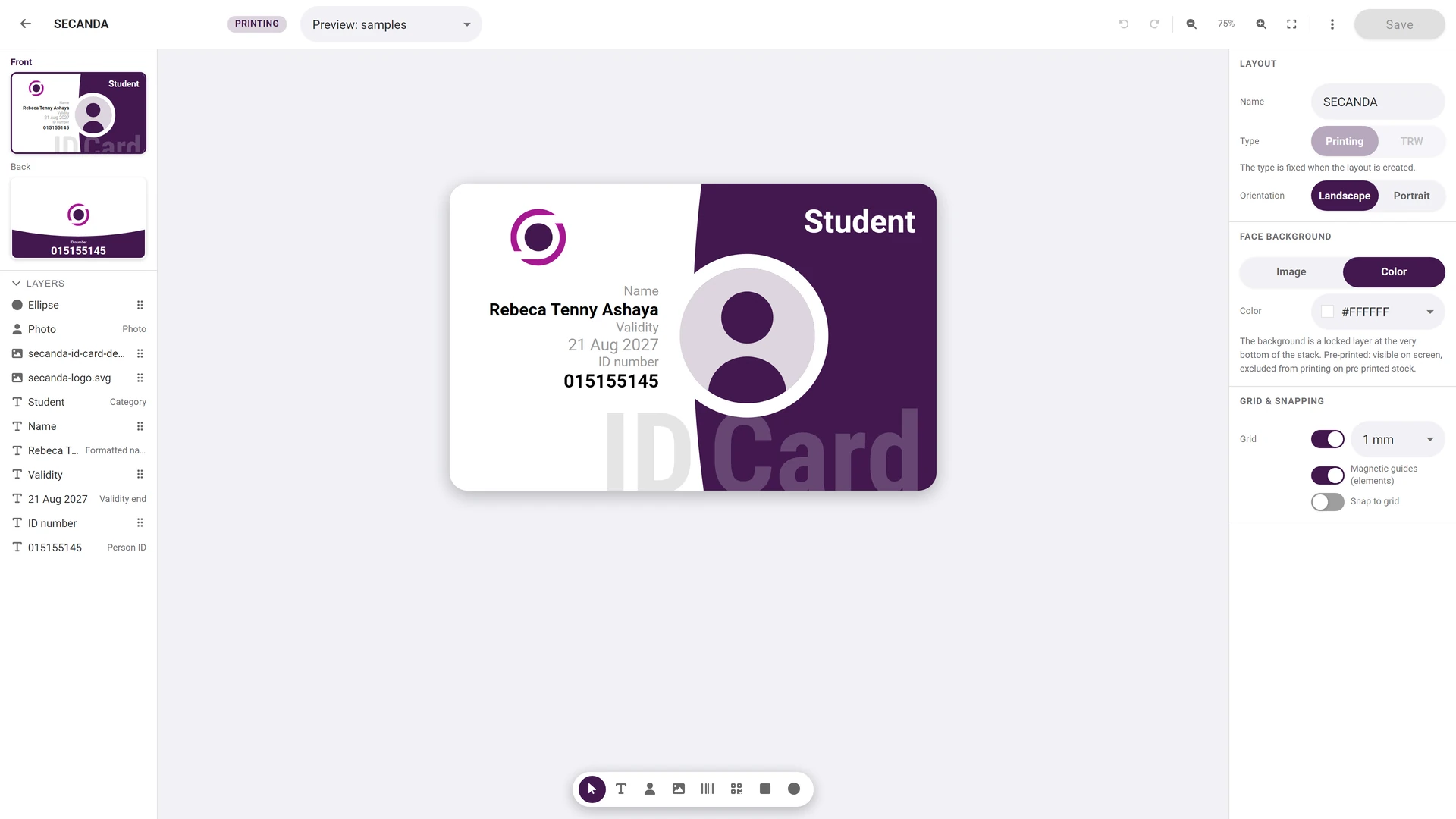
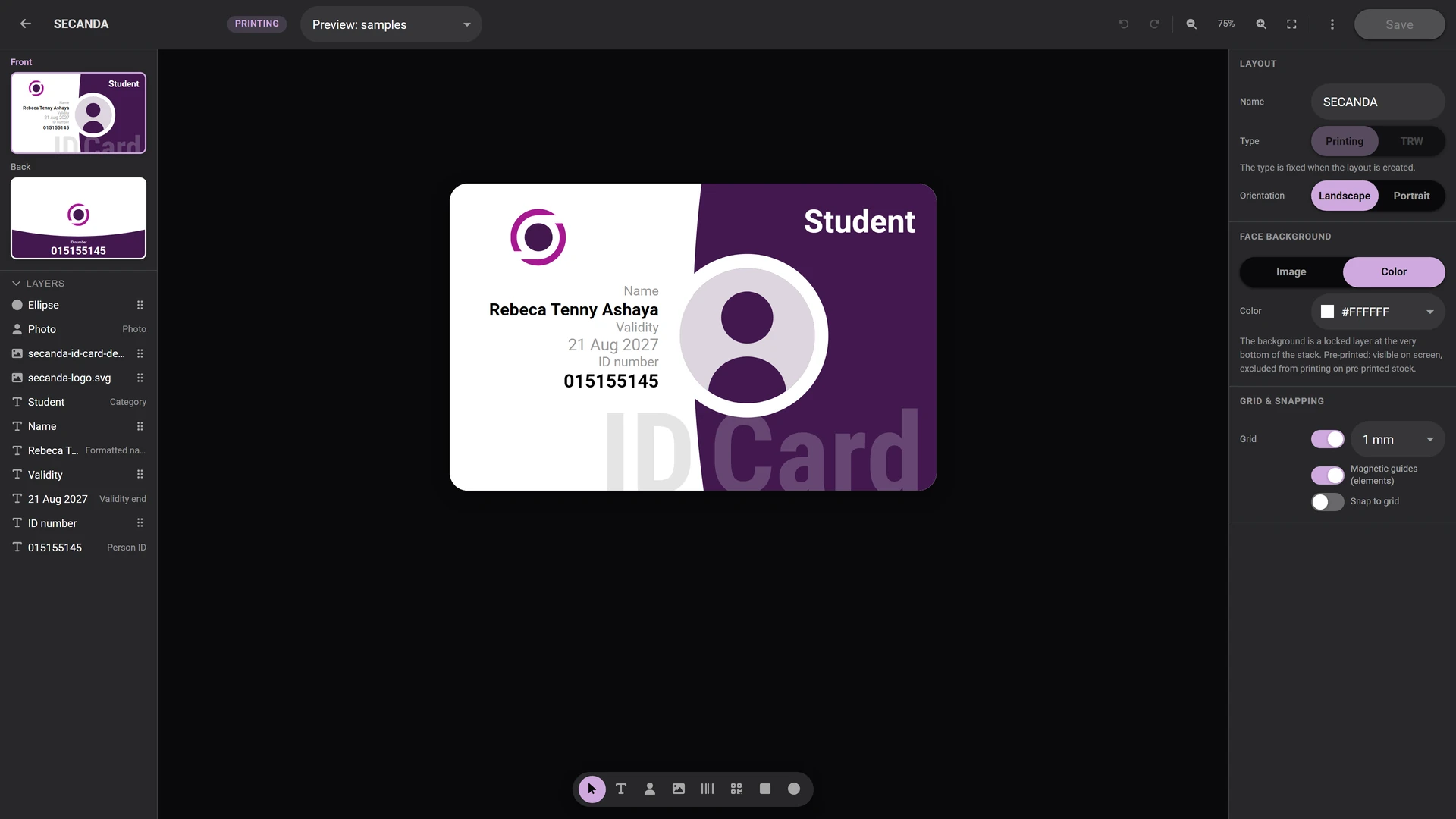
Card designer

Both sides of the badge are designed in the browser, every layer bound to a field of the person's record.
  • Front and back in the same editor
  • Data-bound layers: name, category, validity, ID number
  • A magnetic grid and a preview on a real sample
Card designer Card designer

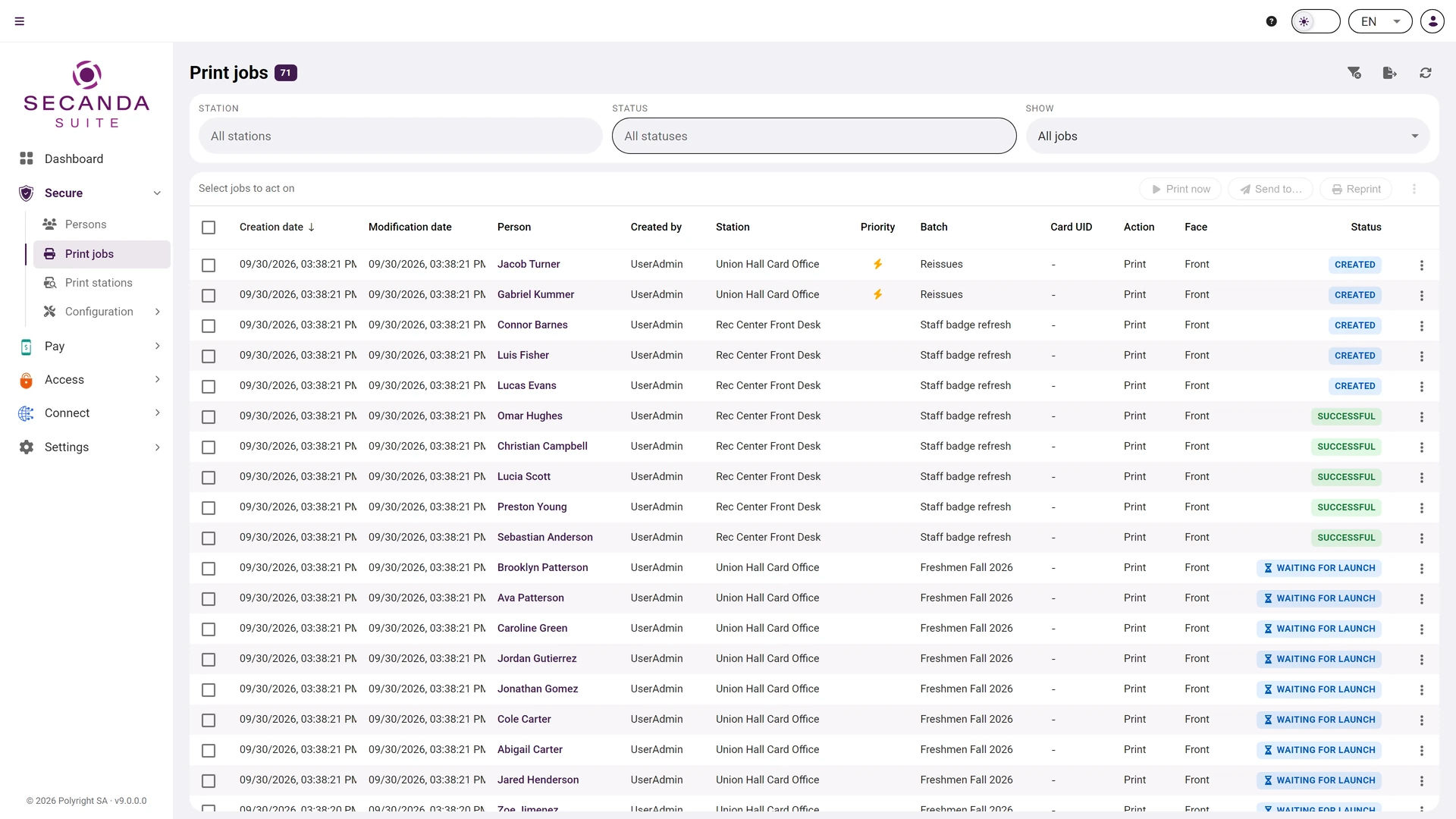
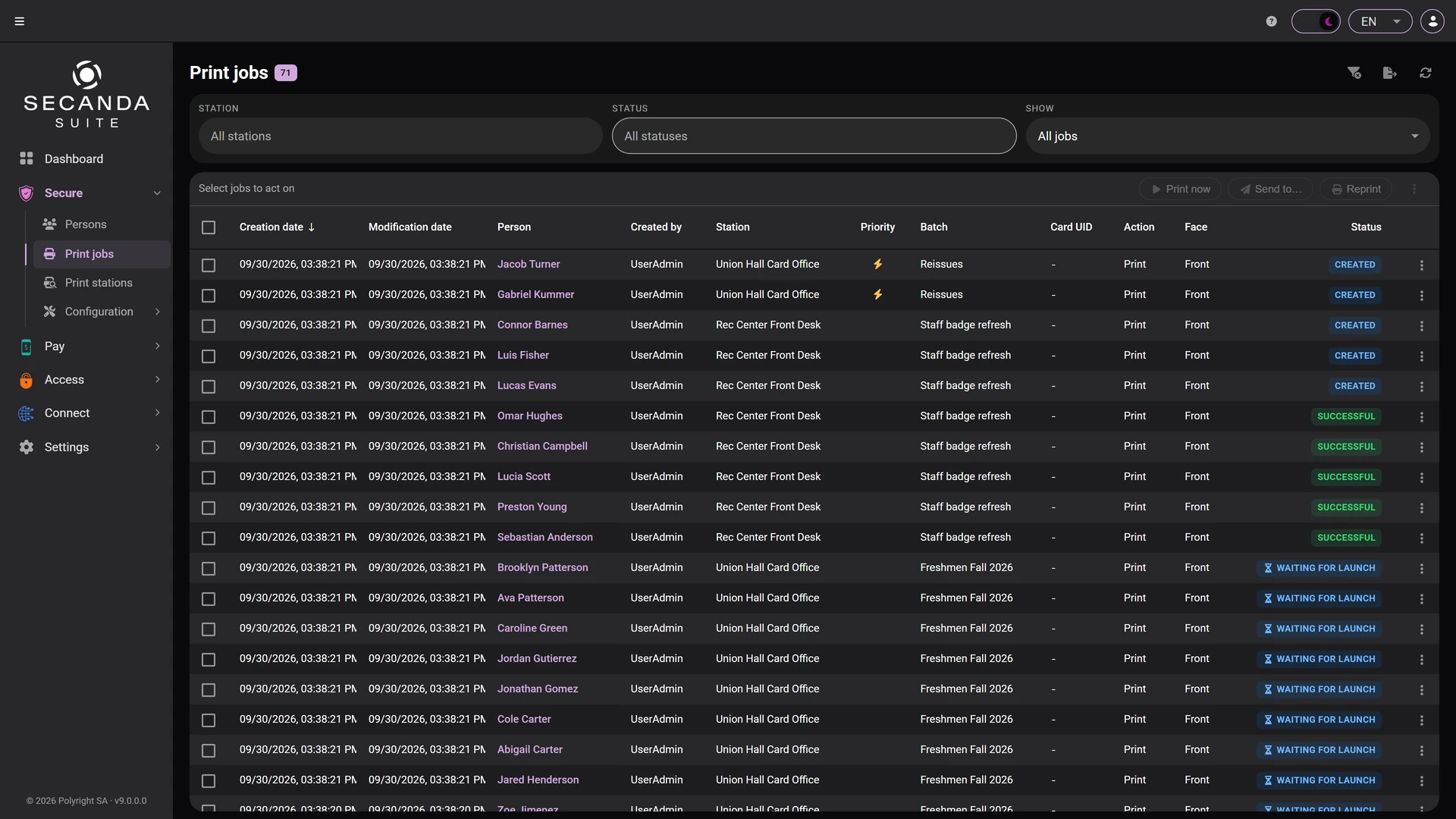
Print jobs

Every badge to produce, with its batch, its print station and its status, from the queue to the encoded card.

  • Named production batches
  • A priority for urgent cards
  • Reprints linked to the failed original
Print jobs Print jobs

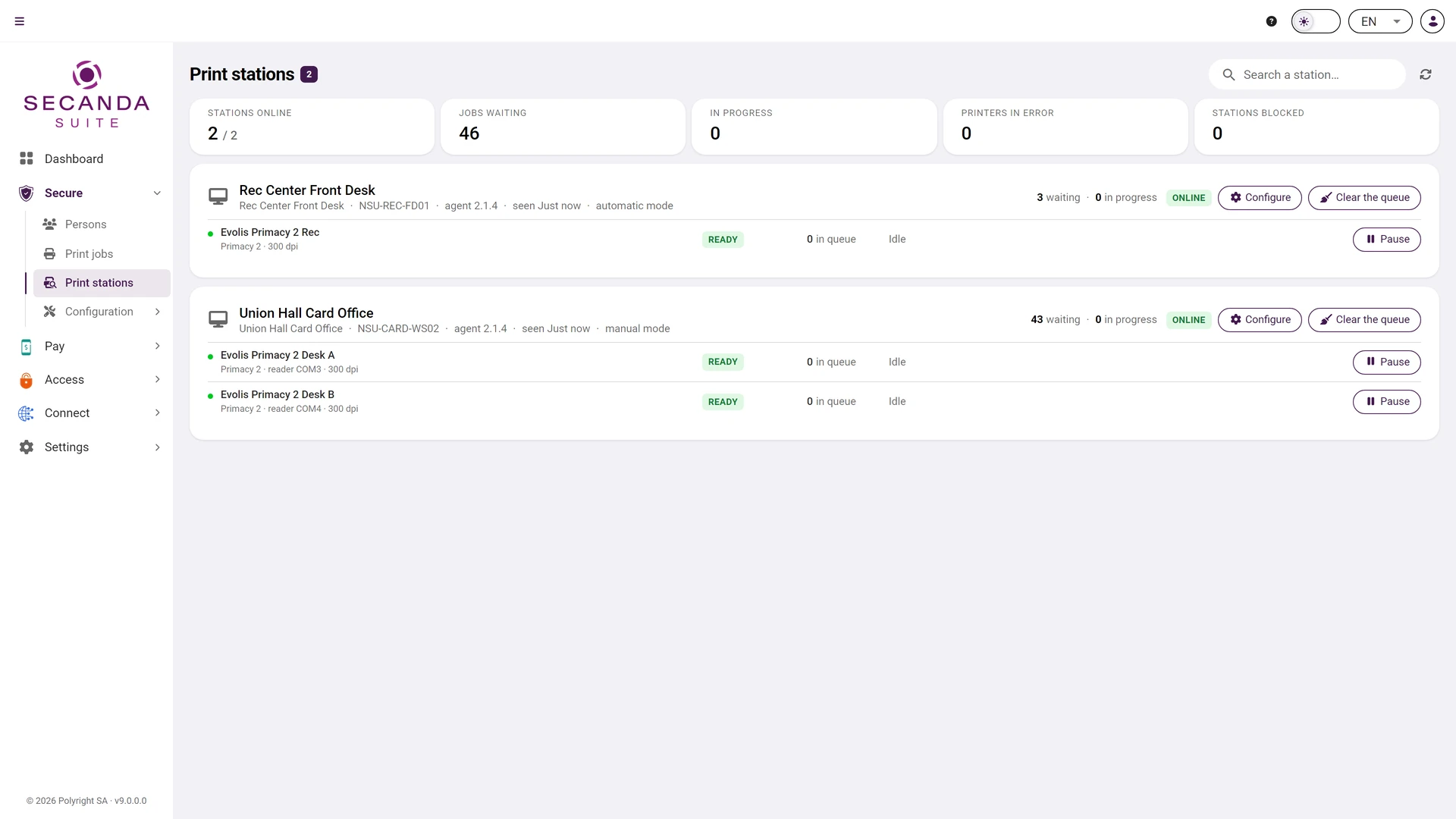
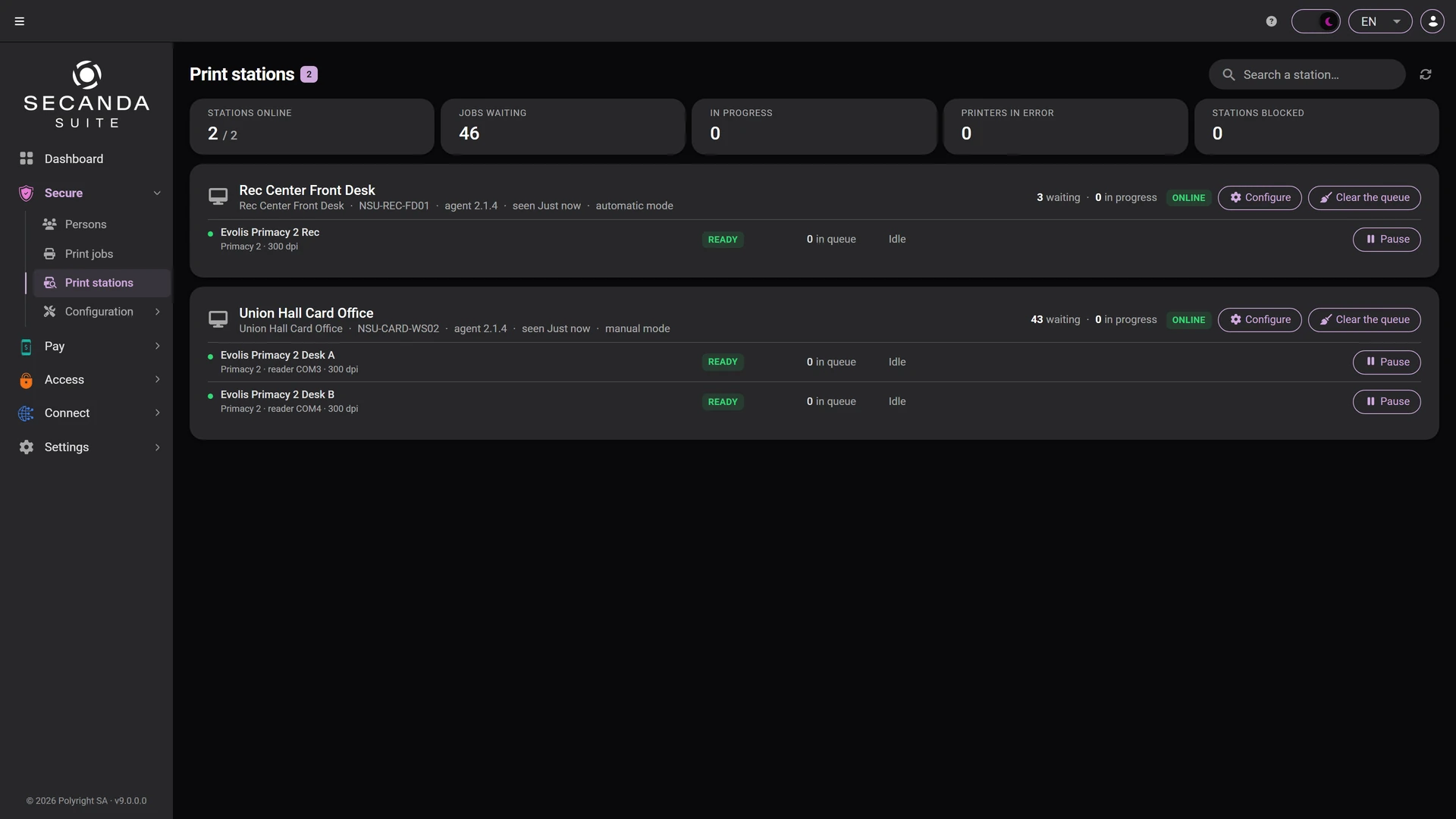
Print stations

Every print station, its printers and its queue, live from the Suite.

  • The state of each printer, ribbon included
  • Automatic mode or manual release
  • The cover letter printed with the badge
Print stations Print stations

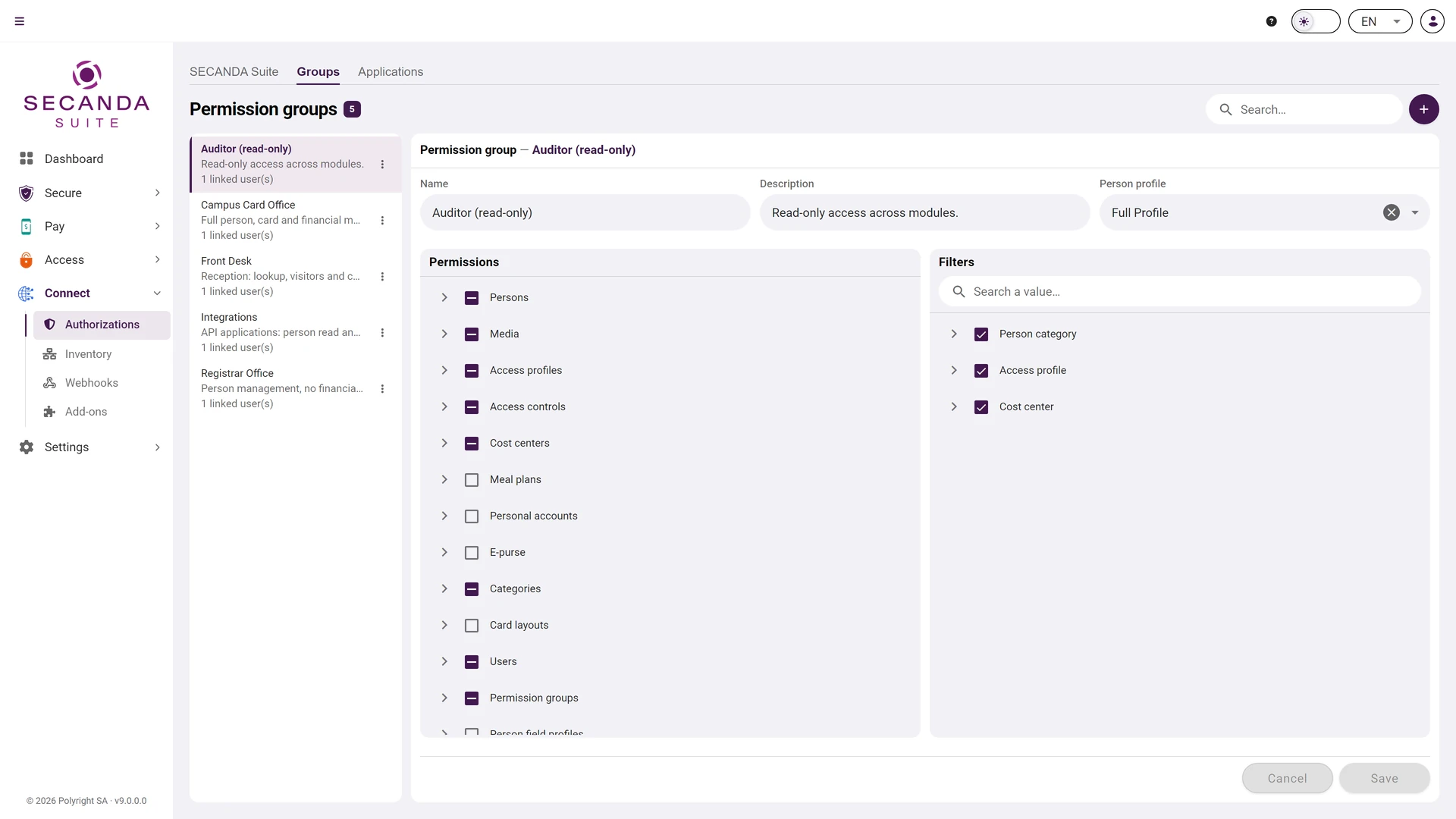
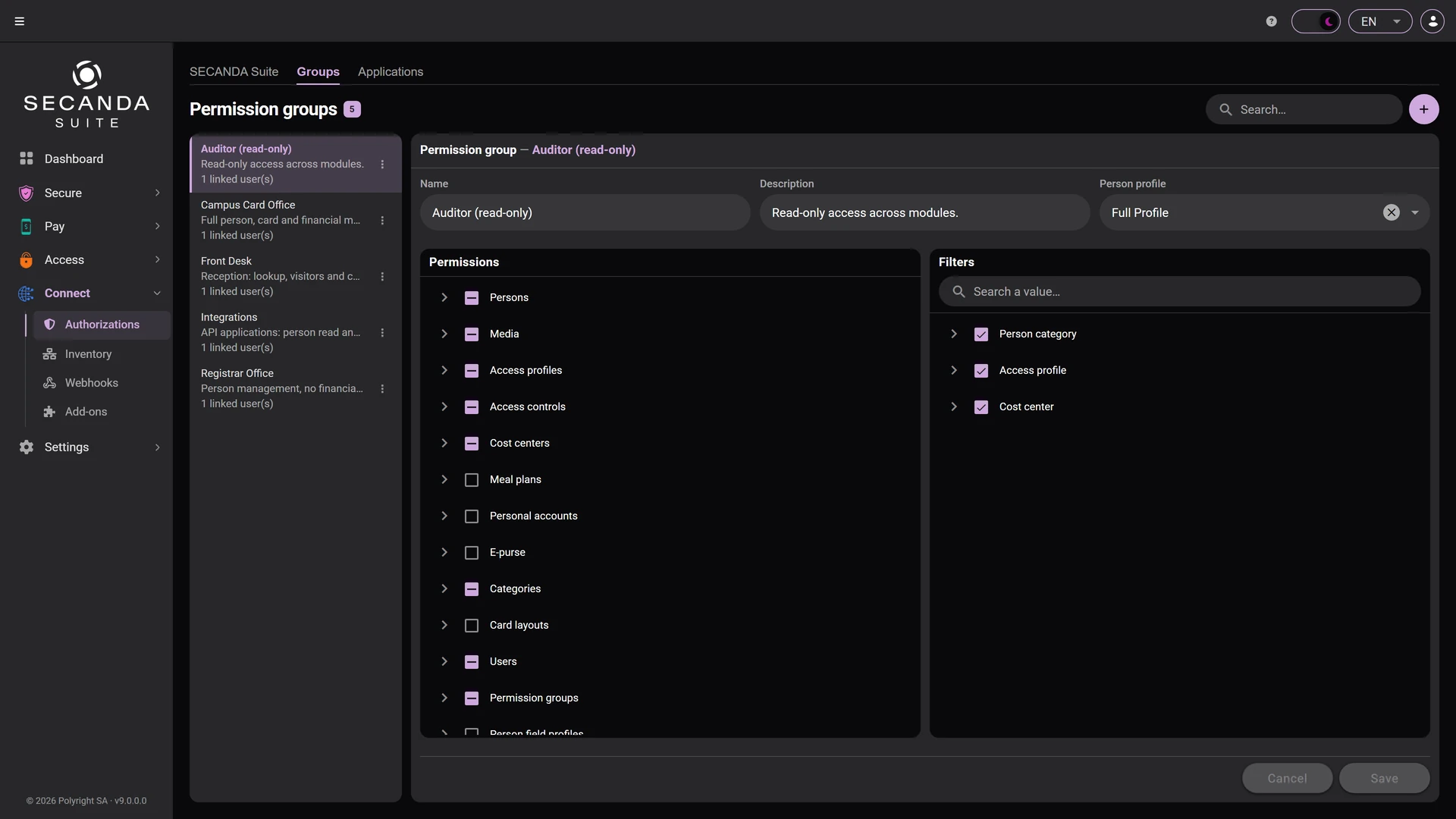
Users and permissions

Your administrators sign in with their company account (SECANDA ID, Microsoft Entra ID) and see only what you grant them, action by action.

  • One right per action, on every kind of data
  • A data scope: category, access profile, cost center
  • Reusable permission groups, ready to assign
Users and permissions Users and permissions

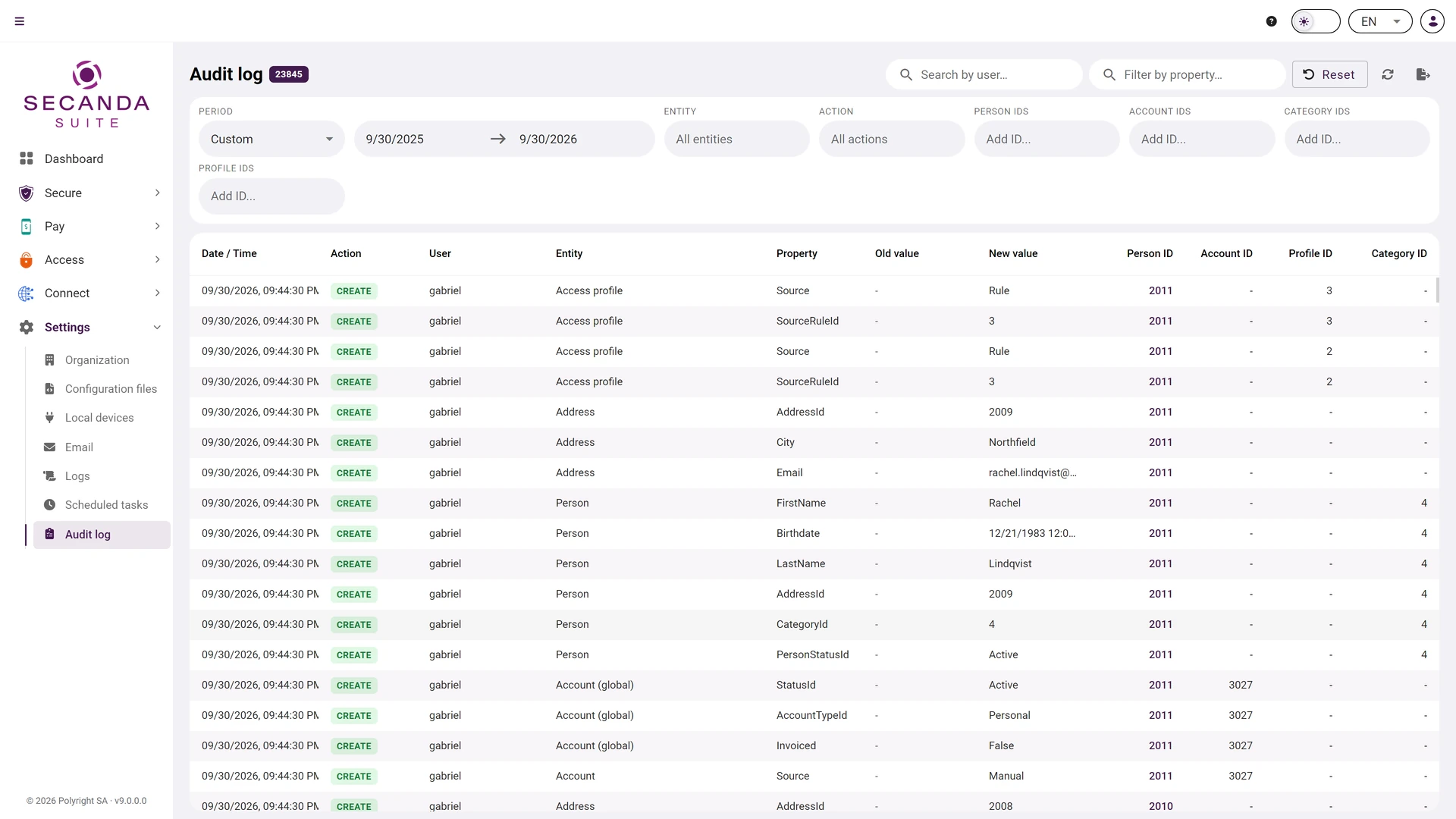
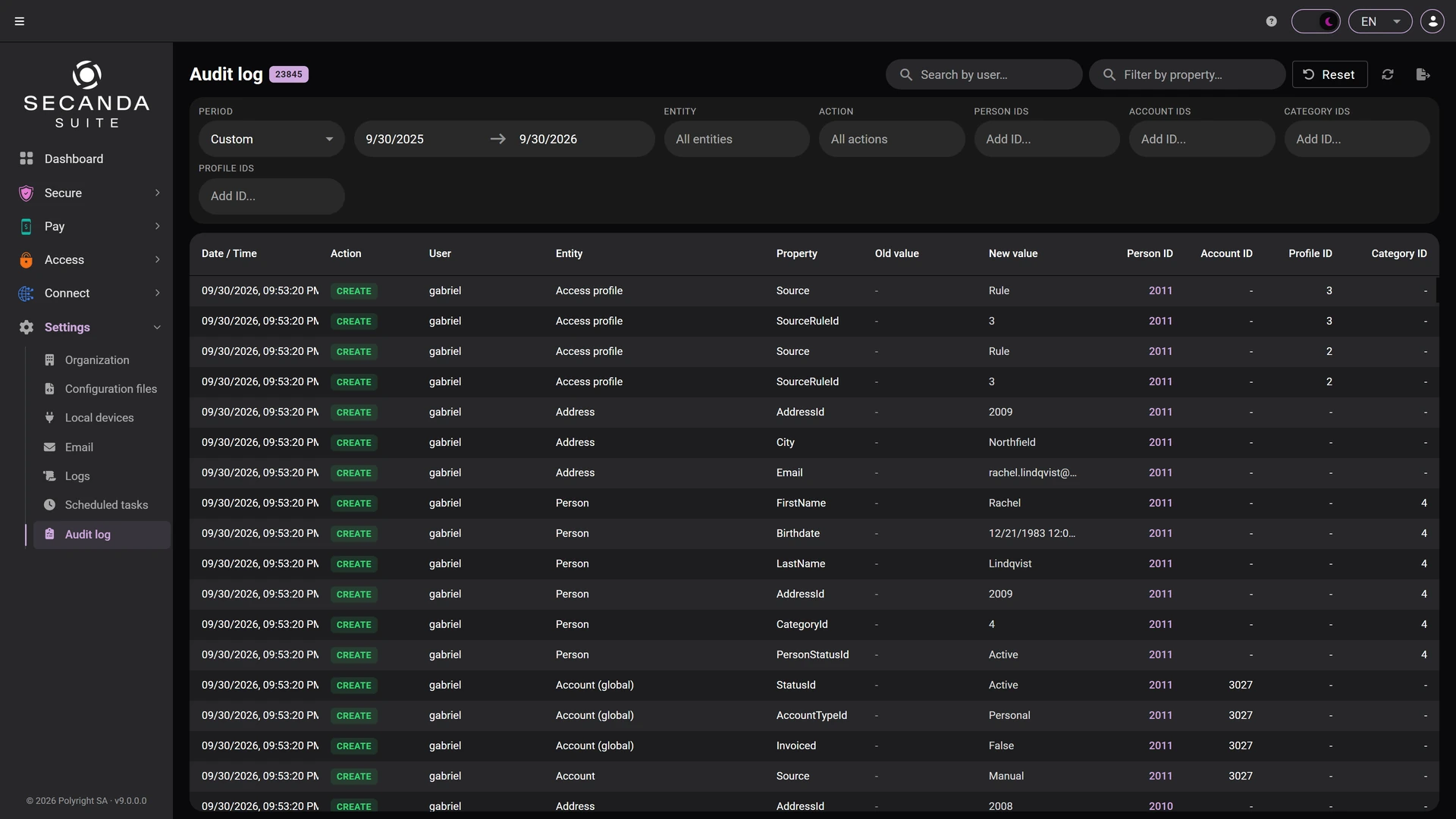
Audit log

Who changed what and when, with the previous and new value, filterable by user, entity, or period.

  • The previous and the new value, property by property
  • Filters by user, entity, action, person or account
  • An export for your compliance reviews
Audit log Audit log
Person record Person record List and search List and search Categories Categories Field profiles Field profiles Roles Roles Import Import Conditional rules Conditional rules Card designer Card designer Print jobs Print jobs Print stations Print stations Users and permissions Users and permissions Audit log Audit log

1 / 12 Person record

Click the screenshot to enlarge it.

SECANDA Pay

Learn more

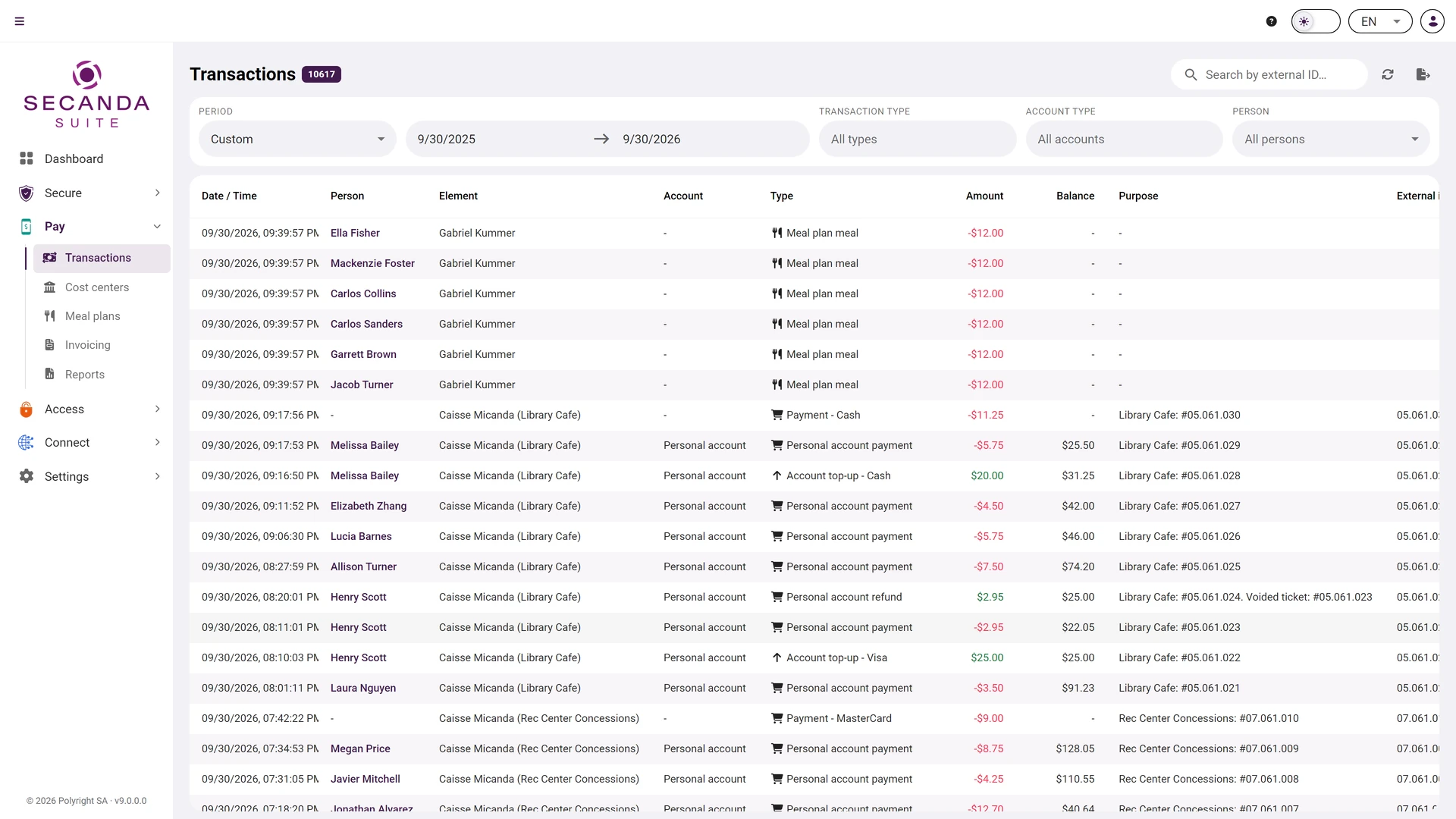
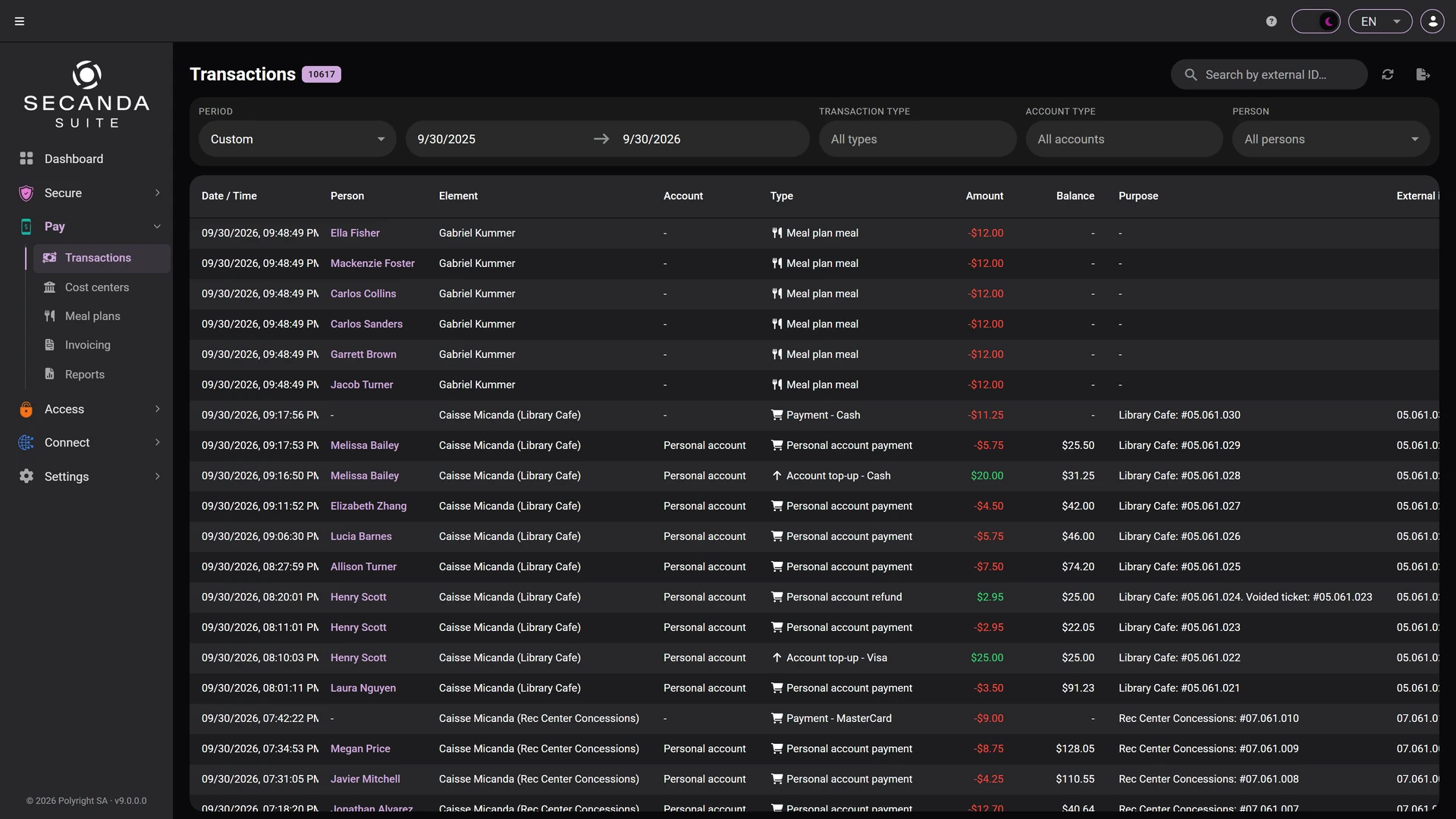
Transactions

Every payment, top-up and refund, filterable by period, by transaction type and by account type.

  • Every till in one place: kiosk, cafeteria, restaurant
  • The payment method on each line: personal account, cash, card, TWINT
  • An external reference tying the line back to your POS
Transactions Transactions

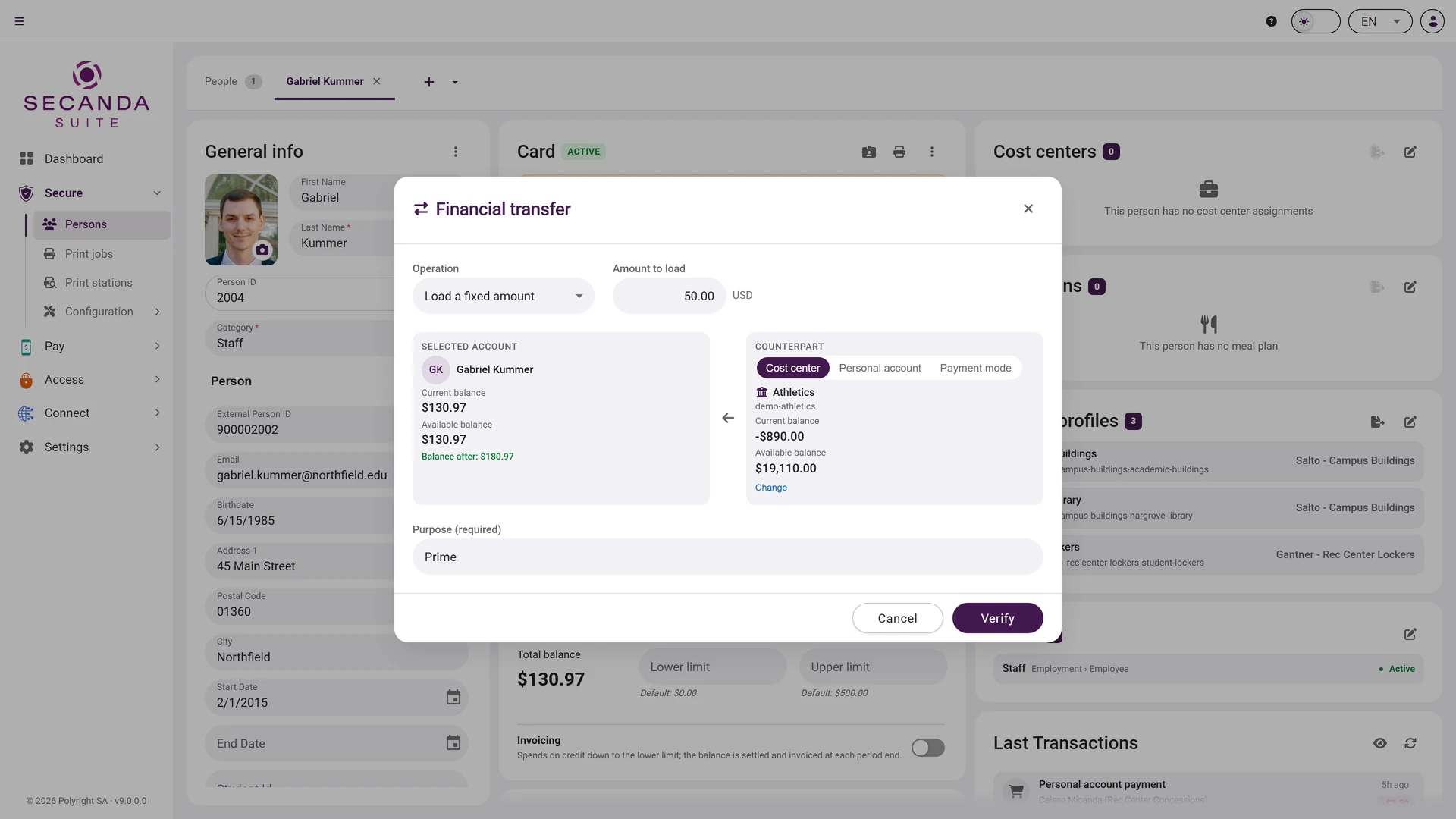
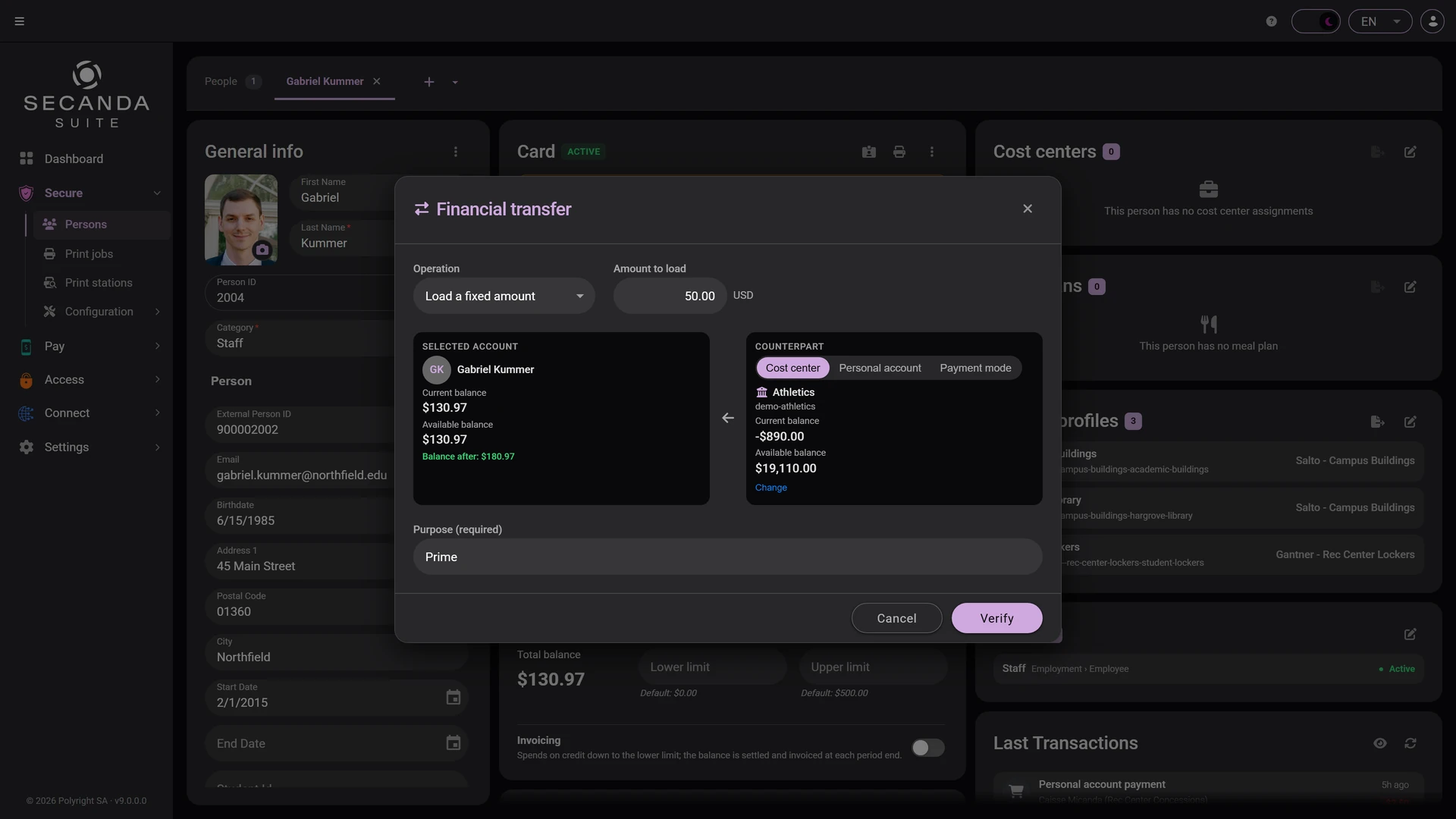
Financial transfer

Credit an account, bring a balance to a target value, or charge a cost center. For one person, or for a whole selection.

  • A fixed amount or a target balance
  • A personal counterpart or a cost center
  • A mandatory purpose, recorded in the history
Financial transfer Financial transfer

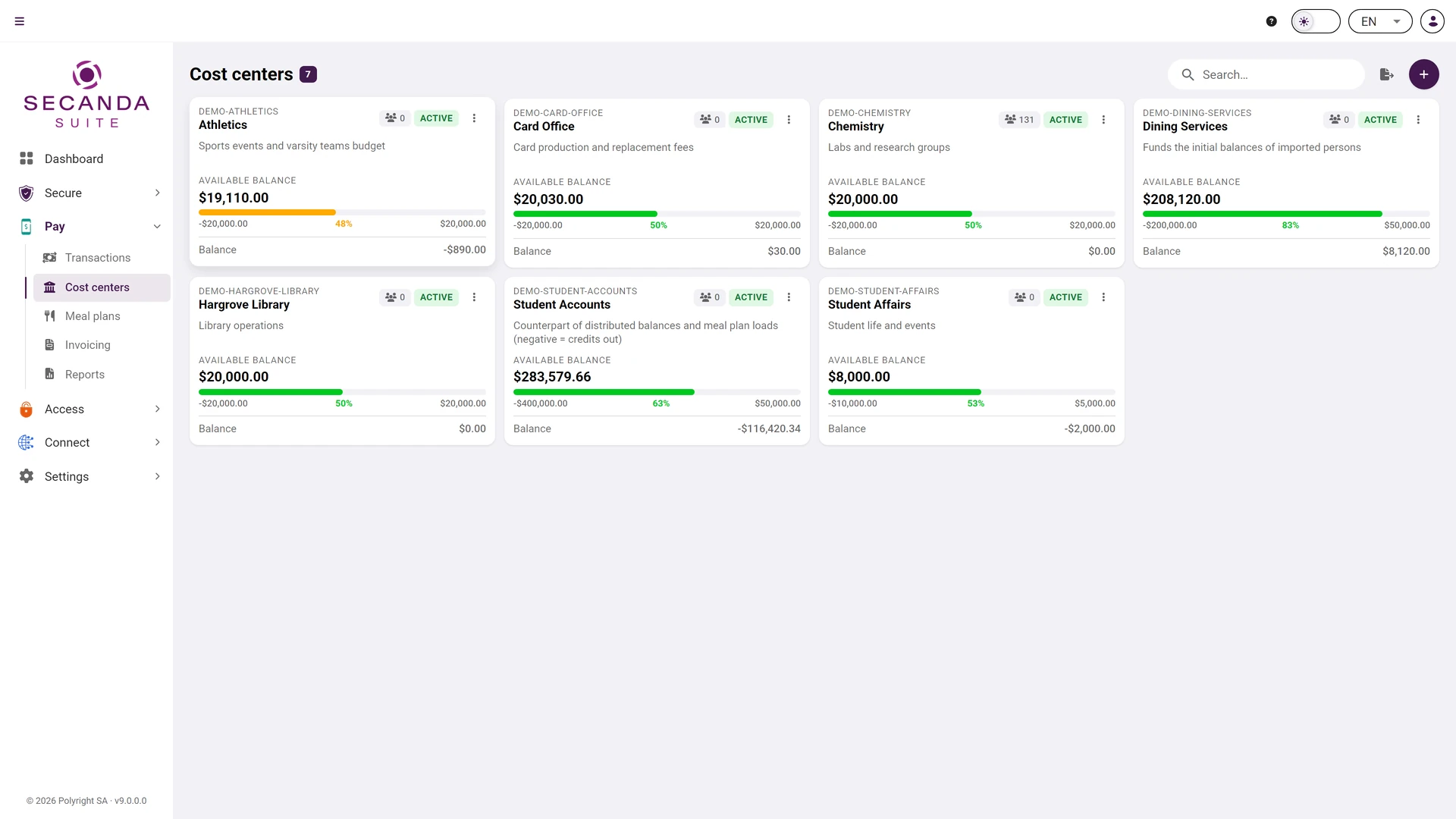
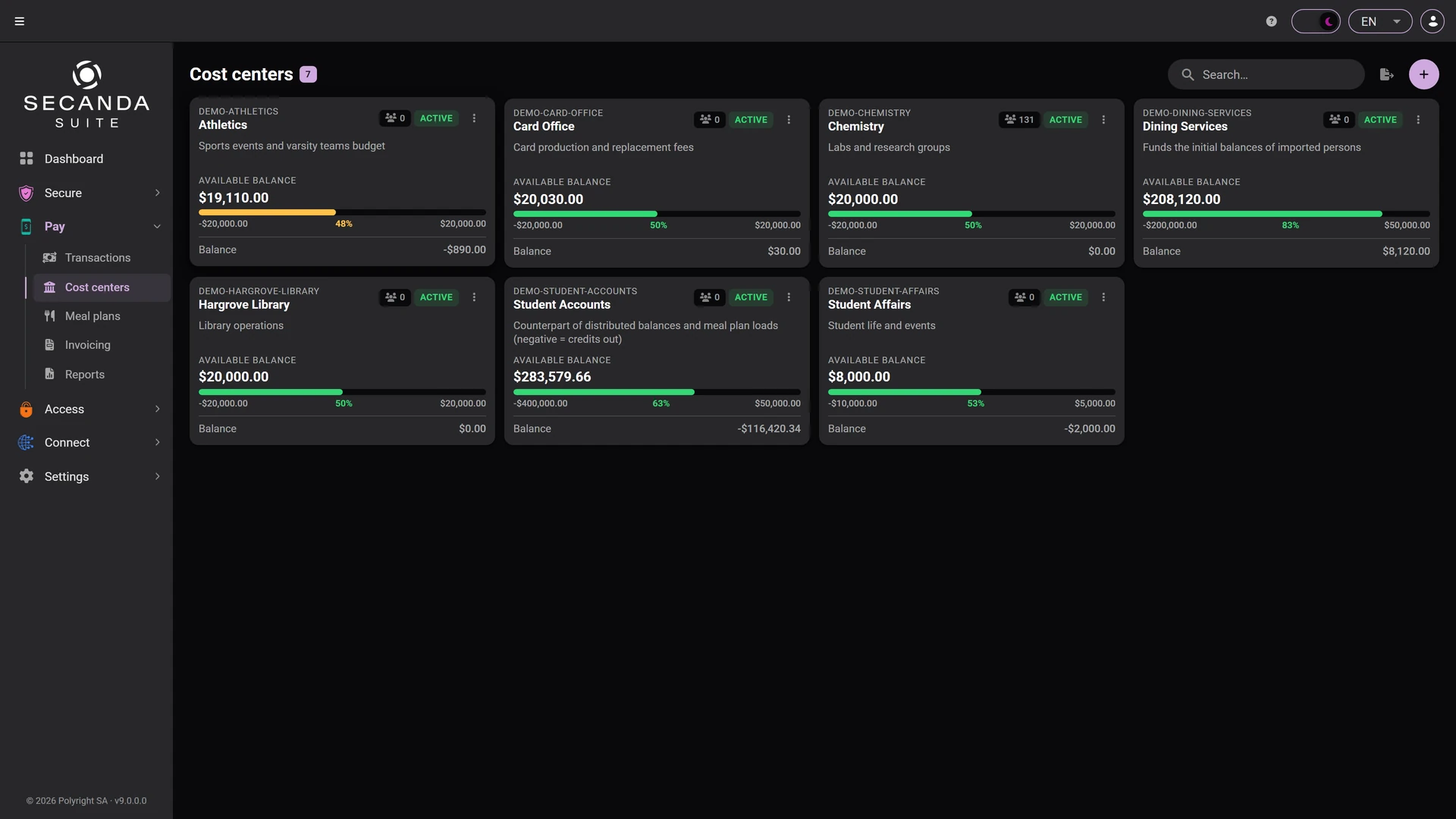
Cost centers

Budgets by department, project or campaign, with the available balance and what has already been spent.

  • A budget and an available balance per center
  • The number of people attached
  • Automatic assignment through conditional rules
Cost centers Cost centers

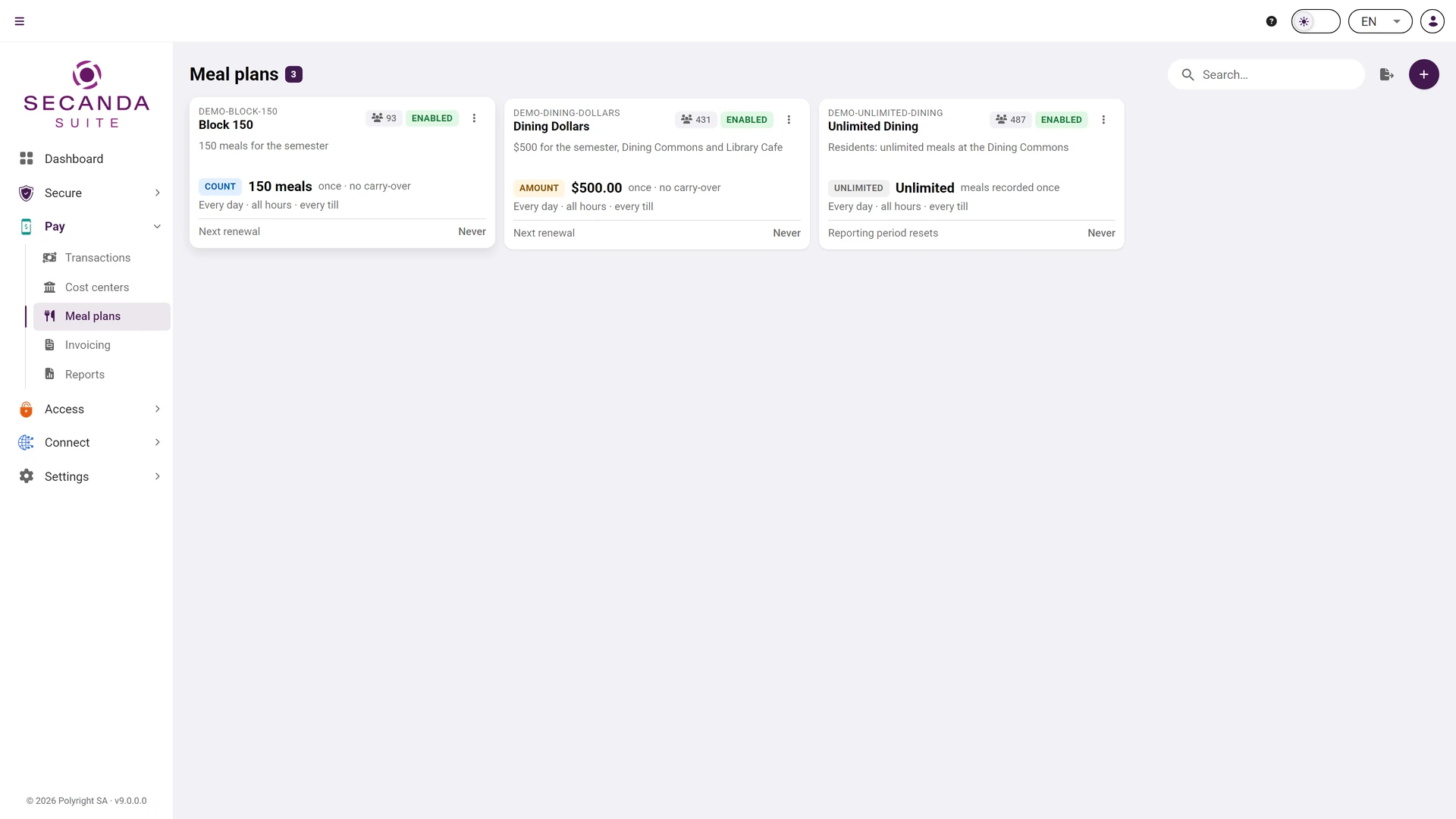
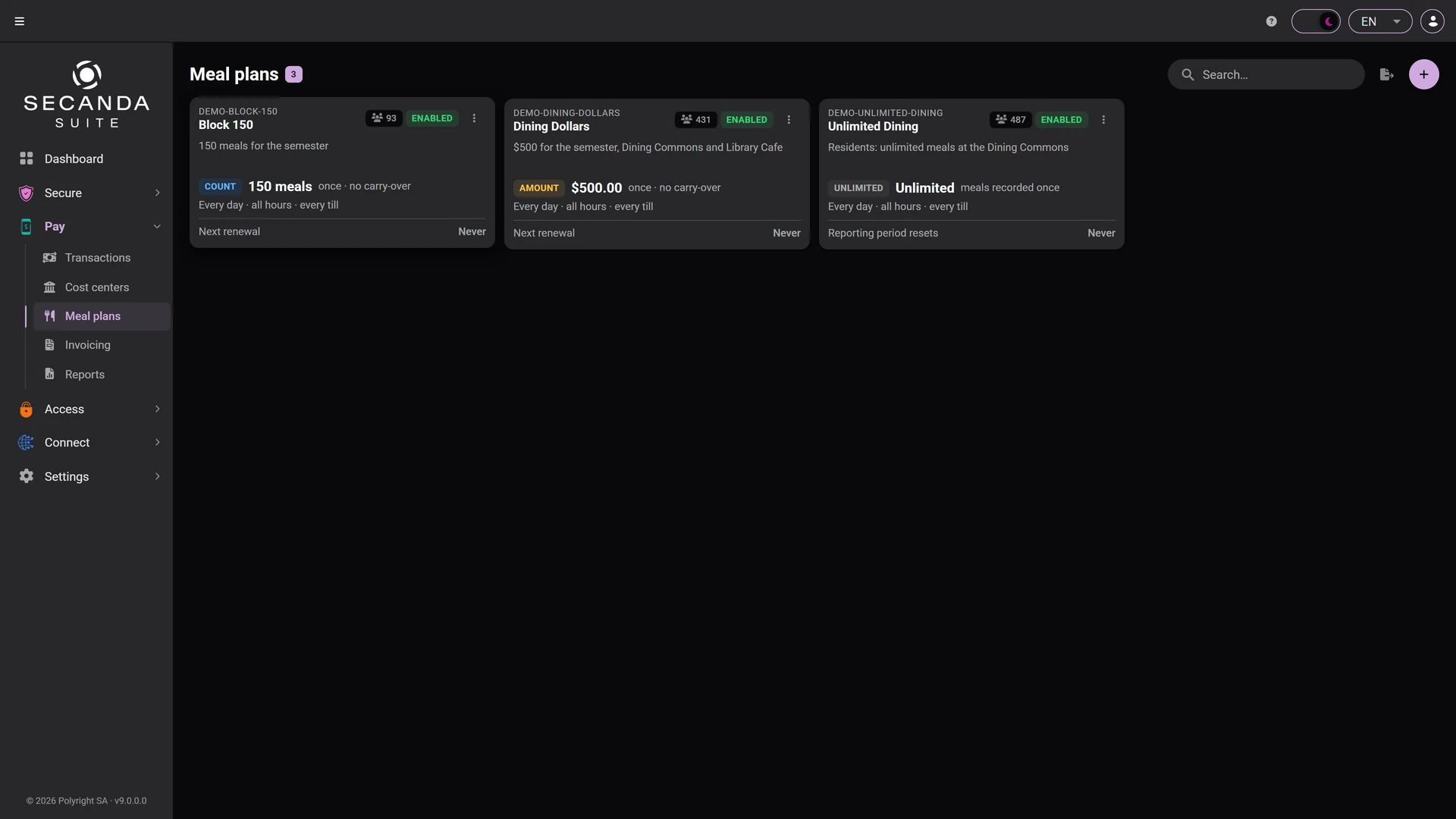
Meal plans

Counted meals, an amount or unlimited access, renewed every month and assigned automatically by category.

  • A counter or an amount per period
  • Assigned by rule
  • Every use traced at the till
Meal plans Meal plans

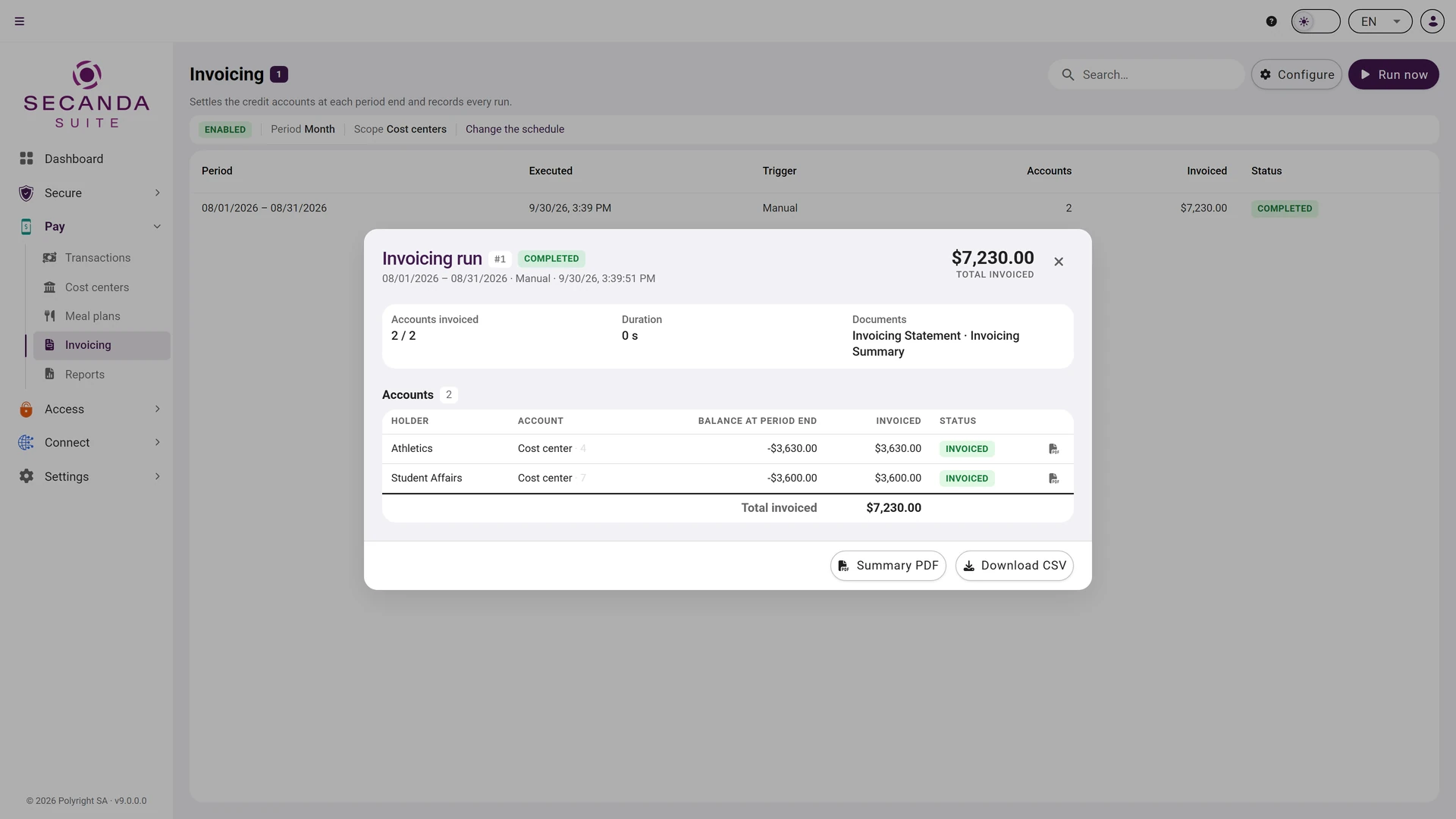
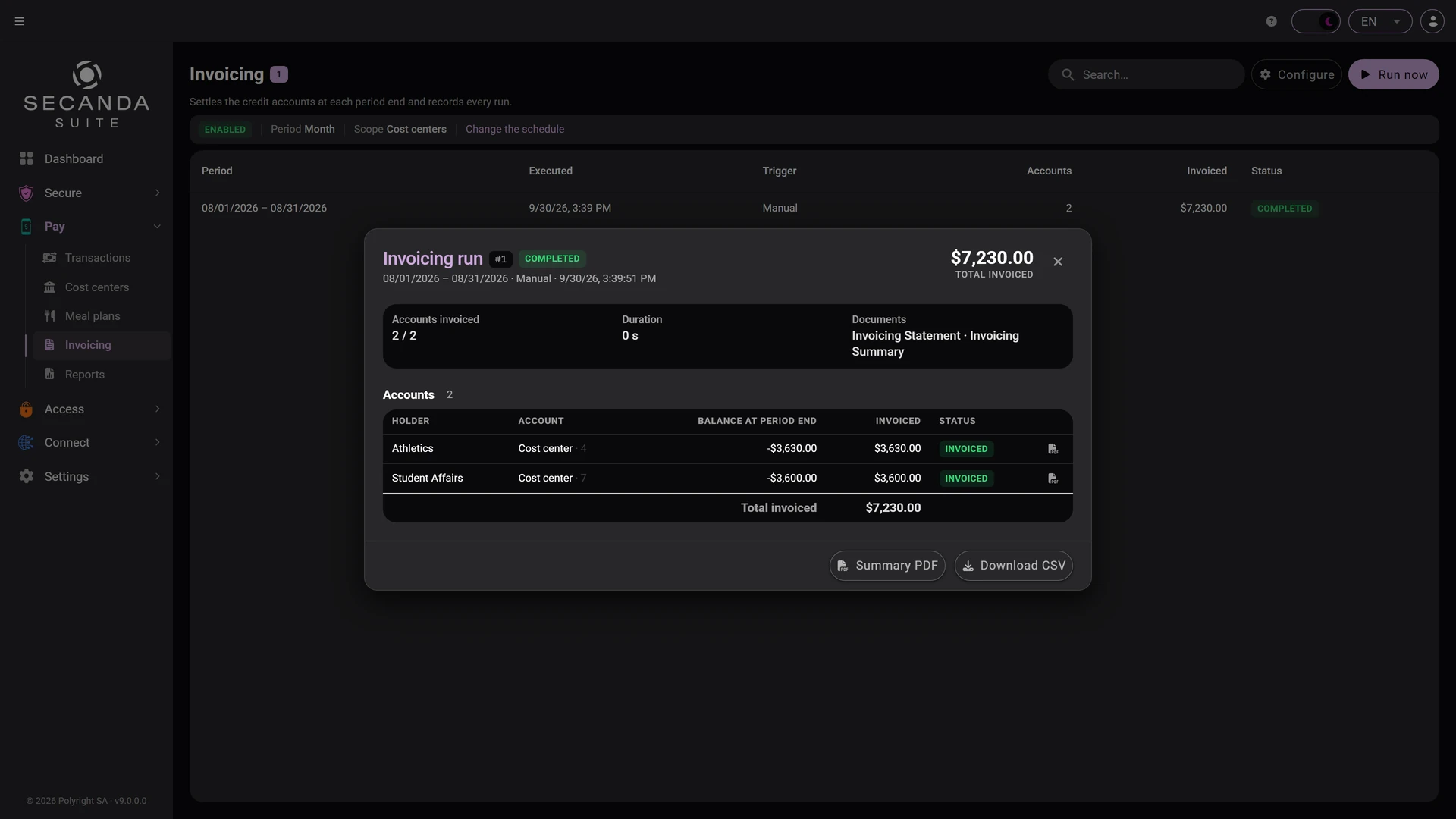
Invoicing

Credit accounts billed at month end: the Suite settles each account and produces the statement.

  • Payroll deduction or departmental billing
  • One run per period, replayable without duplicates
  • CSV export and reports
Invoicing Invoicing

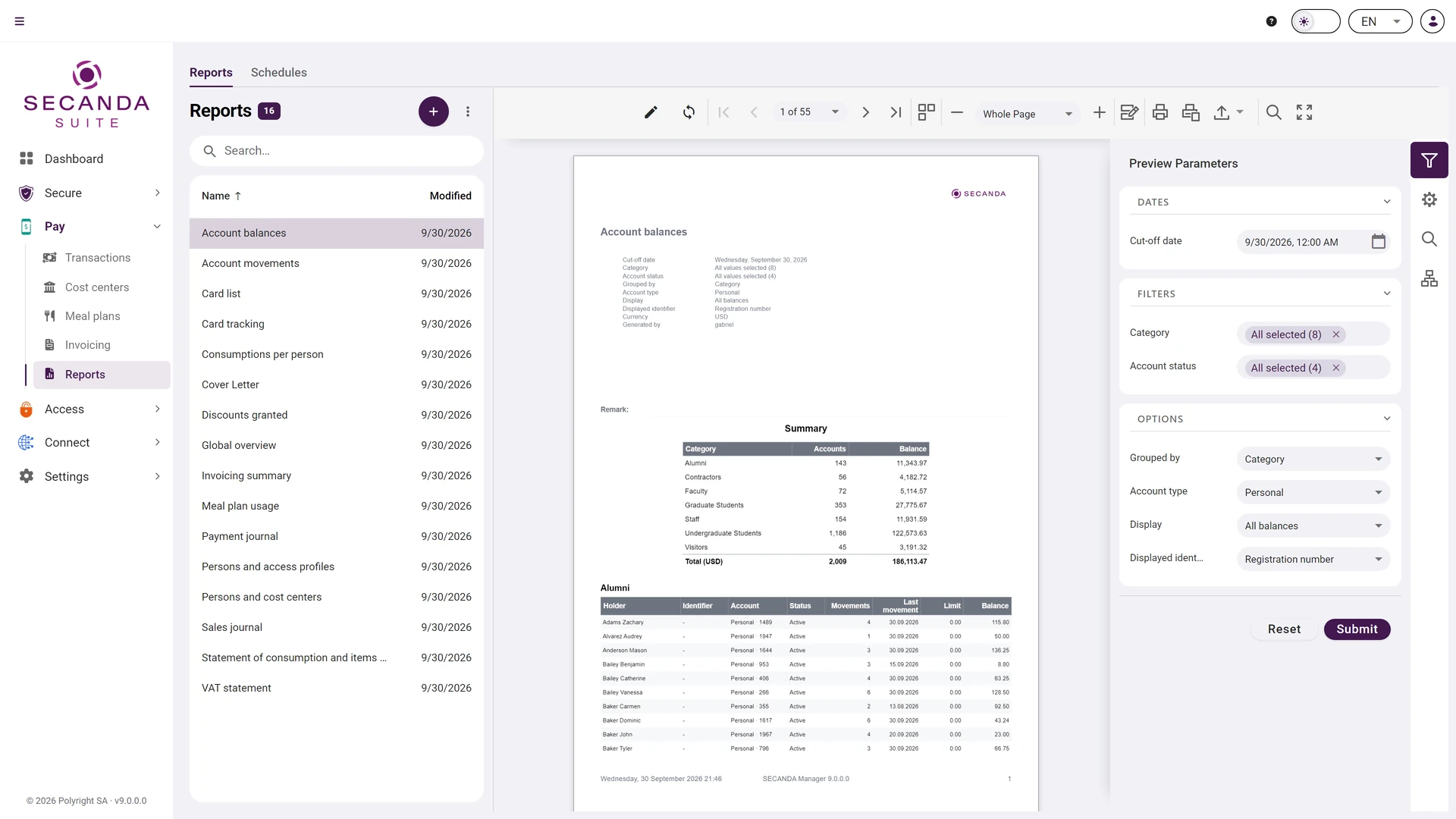
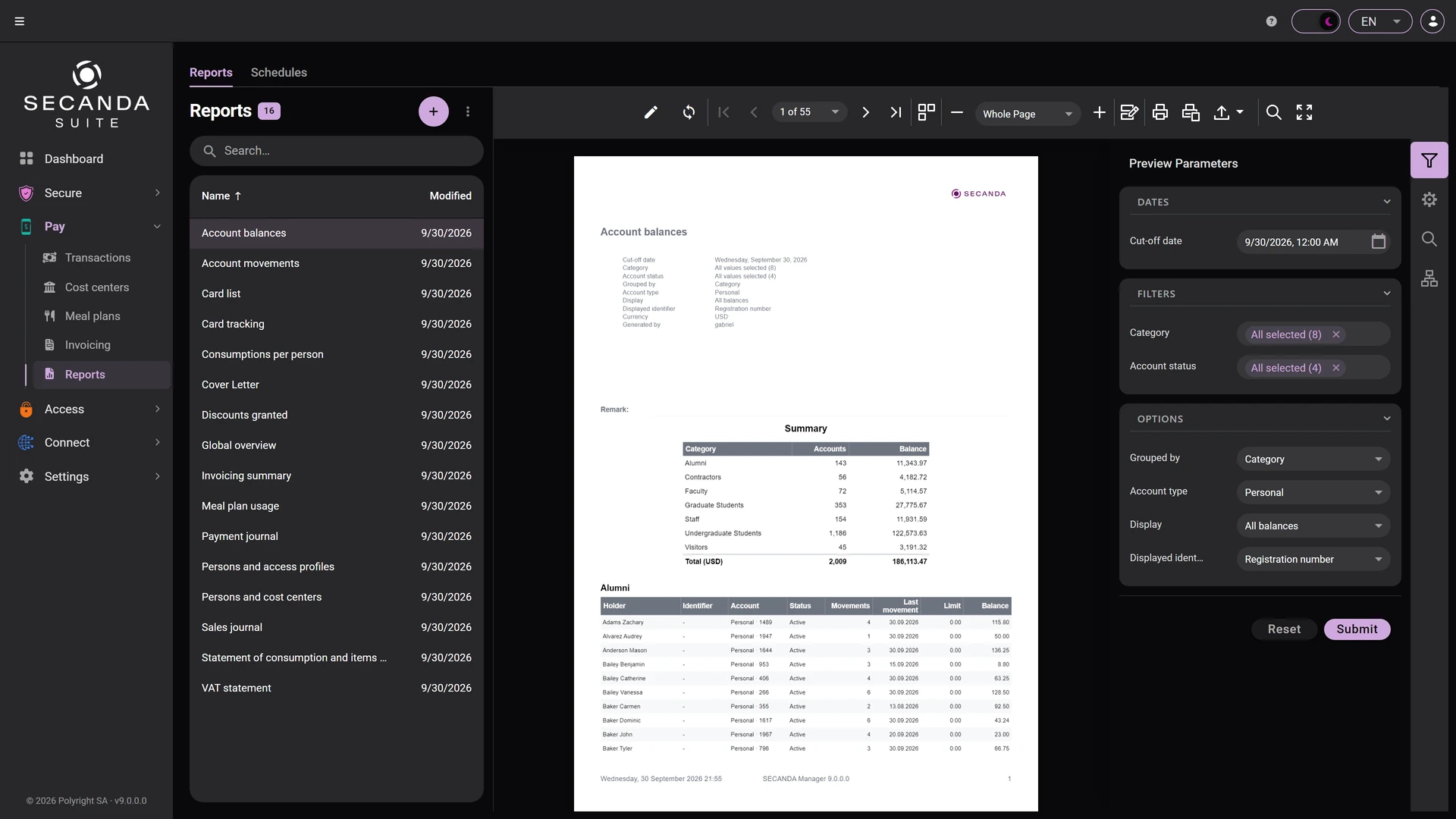
Reports

The standard reports, set up on screen and rendered right away, with no third-party tool in between.

  • Parameters entered before rendering: dates, categories, options
  • A paginated preview, with search inside the document
  • Export to PDF, to Excel, and direct printing
Reports Reports

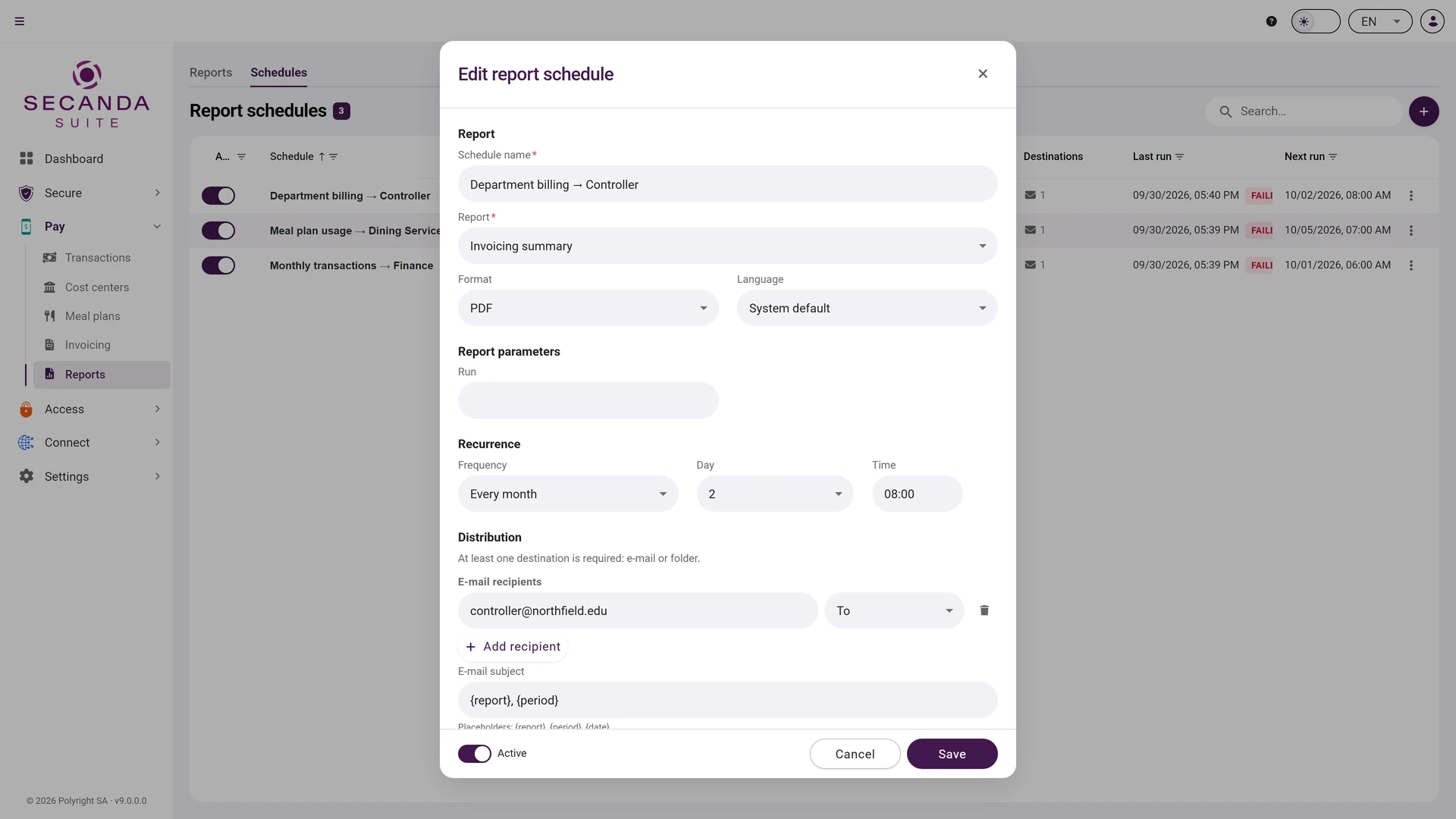
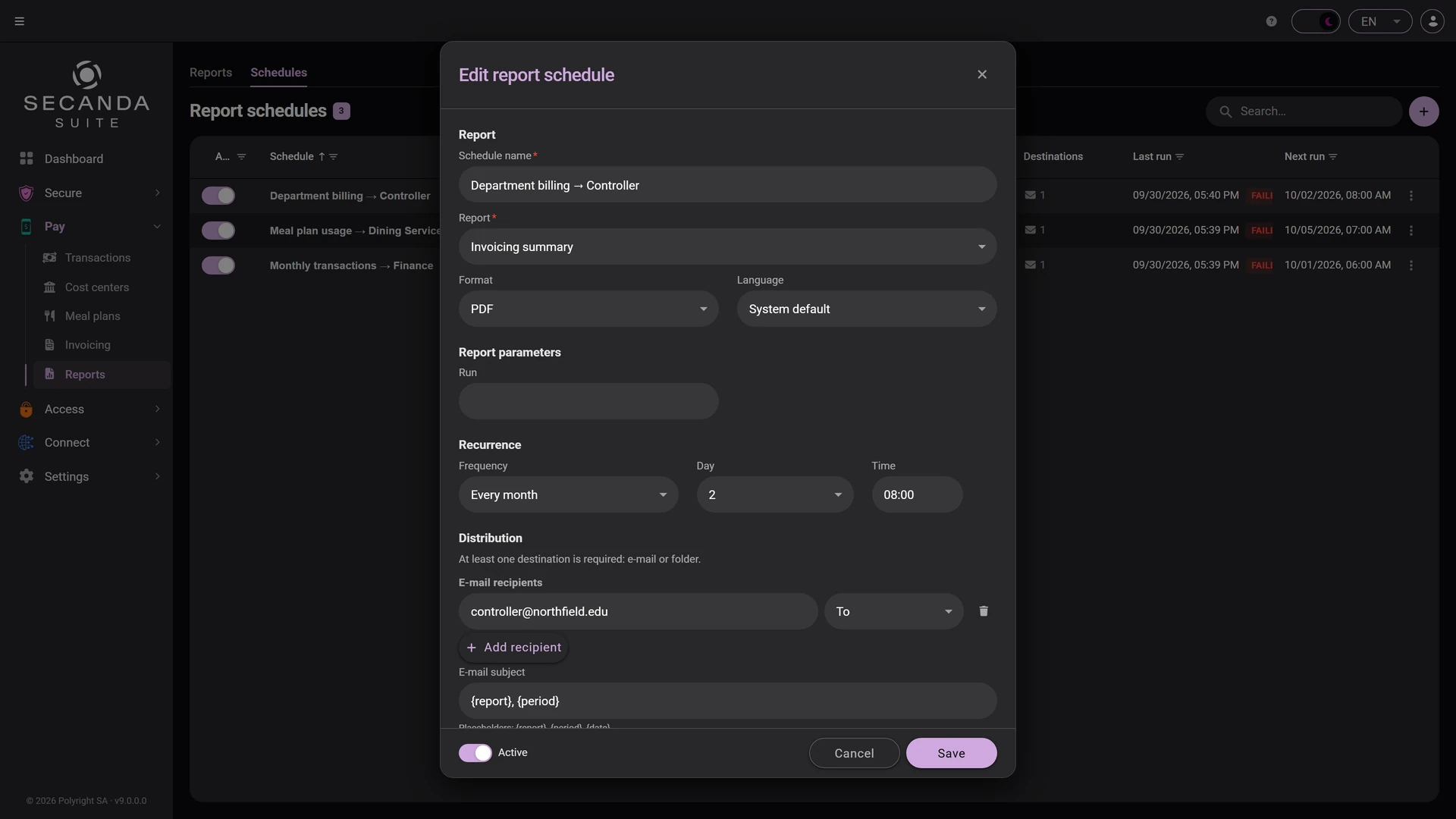
Scheduling

Run your reports on the schedule you set: delivered by email or dropped into a folder, no manual steps.

  • A relative period, resolved into real dates at every run
  • A recurrence in plain words, translated into a cron expression
  • Delivery by email or into a folder
Scheduling Scheduling
Transactions Transactions Financial transfer Financial transfer Cost centers Cost centers Meal plans Meal plans Invoicing Invoicing Reports Reports Scheduling Scheduling

1 / 7 Transactions

Click the screenshot to enlarge it.

SECANDA Access

Learn more

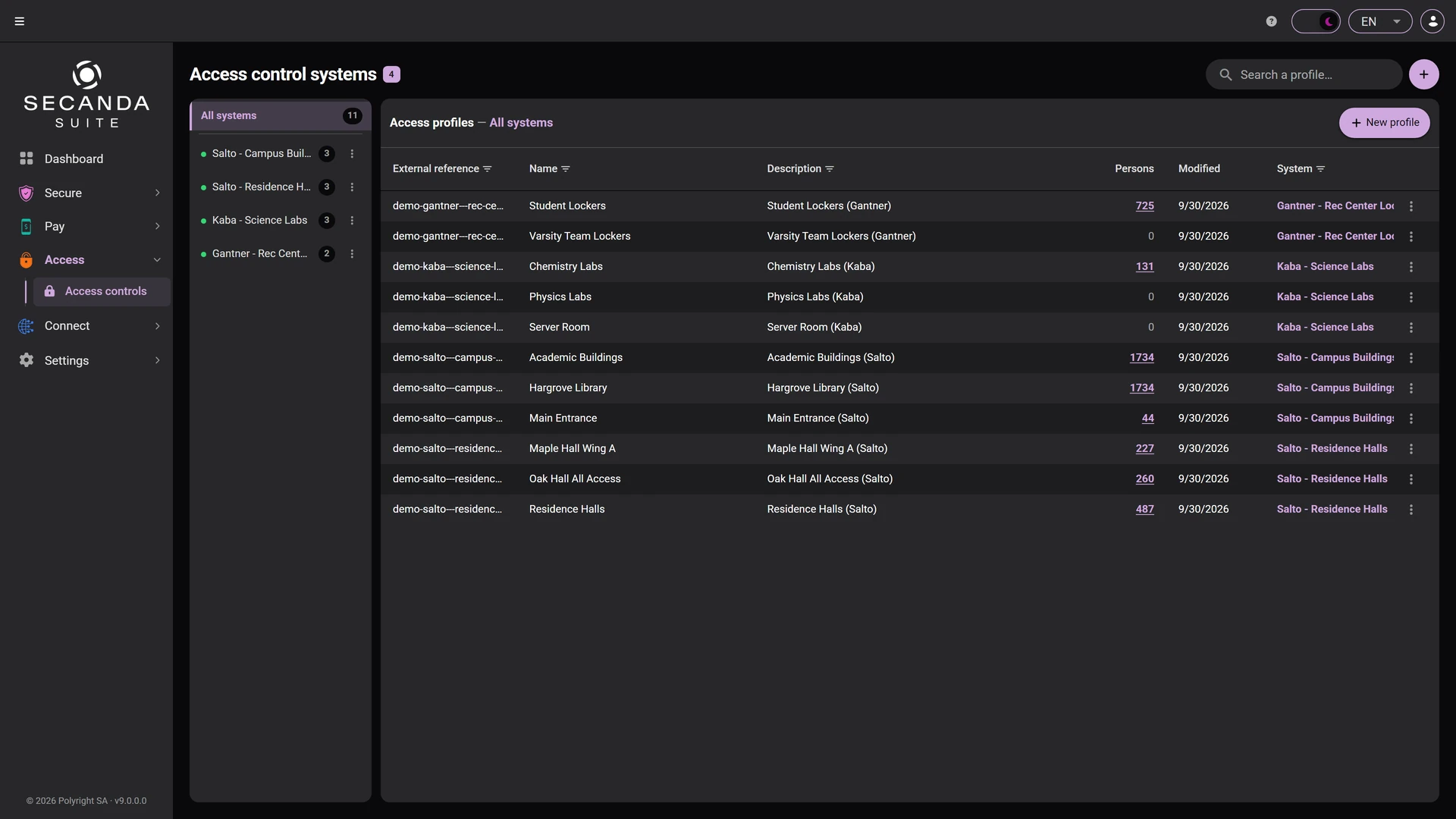
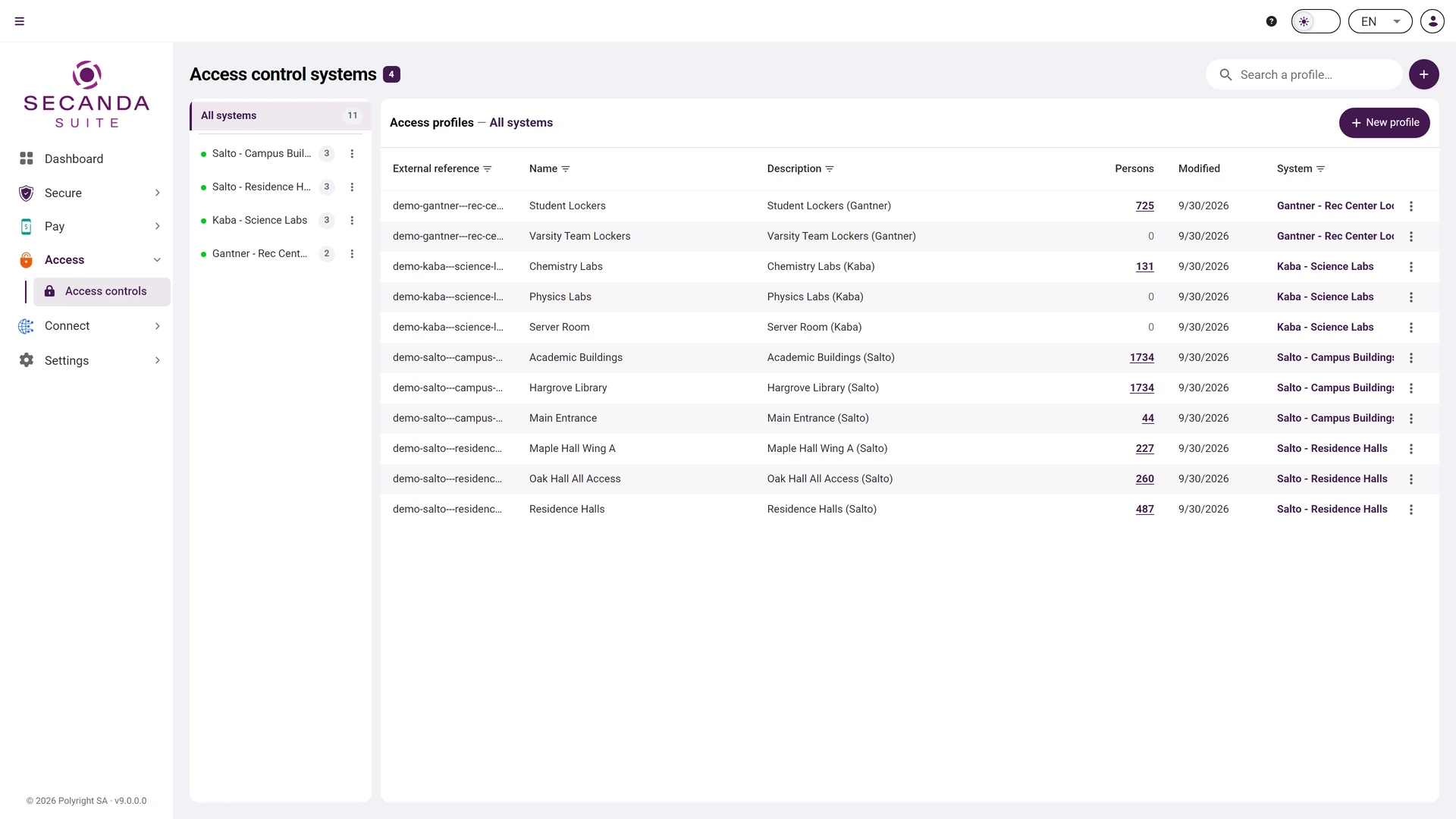
Access controls

The access profiles of every system you run, on one screen: who goes where, and how many people are entitled to.

  • Several systems side by side: Salto, dormakaba, Gantner
  • The number of people attached to each profile
  • An external reference tying the profile to the access system
Access controls Access controls

Click the screenshot to enlarge it.

SECANDA Connect

Learn more

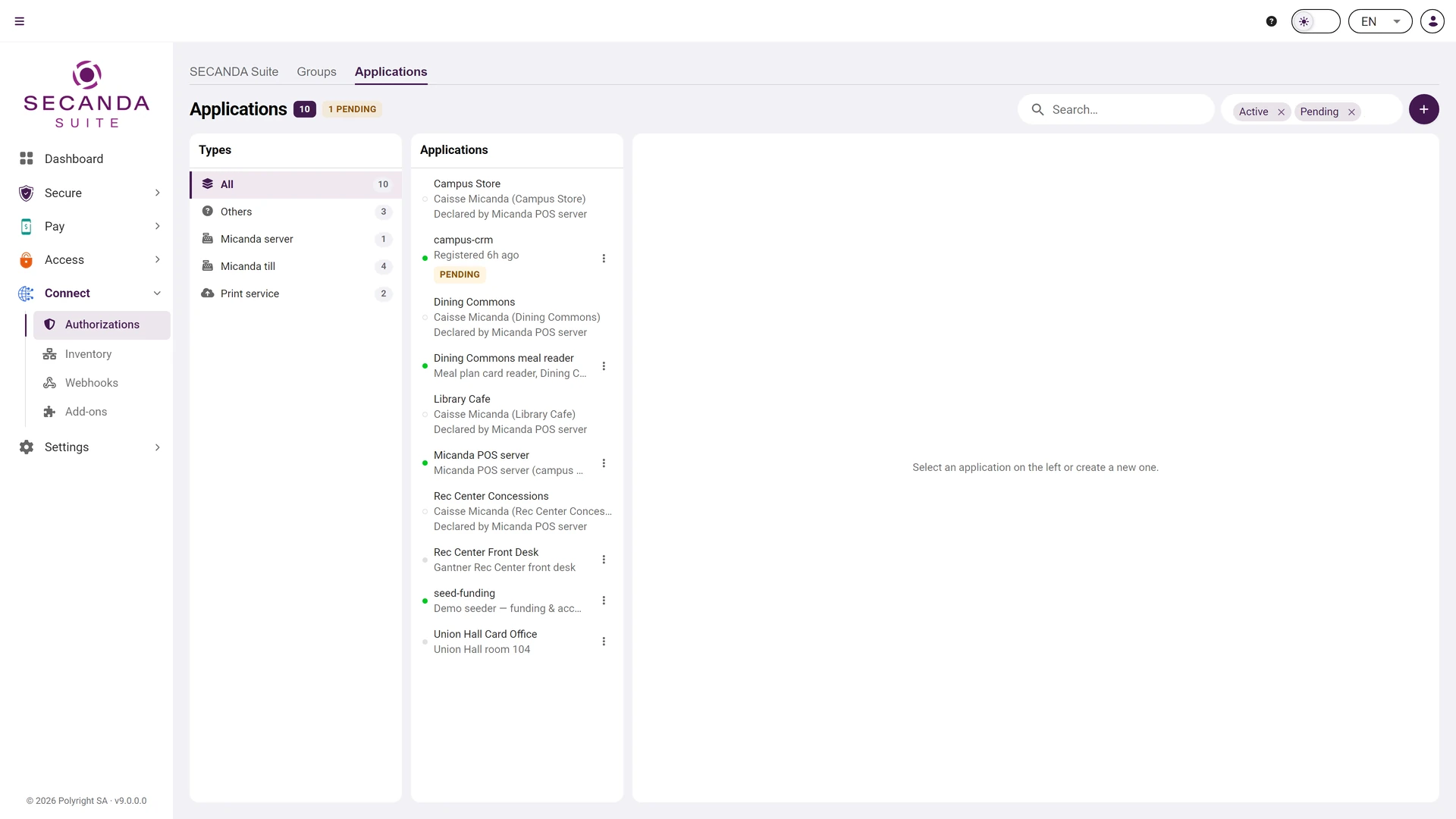
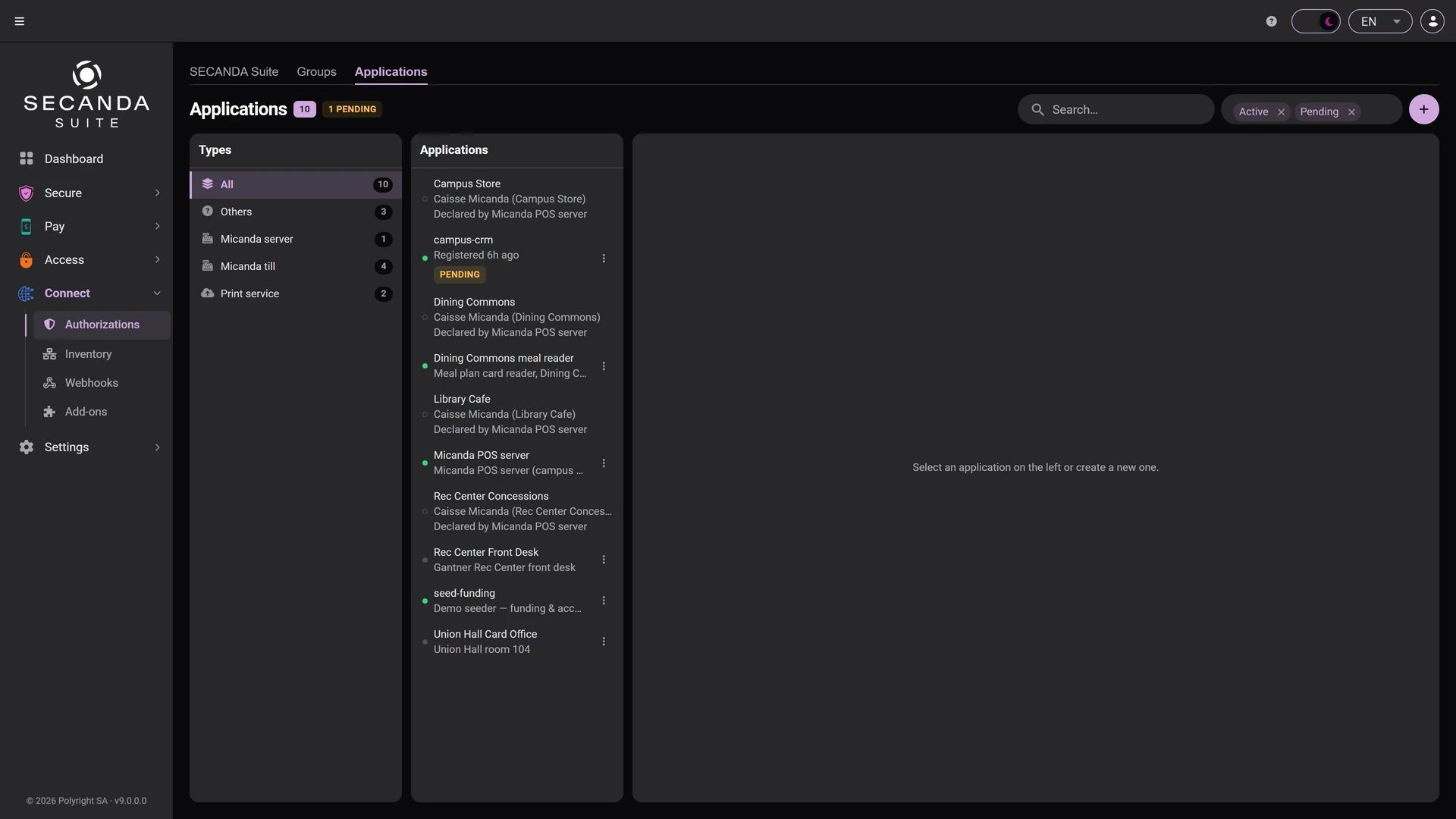
Connected applications

The kiosks, time clocks, tills and services that talk to the platform, each with its own type and its own rights.

  • One identity per application, not a shared account
  • Rights cut to what each service actually needs
  • Enable and revoke without touching anything else
Connected applications Connected applications

Event catalogue

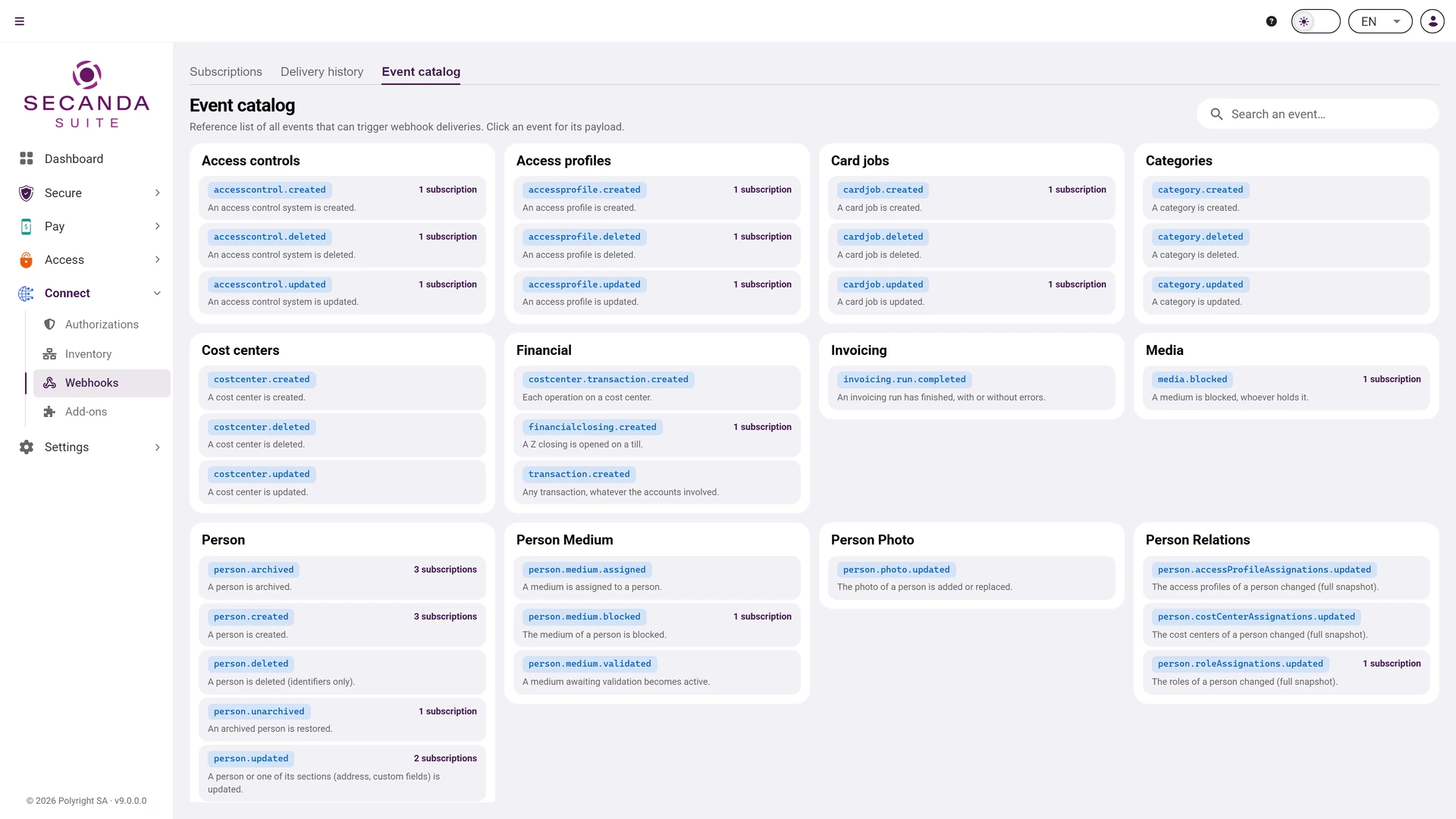
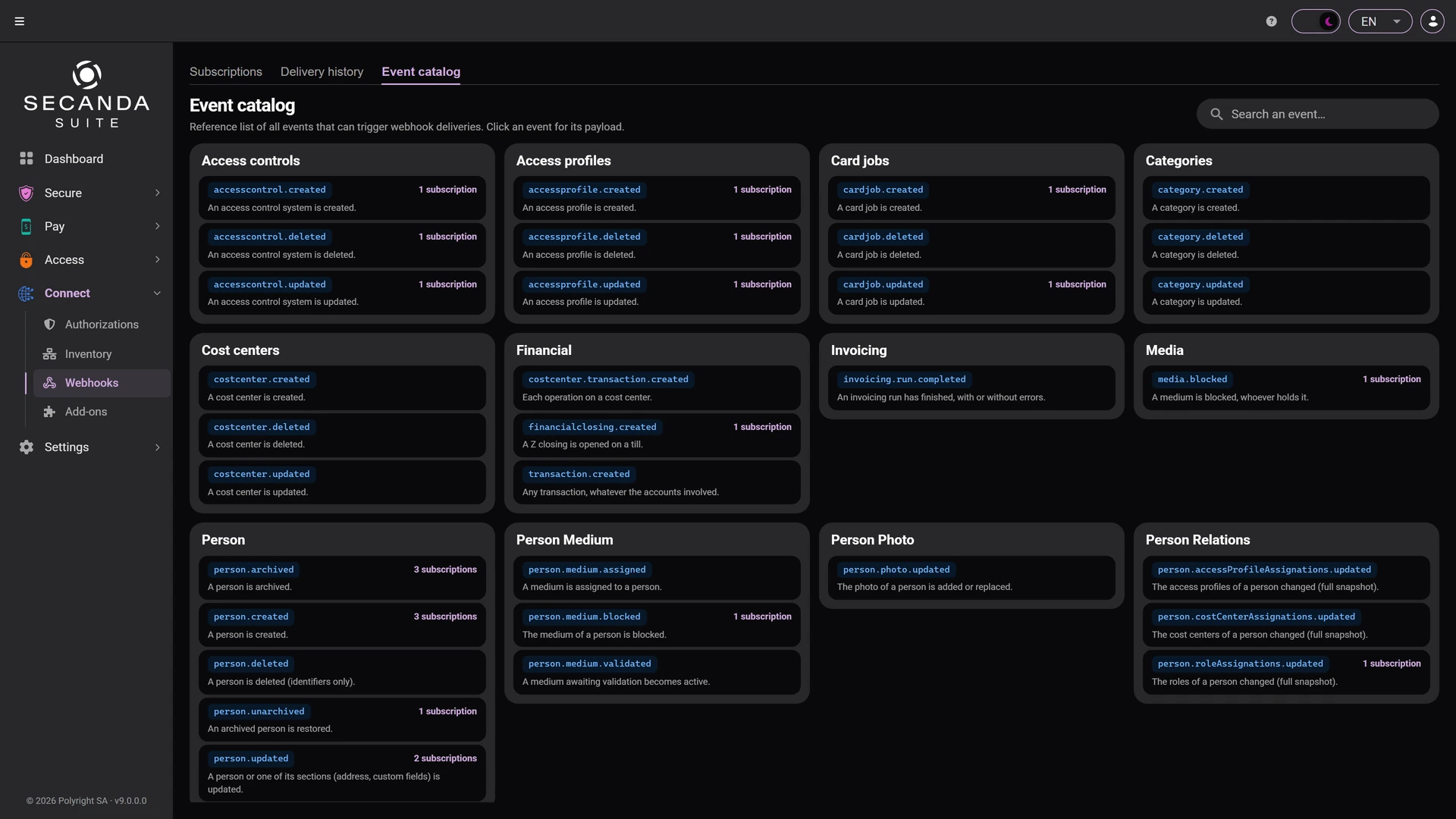
Everything the platform can announce: a person created, a card blocked, a transaction, an access profile changed. Your systems subscribe to what concerns them.

  • About thirty documented events, ready to use
  • One subscription per system, filterable
  • A delivery history, failures included
Event catalogue Event catalogue

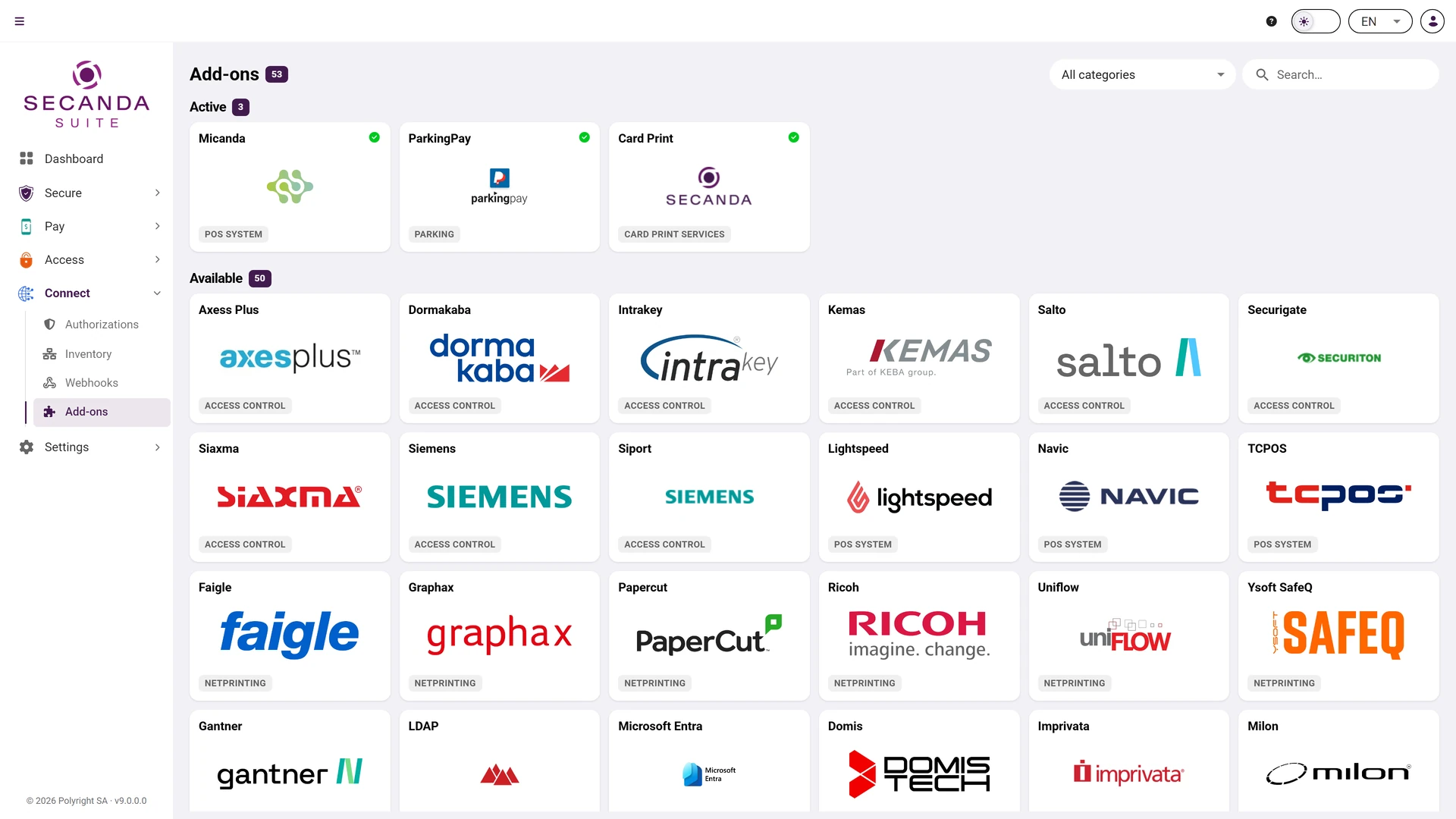
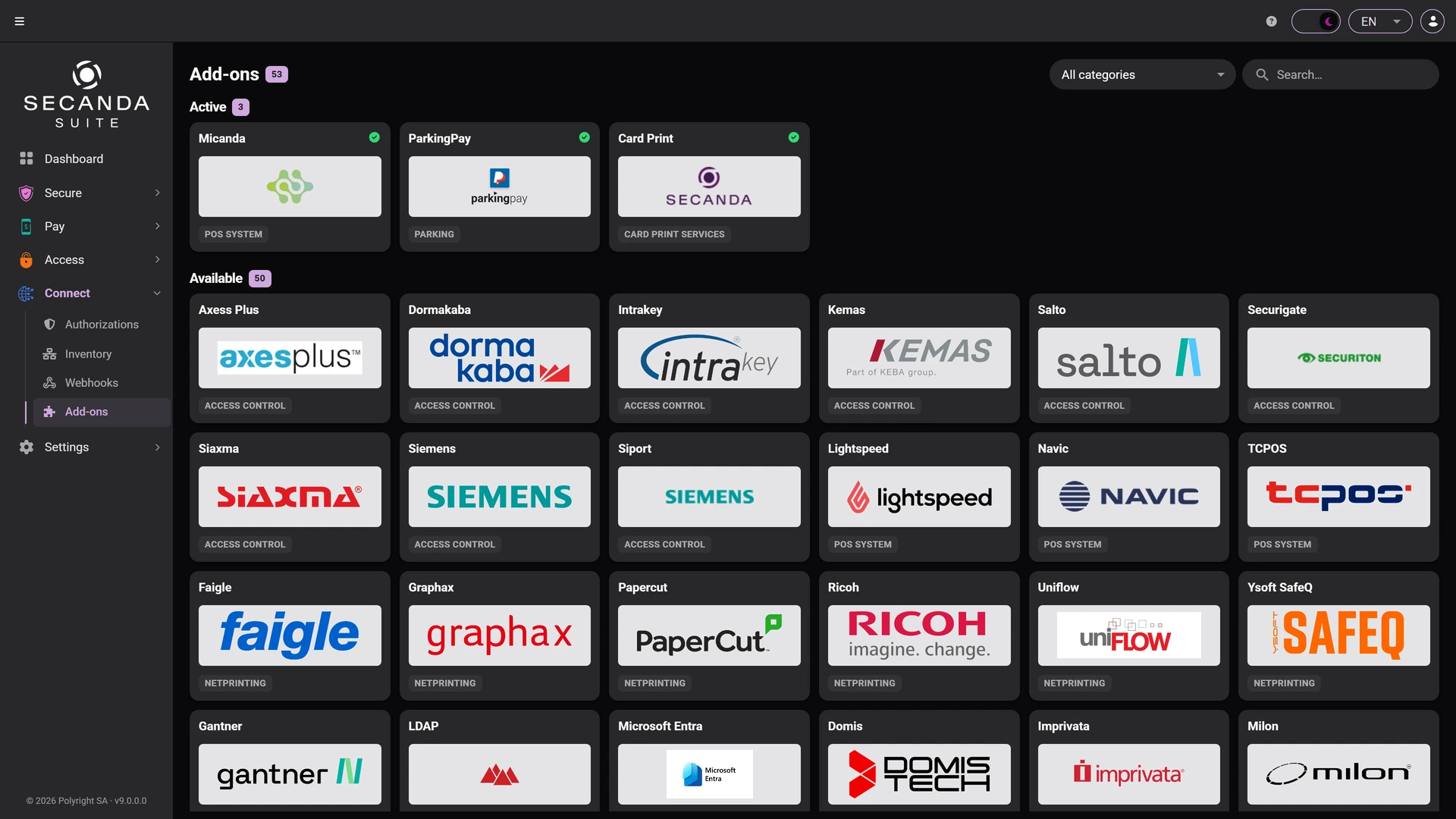
Add-ons

The systems the platform already speaks to: access control, points of sale, network printing, directories. Turn on what you need.

  • Fifty-three integrations ready to switch on
  • Access control, points of sale, network printing, parking, directories
  • Activation decided installation by installation
Add-ons Add-ons

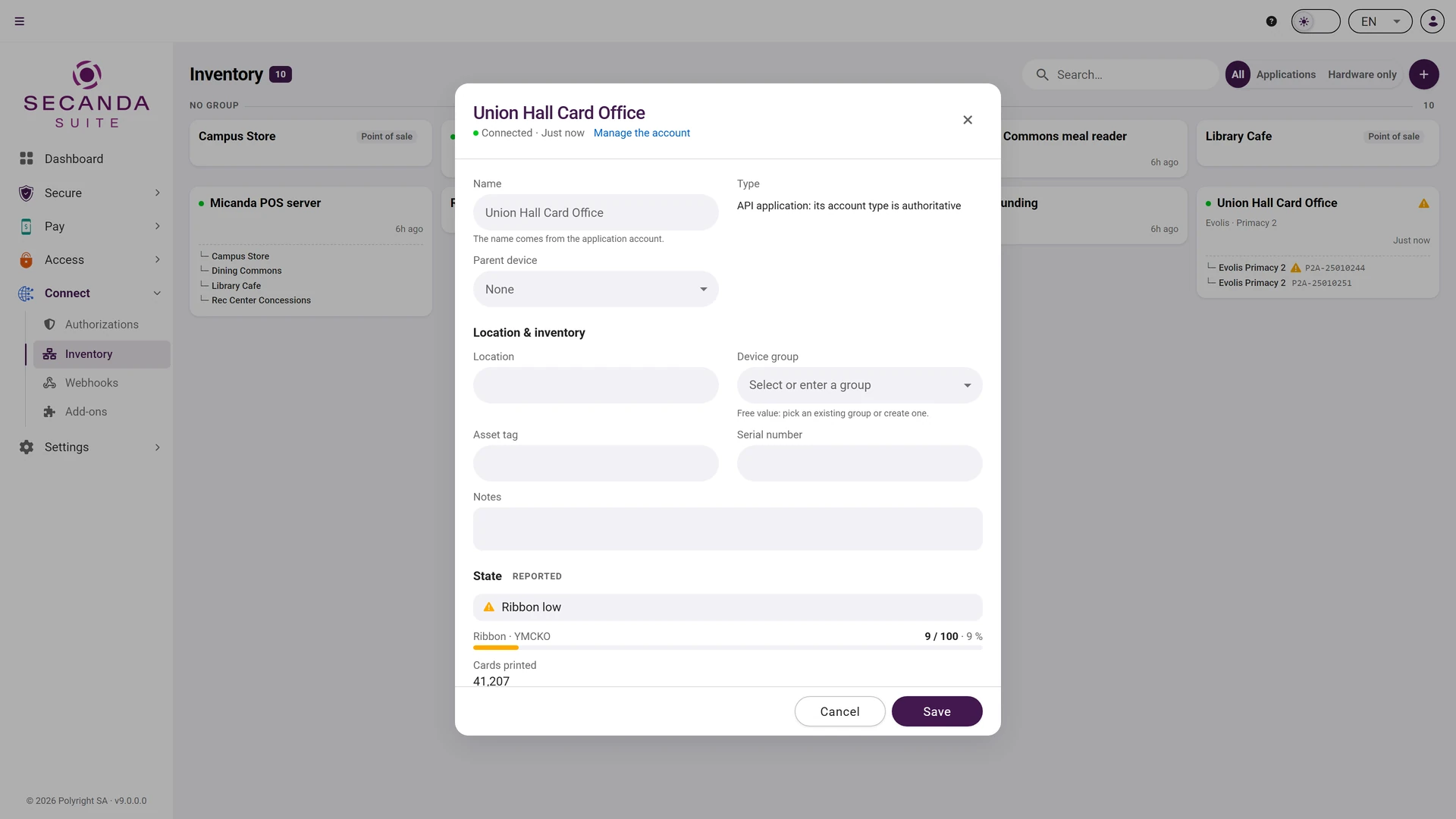
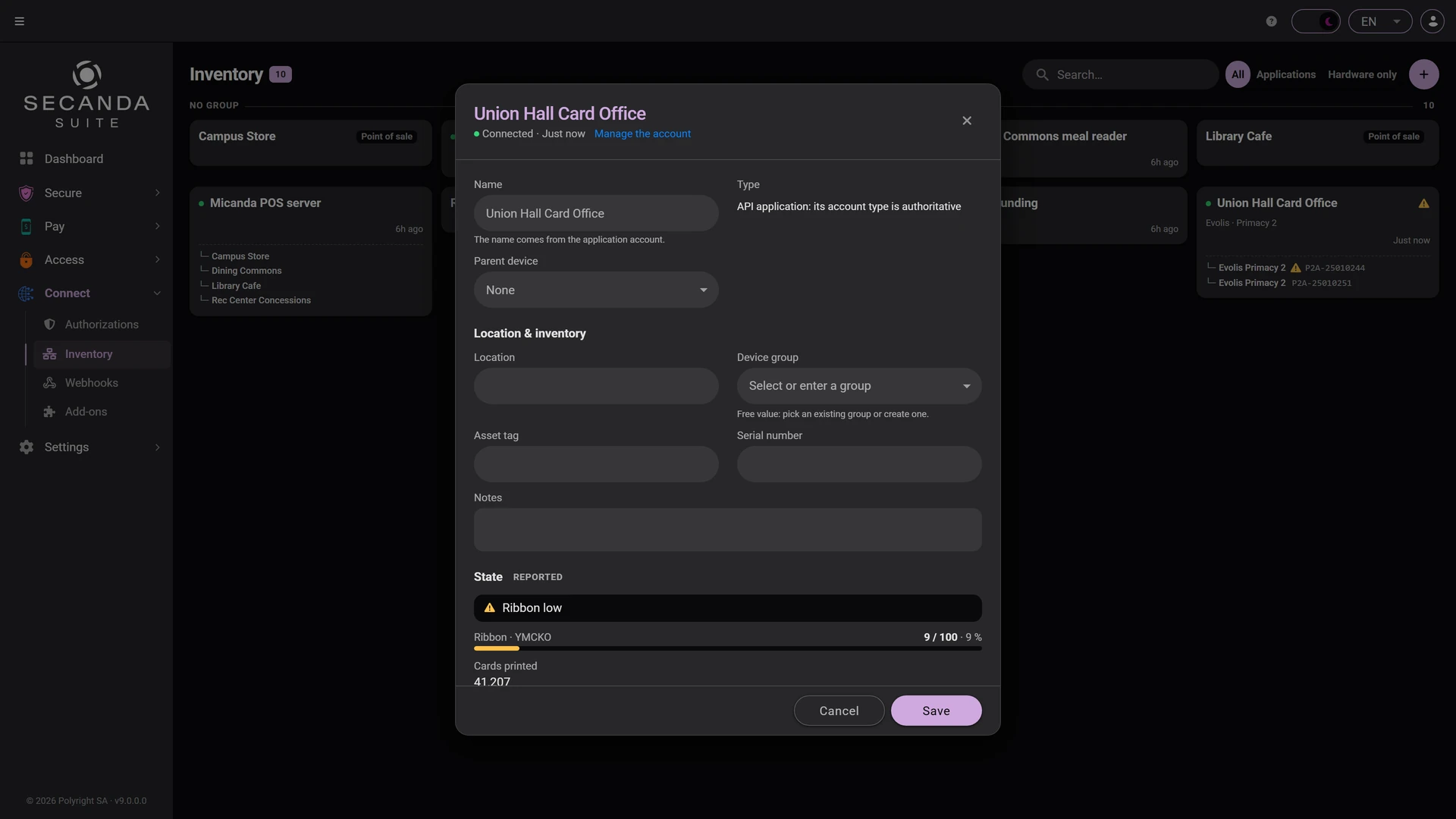
Inventory

The whole fleet in one place: stations, tills and applications, with their state and their supplies.

  • Ribbon and cover alerts
  • Serial numbers and versions
  • The last contact of each device
Inventory Inventory
Connected applications Connected applications Event catalogue Event catalogue Add-ons Add-ons Inventory Inventory

1 / 4 Connected applications

Click the screenshot to enlarge it.

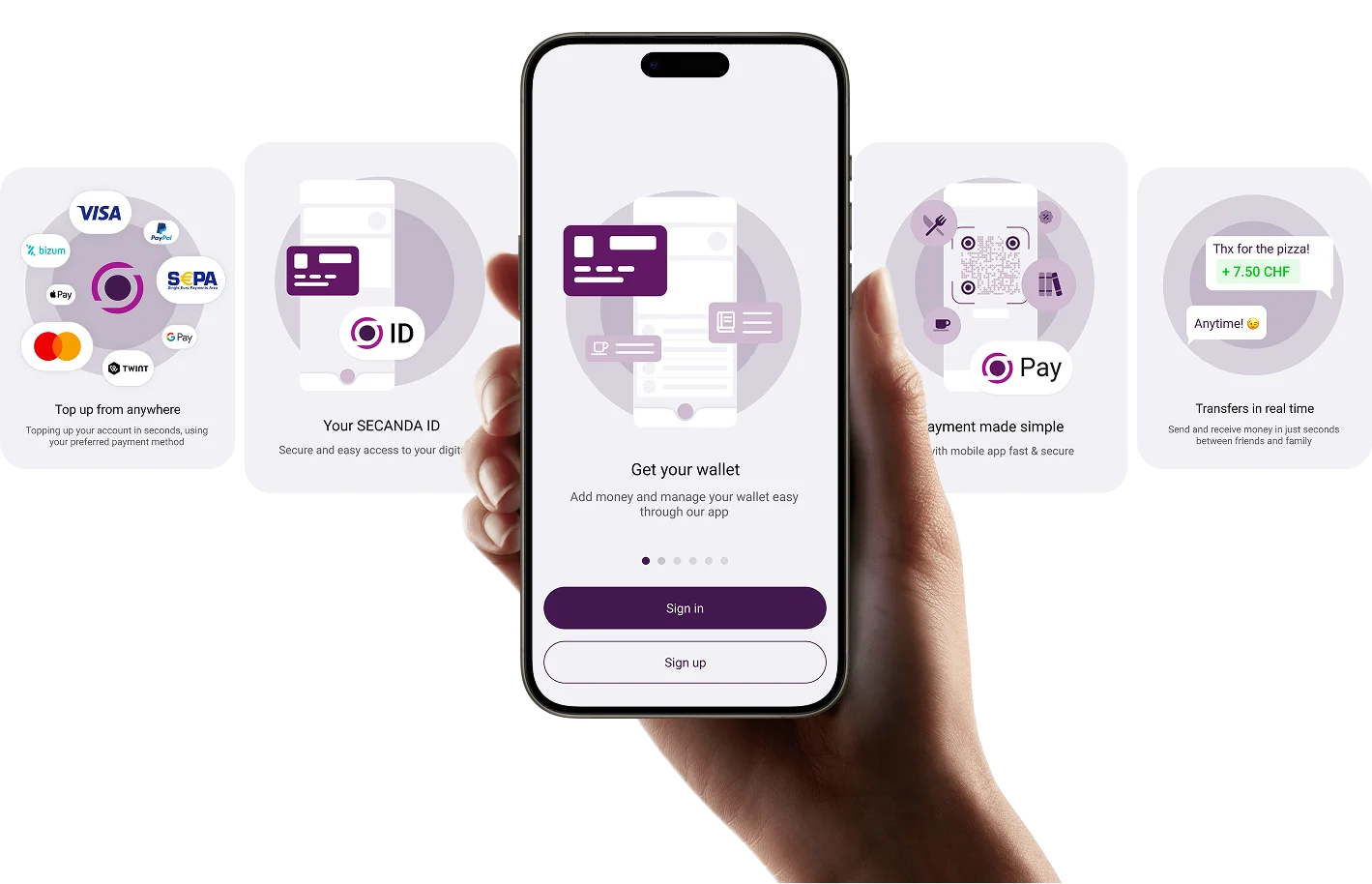
SECANDA App

Mobile at the Heart of the Experience

Identity in your pocket, secure and frictionless.

  • Digital identity
  • Mobile door access
  • Secure payments
  • Real-time balance & history
  • Self-service account management
Discover the SECANDA App
SECANDA App
Deployment

A browser is all it takes

SECANDA Suite opens from any computer, with nothing to install. Only the server and the database need hosting, and you choose where.

On-Premise

Local deployment, full control and ownership of your data

Cloud

On your own cloud, or hosted and run by Polyright

Supports Microsoft SQL Server and PostgreSQL. Your data remains yours.

Benefits

Why Organizations Choose SECANDA

Unified Platform

Identity, access, payments and integrations in one system.

Modular & Scalable

Start small. Scale at your own pace.

Open Architecture

Integrates with your existing infrastructure. No vendor lock-in.

Operational Visibility

One dashboard for all your systems.

Security & Compliance

Encryption, audit logging and compliance built in by design.

FAQ

Frequently asked questions about SECANDA Suite

Answers to the most common questions about the platform.

Are the four modules separate installations or a single platform?

One unified installation. Secure, Pay, Access and Connect are functional groupings that clarify what the platform does, not separate products. In practice: one database, one Command Center, one administration console. You enable features as you need them, with no complex integration between modules.

How are we billed? Per module, per user, per card?

An annual license based on the number of users managed on the platform. No surcharge per module enabled, per card issued or per mobile credential (one user = one credential, whatever the format: card, mobile, QR code). And no separate maintenance contract: updates, support and security are all included in the annual license.

How are updates handled? Is there any downtime?

Major releases once or twice a year, security updates as needed. In production, a standard update typically requires 30 to 60 minutes of planned downtime, scheduled outside critical hours. Multi-instance deployments allow zero-downtime updates for critical sites. Every version upgrade is guided by our team, with testing on a pre-production environment included.

Which authentication mechanisms are available for the admin console and the mobile app?

SSO via SAML 2.0 / OpenID Connect, with native integration for Microsoft Entra ID, Google Workspace and Shibboleth. MFA, passkeys and FIDO2 supported. Granular CRUD permissions per entity and per role in the admin console. A full audit log of every action, exportable to your SIEM. GDPR and Swiss nFADP compliant by design.

Can we keep our existing RFID cards, readers and access control systems?

Yes, in the vast majority of cases. SECANDA supports MIFARE DESFire, MIFARE Classic and LEGIC, including multi-technology hybrid cards. For readers, Elatec TWN4 is recommended, but other models are supported via SDK. For access control, SECANDA orchestrates your existing systems (SALTO, GANTNER, Dormakaba, Allegion, Siemens) rather than replacing them: migration can be gradual, with old and new running side by side.

More frequently asked questions

Identity, payments and access. One platform.

Schedule a personalized demo and see what a unified identity platform can change for your infrastructure.

Request a demo