One identity. Any credential.
Zero transaction fees.
Cashless payments for dining, vending, printing and points of sale, all from a single account.
Flexible payment models
Users pay with their credential: you choose the financial model behind each transaction
RFID card
Contactless payment at registers, vending machines and service points: just present your card.
SECANDA App
QR code payments from the mobile app. Balance, history, top-ups: everyone manages their own account.
Whichever credential is used, you decide how transactions are funded
Top up in advance
Users or parents fund the account by credit card, bank transfer, cash or the online portal, and keep full control over spending.
Direct payment
Each transaction is debited immediately from the linked payment method or an internal billing account.
Payroll deduction
Allow a configurable negative balance, then apply payroll deduction automatically or export the statement to HR and accounting at the end of the period.
One account, every use case
SECANDA Pay goes beyond points of sale and meal plans. The same account also covers printing, copying, scanning and document services.
No separate print accounts. No parallel balances.
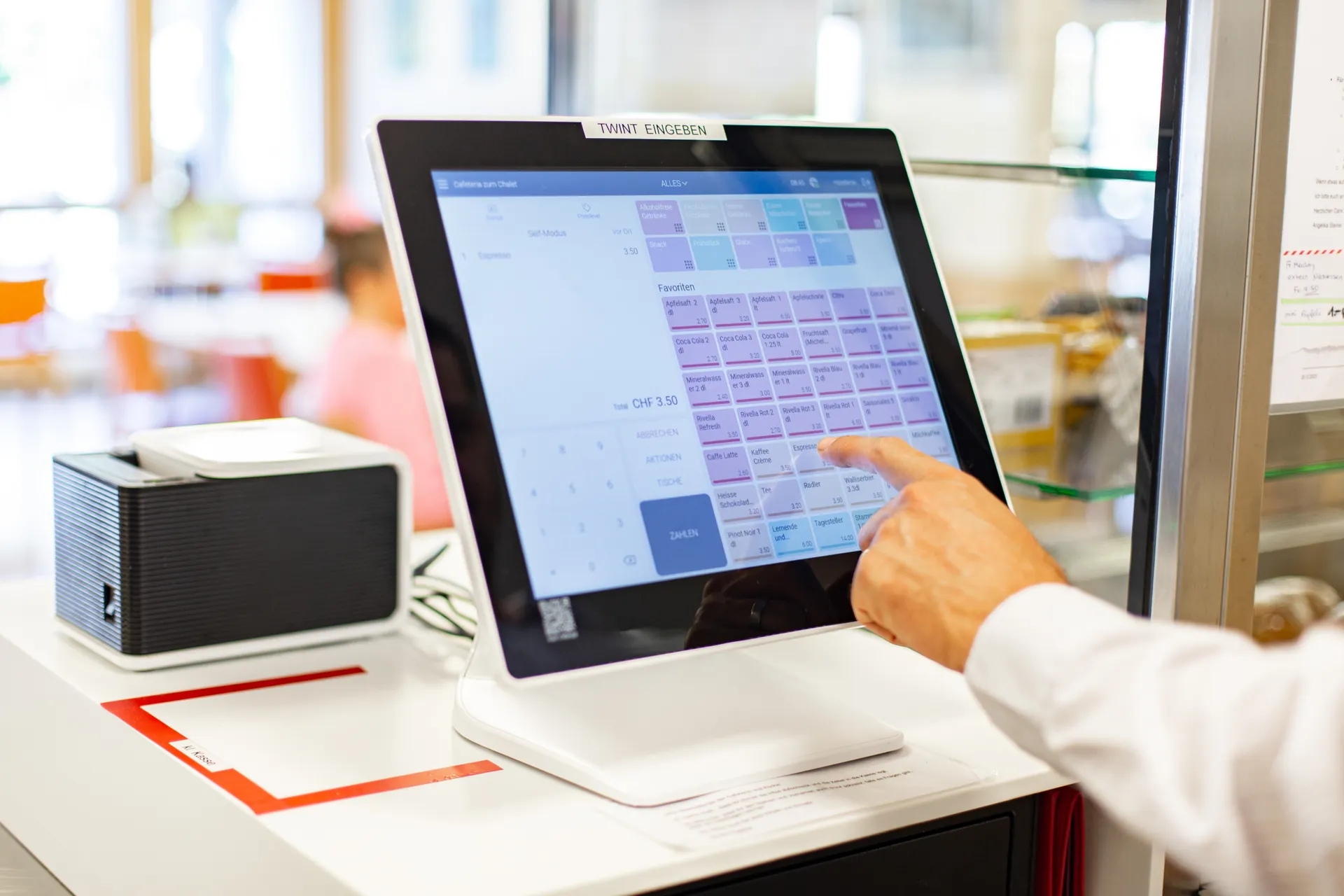
Register
Staffed and self-service checkout with Micanda POS
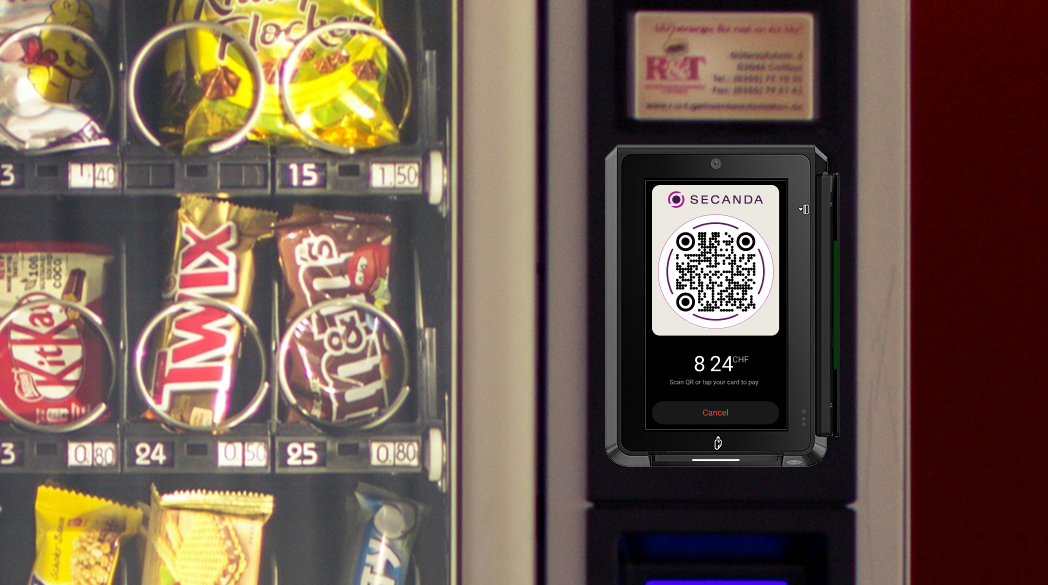
Vending machine
RFID, bank card or QR code: one terminal, three payment methods
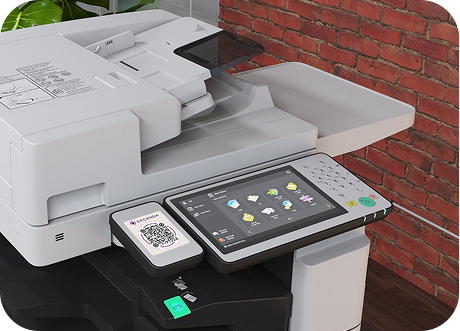
Printers & copiers
Track and bill prints, copies and scans
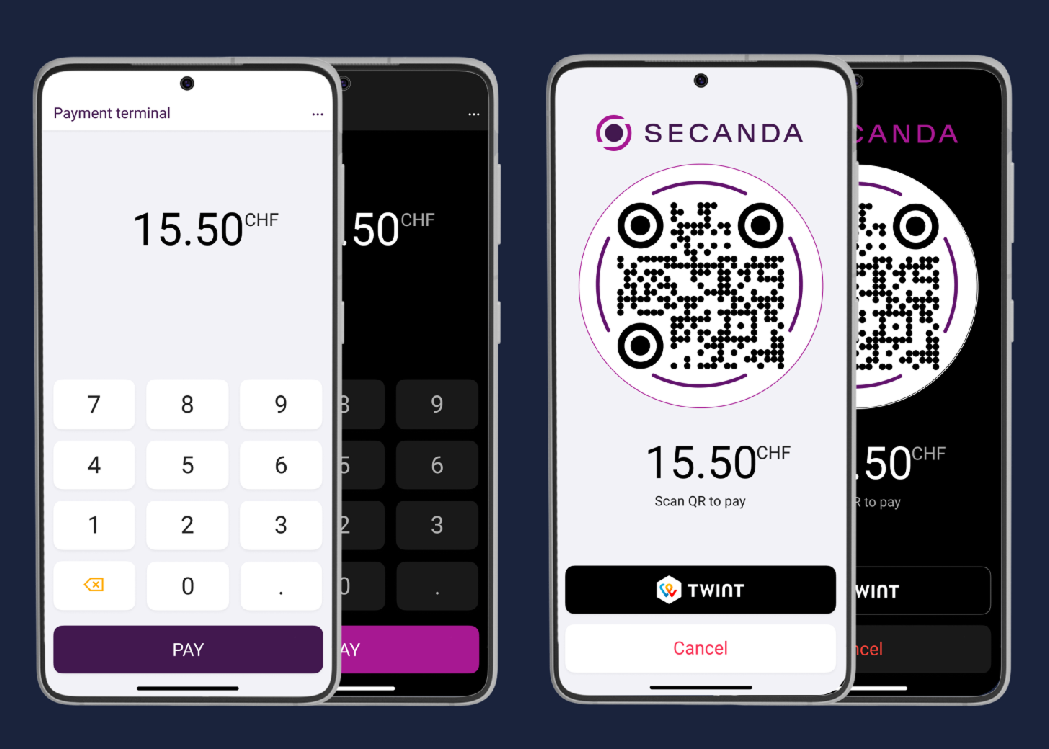
Payment terminal
Take payments by RFID card, mobile payment or TWINT, or top up an account. On a smartphone or a dedicated terminal.
Lockers, paid access, equipment rental... the same account also covers all your other use cases through SECANDA Connect integrations. Discover SECANDA Connect
Flexible voucher system
The voucher system in SECANDA Pay lets administrators create meal plans, budgets or any type of rule-based credit.
- Time-based validity (daily, weekly, per semester)
- Location restrictions (specific cafeterias)
- Product category limits
- Automatic renewal and rollover options
- Multiple vouchers per person
- And any other custom rule to match your needs
Meal plan - Gold
CHF 2'500.– per semester • All dining locations • Rollover enabled
Coffee budget
CHF 50.– per month • Coffee points only • No rollover
Department funds
CHF 200.– per year • Printing and copying • Annual reset
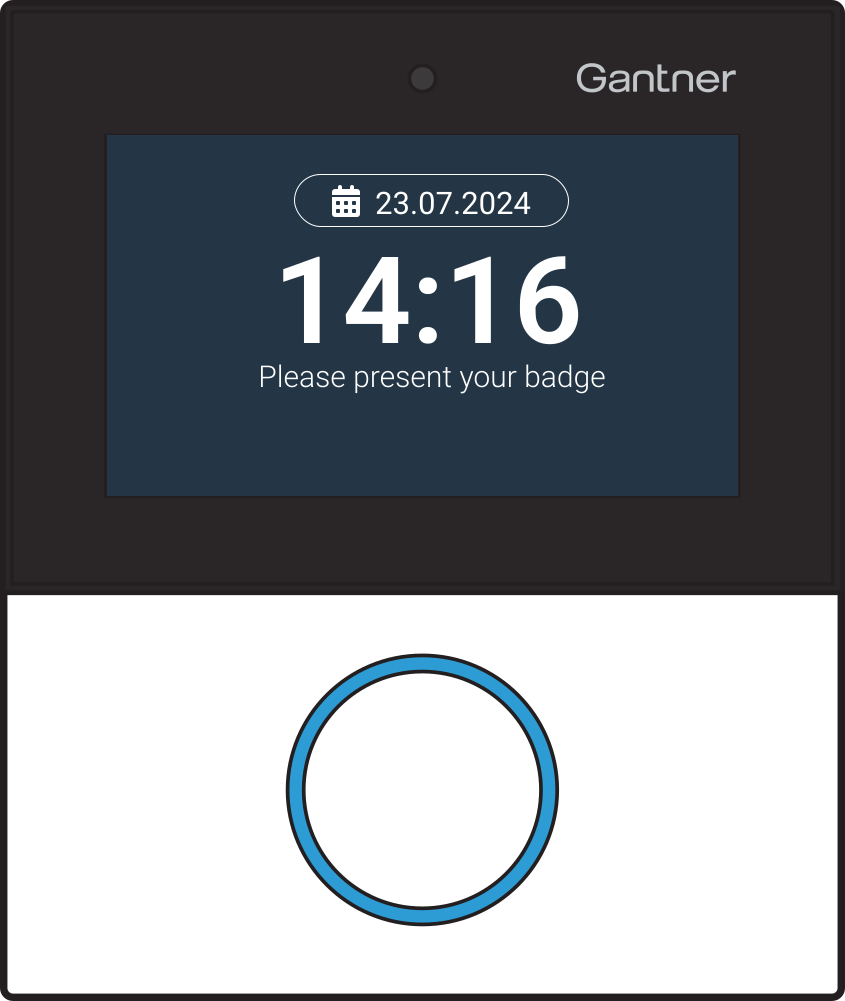
Identity and meal plan checks at the door
- Place a Gantner GT7 reader at the entrance of your restaurant or cafeteria
- Users present their card or scan their credential
- The terminal instantly verifies identity, meal plan and time window
- Access is granted or denied automatically, with no staff involved
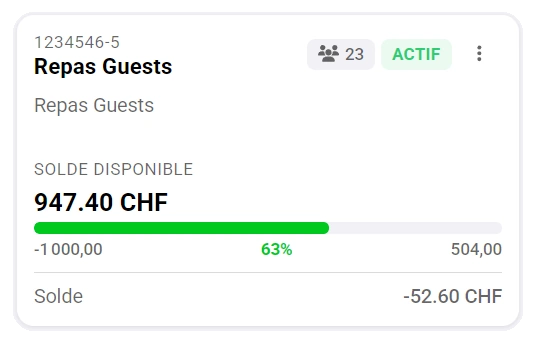
Cost centers
Assign transactions to a shared account instead of a personal one. Ideal for group spending that needs separate tracking.
- Pay for guests at reception
- Shared photocopy account for teachers
- Department budgets for events or supplies
Price levels
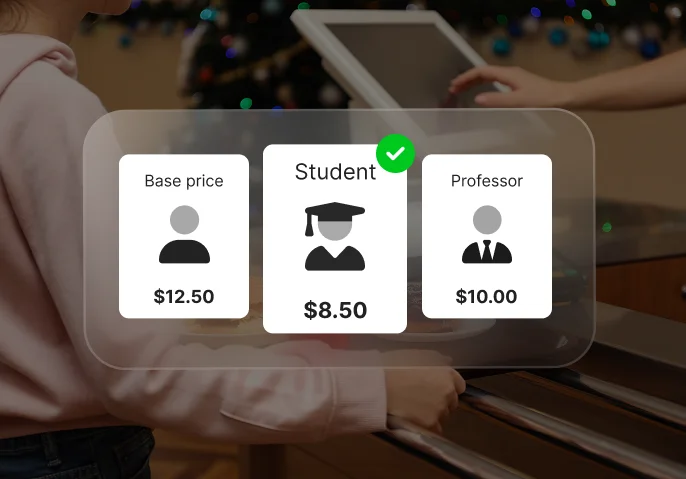
Assign a price level to each user profile and SECANDA Pay automatically applies the right rate to every transaction.
- Students, staff, visitors, VIPs – each with their own rate
- No manual selection or special codes at the point of sale
- The price level is tied to the credential
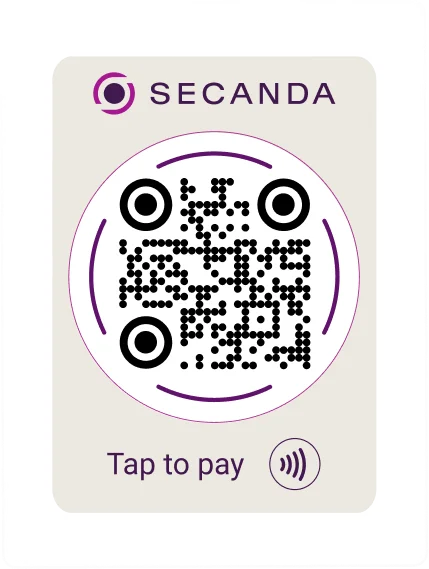
QR payments: no hardware required
A simple printed sticker is all you need. No screen, no terminal, no power supply: just a static QR code that users scan with the SECANDA App to pay instantly.
Print it. Stick it. Get paid.
A QR sticker on a counter, a vending machine, a wall or a receipt: that's a new payment point, up and running in minutes at next to no cost.
Each QR code is encrypted and tied to an identity. Only codes generated by the SECANDA App are recognized: copied or forged codes are automatically rejected.
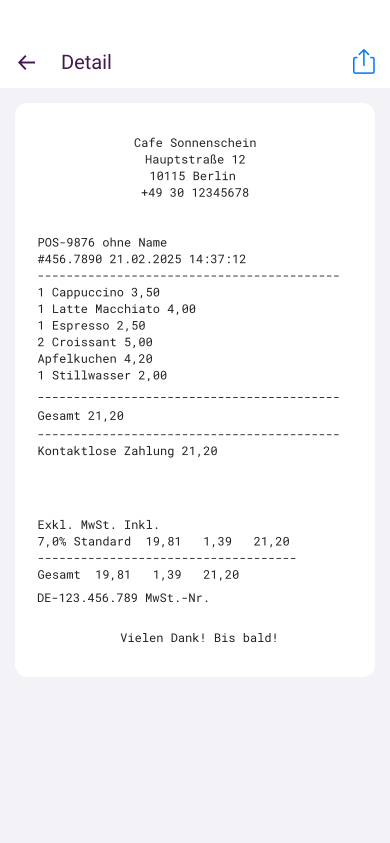
Digital receipts in the SECANDA App
Every transaction generates a digital receipt: item purchased, place and time, amount, voucher or balance used, top-up or payroll deduction status. Less paper, fewer disputes, more transparency.
Learn more about SECANDA App →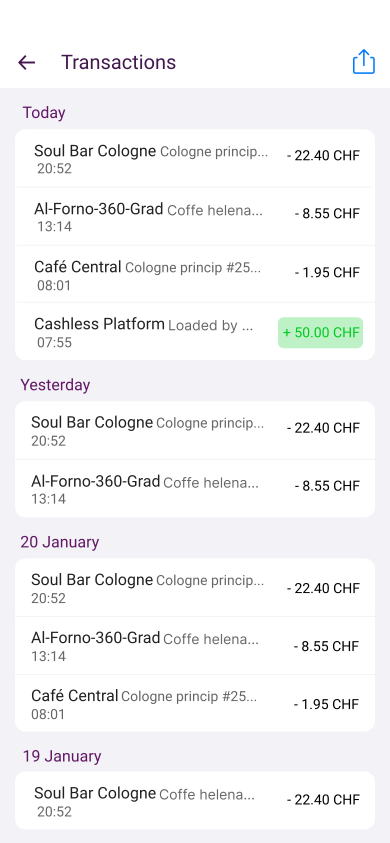
Live financial dashboard
Your finance and operations teams track everything from one central interface
- Live revenue, by channel (card, mobile)
- Revenue by zone (restaurant, cafeteria, vending)
- Meal plan usage and breakdown
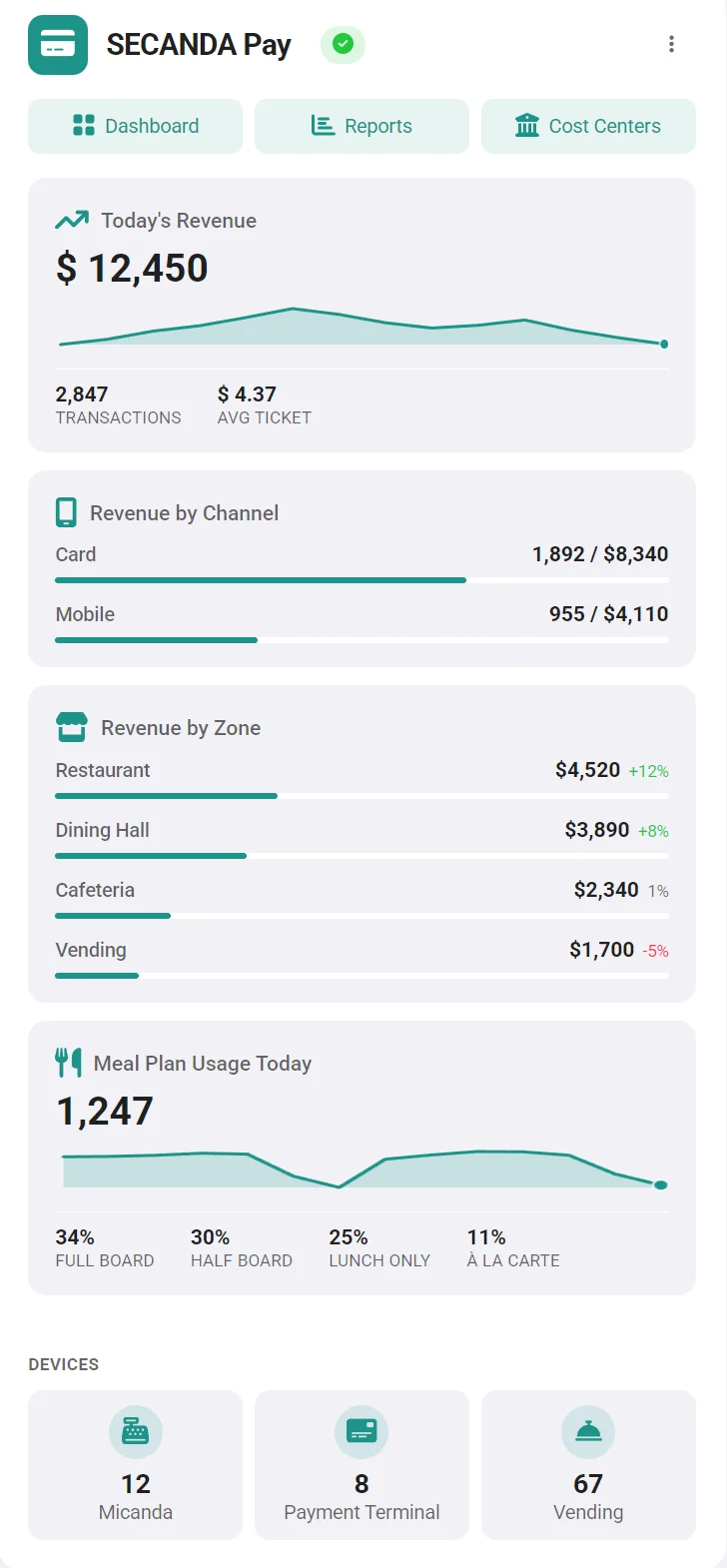
- Transaction volume and average ticket
- Device monitoring (Micanda, payment terminals, vending)
Designed for schools and young users
Parents and guardians manage their child's account themselves, securely and without involving your staff.
- Top up accounts by credit card, bank transfer or the online portal
- Set daily or weekly spending limits
- Get notified when the balance is low
- View the full transaction history at any time
More autonomy for parents, fewer requests for your teams.




Frequently asked questions about SECANDA Pay
Answers to the most common questions about cashless payments.
With a single account, where can users pay?
The SECANDA Pay balance is a closed-loop account, valid across all your service points:
- Catering and points of sale, with the Micanda POS register
- Vending machines (RFID, bank card or QR code)
- Printing, copying and scanning (PaperCut, uniFLOW)
- Payment terminals and account top-up
- Lockers, paid access, equipment rental and more, through SECANDA Connect integrations
One balance, presented by RFID card or by QR code from the app. No separate printing accounts and no parallel balances.
How is the account funded? Do you have to top up in advance?
No. You choose the funding model, and several can coexist:
- Prepaid top-up: by credit card, bank transfer, cash or online portal (for schools, parents top up themselves)
- Direct payment: each transaction is charged immediately to the linked payment method or to an internal billing account
- Payroll deduction: a configurable negative balance is allowed, then the deduction is applied automatically or exported to HR and accounting
How are we billed? Are there fees per card, per mobile credential, or per transaction?
Polyright operates on a single annual license, sized by the number of users managed on the platform.
- No extra cost per physical card issued
- No fee per mobile credential activated
- Zero transaction fees on closed-loop payments
- A user with card + mobile + QR code is counted only once
The annual license includes updates and support, no separate maintenance contract.
Can sales be linked to cost centers, departments or subsidies?
Yes. Each item can be linked to a cost center, and payments by voucher, meal plan or departmental subsidy are automatically allocated in the reports. Ideal for internal billing between departments (HR, visitor reception, internal events).
Which transaction data can be exported for BI or accounting?
Every transaction is stored with item, price, VAT, payment method, register, timestamp and user category.
- Scheduled CSV / Excel exports
- Database access for BI tools (Power BI, Tableau, etc.)
- Data transferred to your accounting system as needed
Take payments without transaction fees
Eliminate transaction fees, cut down on hardware, unify payments from dining to printing and add payroll deduction if you need it.